Archived from the Bravo community forum (2021–2026). Some answers may refer to older versions of Bravo.
(NOW) I am working on releasing the app into App Store through Google Play Console. I want to get another publishable abb after I made several adjustments to the app as stated by Google Play Console after its closed testing. So I used bravo keystore again. But then I am disappointed when I see this.
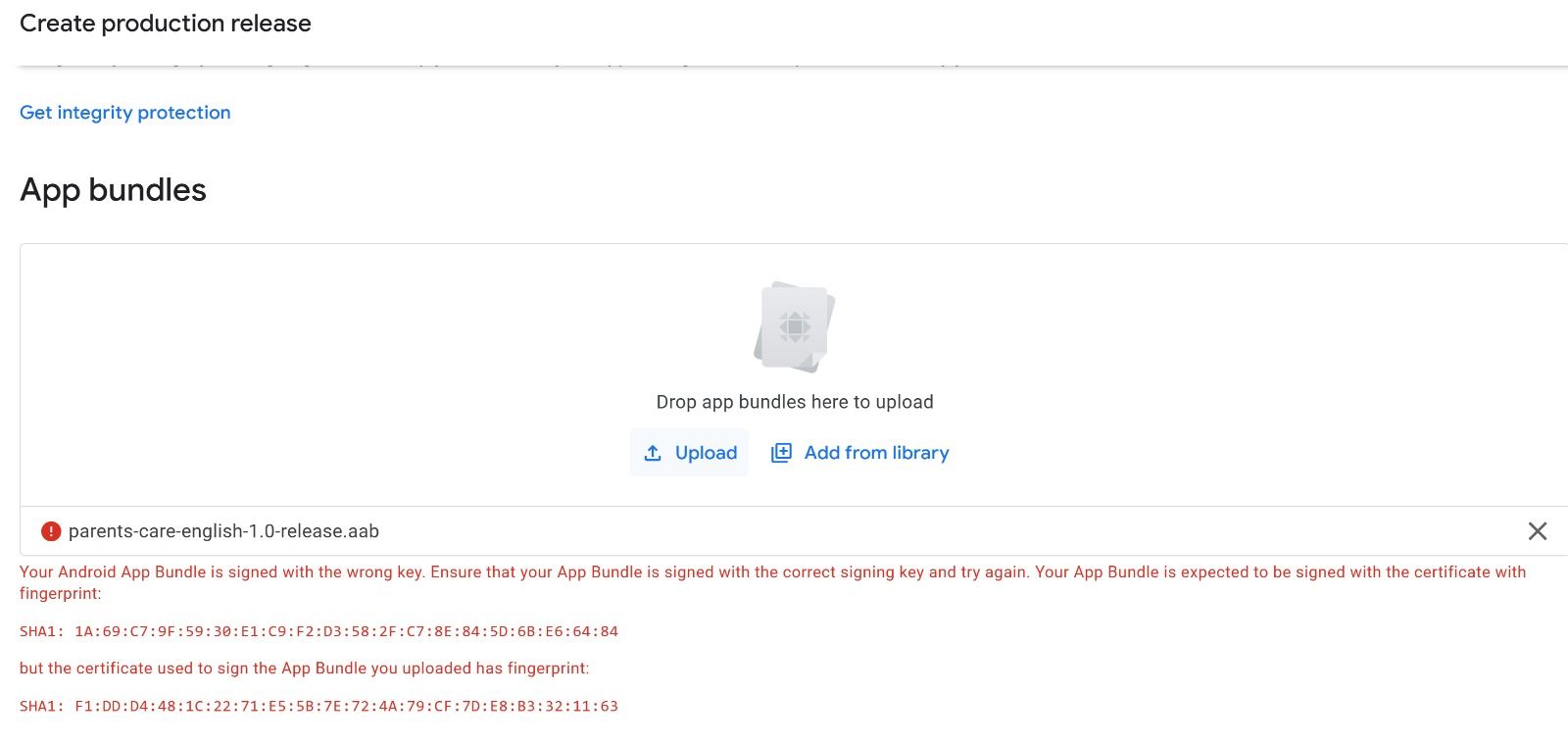
It stated that I have entered the wrong key.
Previously, when I first upload the app to Google Play Console, I have used the easiest option shown through your guide, that is, “Use Bravo Keystore.”
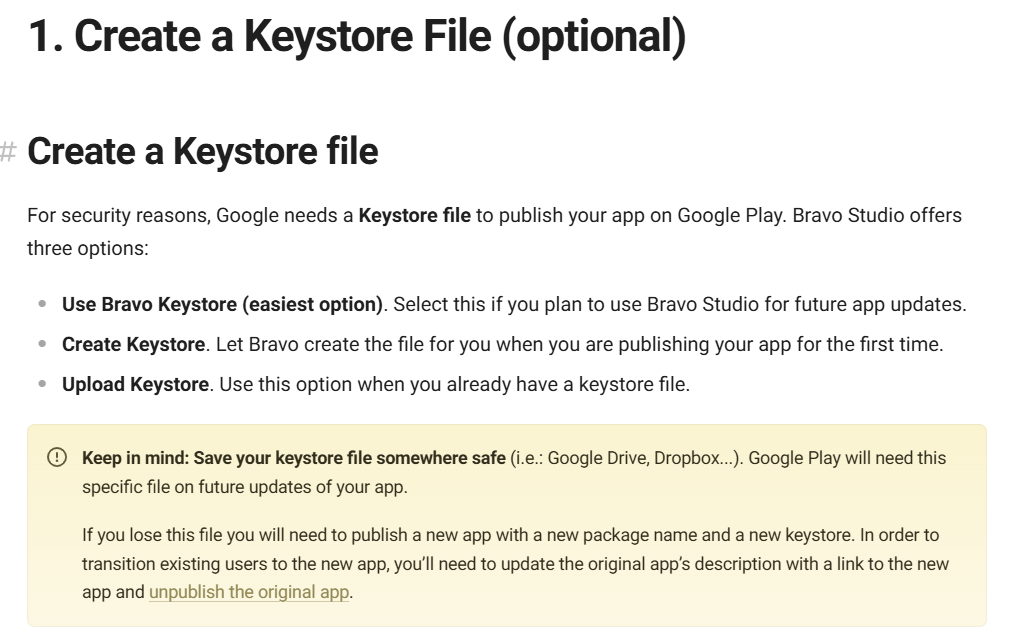
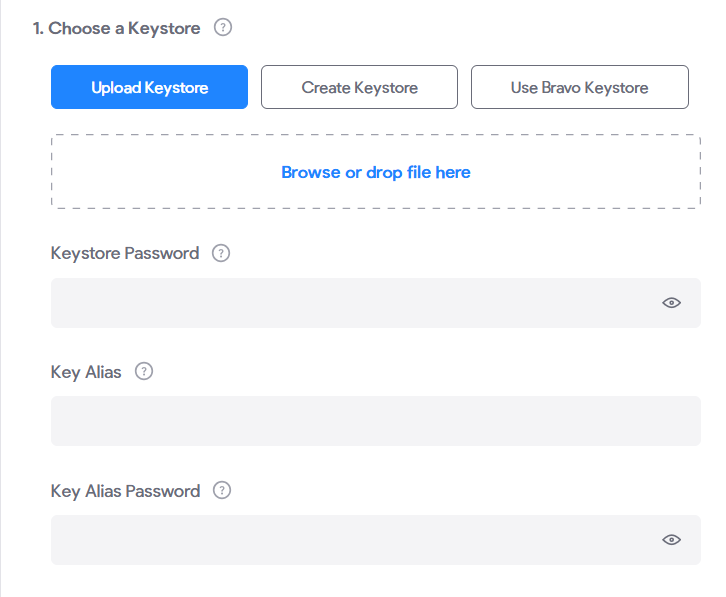
But by using Bravo Keystore, I cannot get the Keystore Password, Keystore Alias and Keystore Password. That is shown below. In my process of uploading the same keystone. I cannot get the Keystore Password, Keystore Alias and Keystore Password
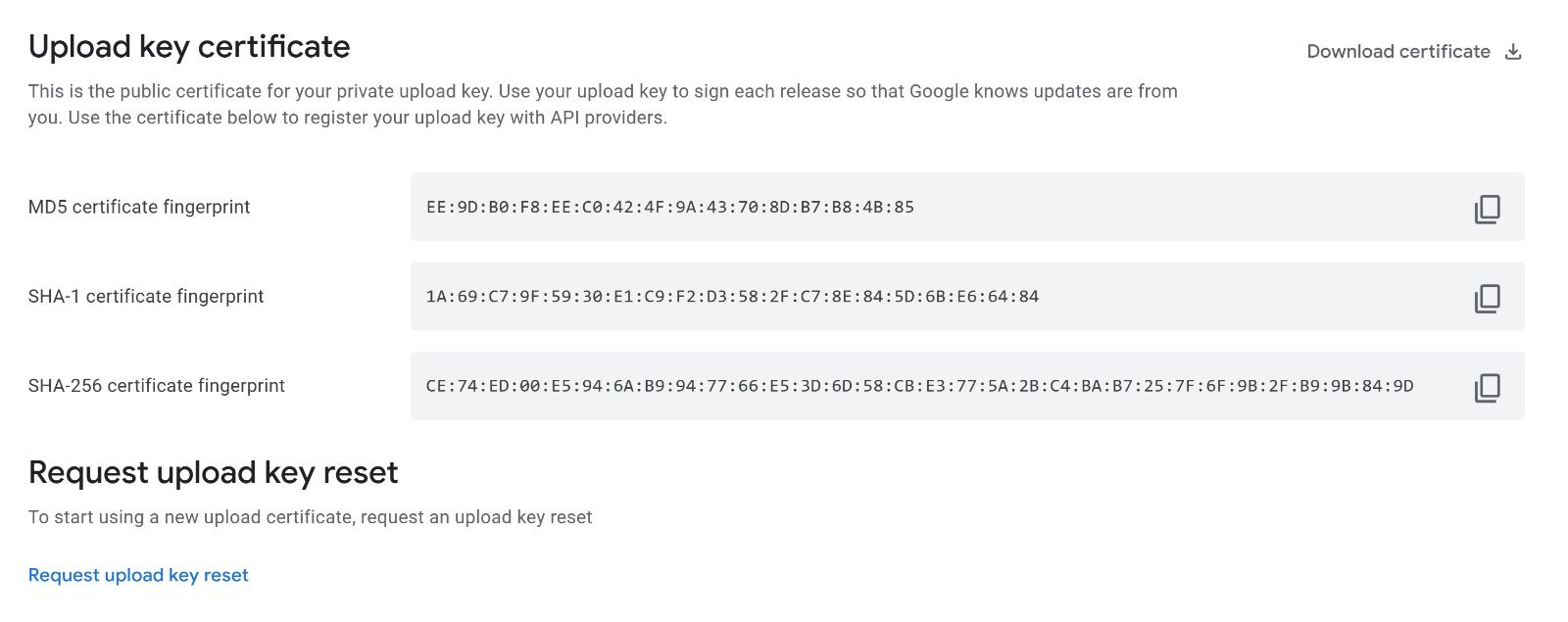
Although I can still copy certificate fingerprint that is shown below. But I still need Keystore Password, Keystore Alias and Keystore Password.
My question is, how can I get Keystore Password, Keystore Alias and Keystore Password that is based on the bravo keystore I used previously? Or are there any other methods I can use to make sure I wont face the same problem shown in the first picture.
Please answer my question.
Thank you.
2 replies
Wrote something in this thread and want it removed? Request removal
Ask the community on Discord
This archive is read-only. New questions, office hours and product updates now happen in the Bravo Discord.
Join the Discord