Archived from the Bravo community forum (2021–2026). Some answers may refer to older versions of Bravo.
Good afternoon,
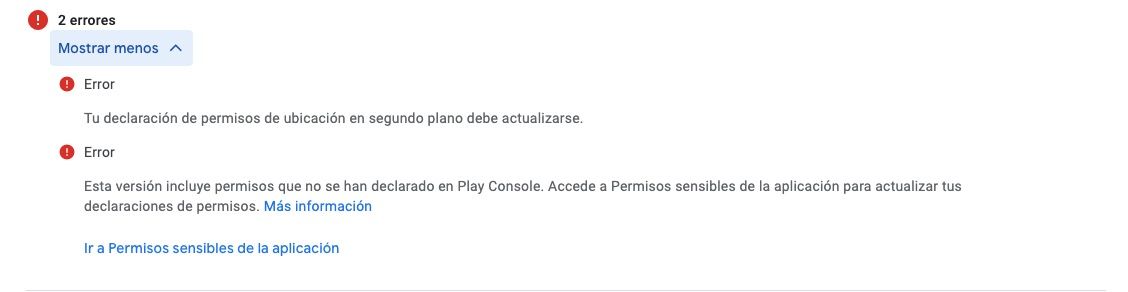
I am trying to publish an application on Google Play Store, but when I publish it I get error messages that do not allow me to continue with the process.
One of them says: "This version includes permissions that have not been declared in the Play Console. Please go to Sensitive Permissions in the app to update your permission declarations".
When I go to the sensitive permissions section, it says that the app is asking for these permissions:
android.permission.ACCESS_BACKGROUND_LOCATION
android.permission.ACCESS_COARSE_LOCATION
android.permission.ACCESS_FINE_LOCATION
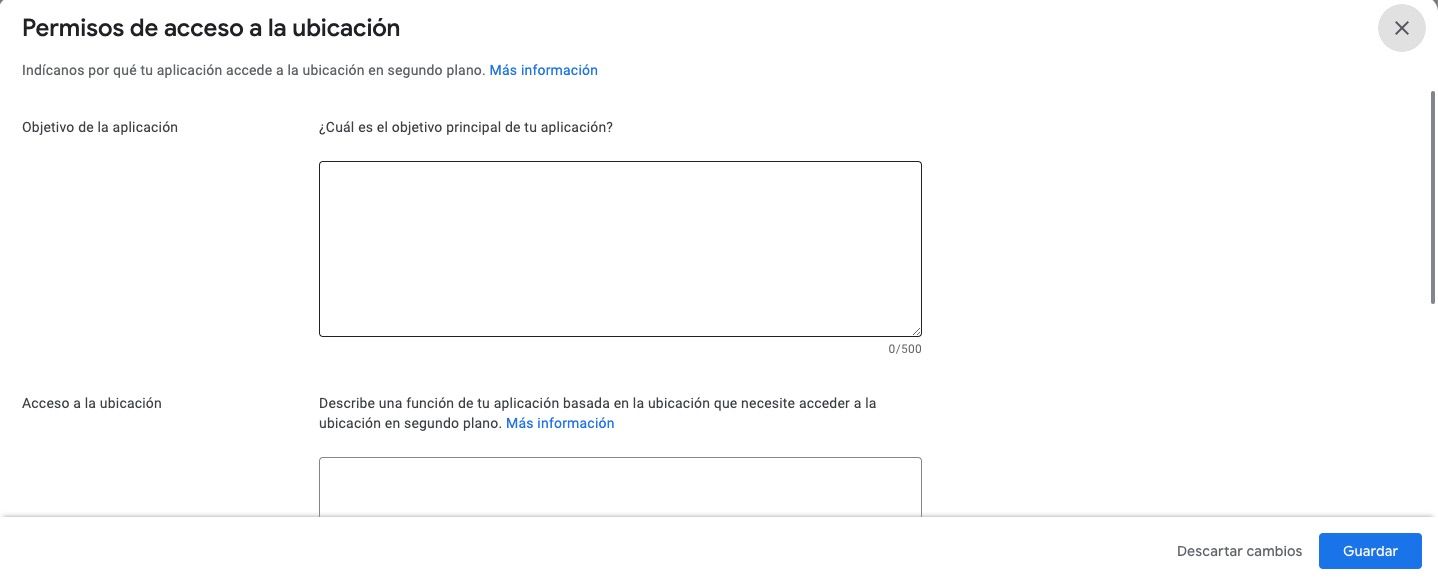
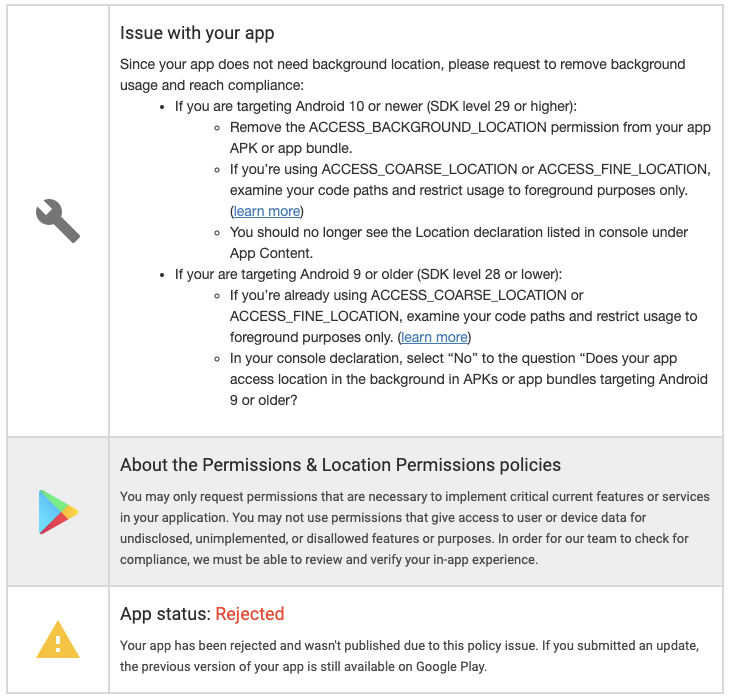
So I need to configure the location access permissions because my app does not comply with Google's policies at the moment.
At no point does my app ask users to share their location.
How can I fix this?
Thanks in advance,
3 replies
Wrote something in this thread and want it removed? Request removal
Ask the community on Discord
This archive is read-only. New questions, office hours and product updates now happen in the Bravo Discord.
Join the Discord