Archived from the Bravo community forum (2021–2026). Some answers may refer to older versions of Bravo.
Dear Bravo Studio Community,
We hope this message finds you well. We're reaching out to inform you about a recent change in the Google Play platform that may impact users who have deep links enabled in their apps.
What do I do if I receive this error message?
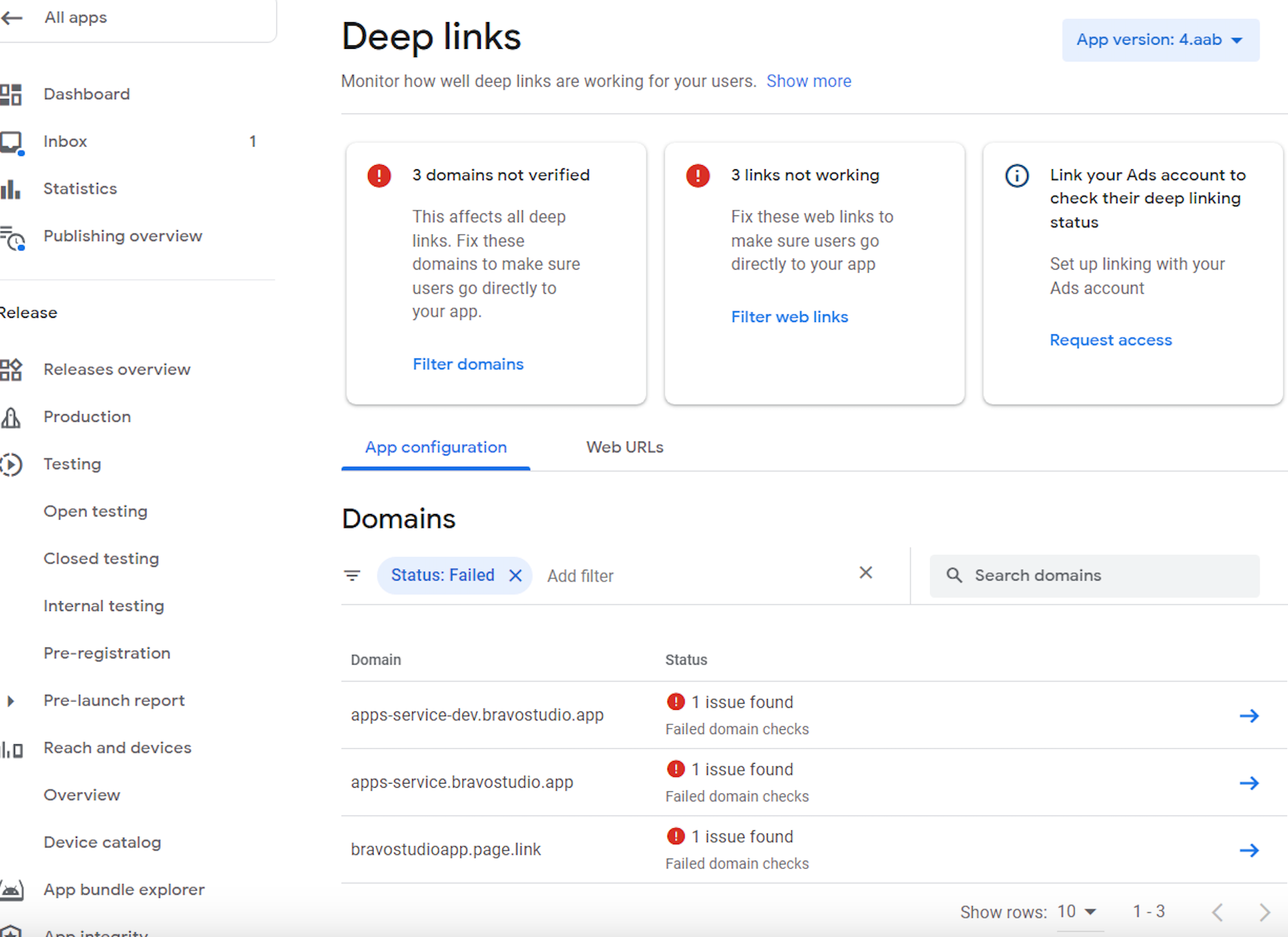
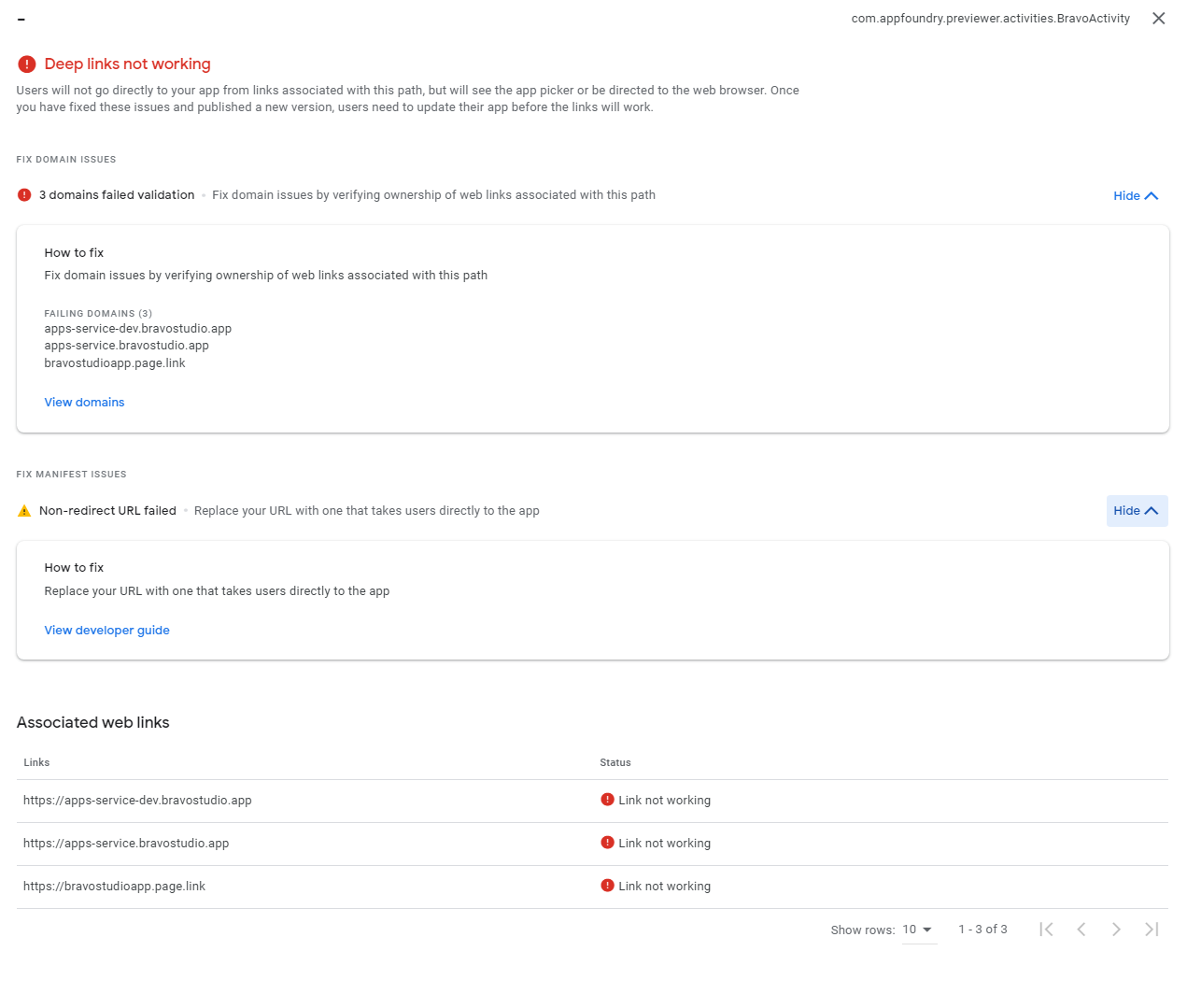
How to fix it?
1. Users Not Using Deep Links: If you're not using deep links, you won't encounter any warning messages on Google Play after requesting and uploading a new build. Business as usual!
2. Users with Deep Links Enabled:
a. Warnings for Specific Domain (app-service.bravostudio.app):
- You may still see warnings for the domain “app-service.bravostudio.app”. Unfortunately, this warning cannot be completely eliminated due to scalability concerns. But do not worry! Deep links will continue to function on Vision. All you need to do is select the app when the link is clicked.
b. Warnings for Your Own Domain:
If you encounter warnings for your own domain, follow these steps:
Add SHA256 Key to Firebase Project:
Obtain the SHA256 key that Google Play generates (refer to the attached screenshot).
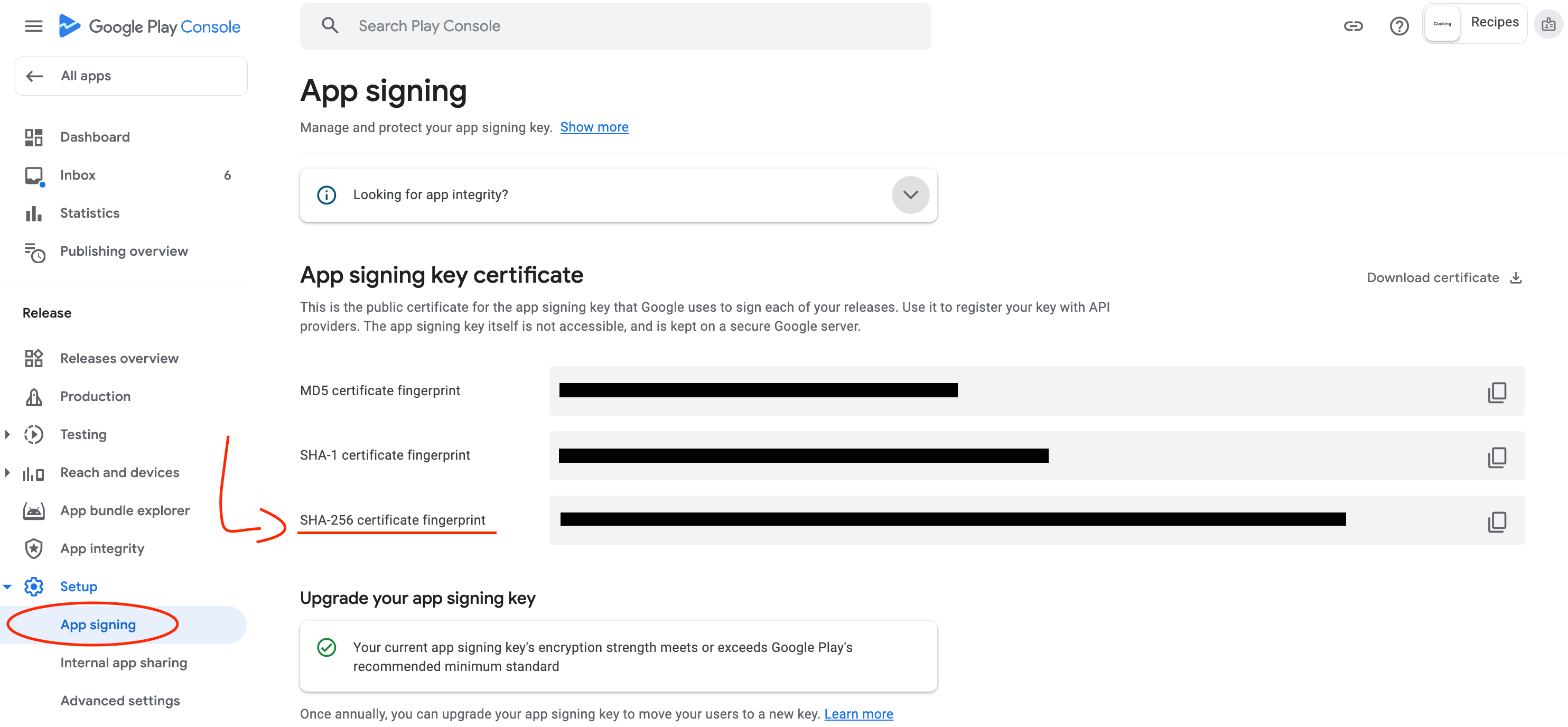
Add this key to your Firebase project.
Wait for Firebase Changes:
- Allow around 30 minutes for Firebase to process the changes.
Recheck Verification on Google Play:
Go to Google Play -> Deep Links -> Your User Domain -> Recheck Verification.
This should remove the warning after Firebase updates.
We understand this process may seem a bit intricate, but it ensures the security and efficient functionality of deep links within your apps.
Please let us know if you have any questions. We’ll be happy to help!
Best regards,
1 reply
Wrote something in this thread and want it removed? Request removal
Ask the community on Discord
This archive is read-only. New questions, office hours and product updates now happen in the Bravo Discord.
Join the Discord