Archived from the Bravo community forum (2021–2026). Some answers may refer to older versions of Bravo.
Hi Bravo Community,
There's a new Data Safety requirement on Google Play which needs attention when releasing and updating your app.
You might come across an “Action required” notification on Data Safety section like:
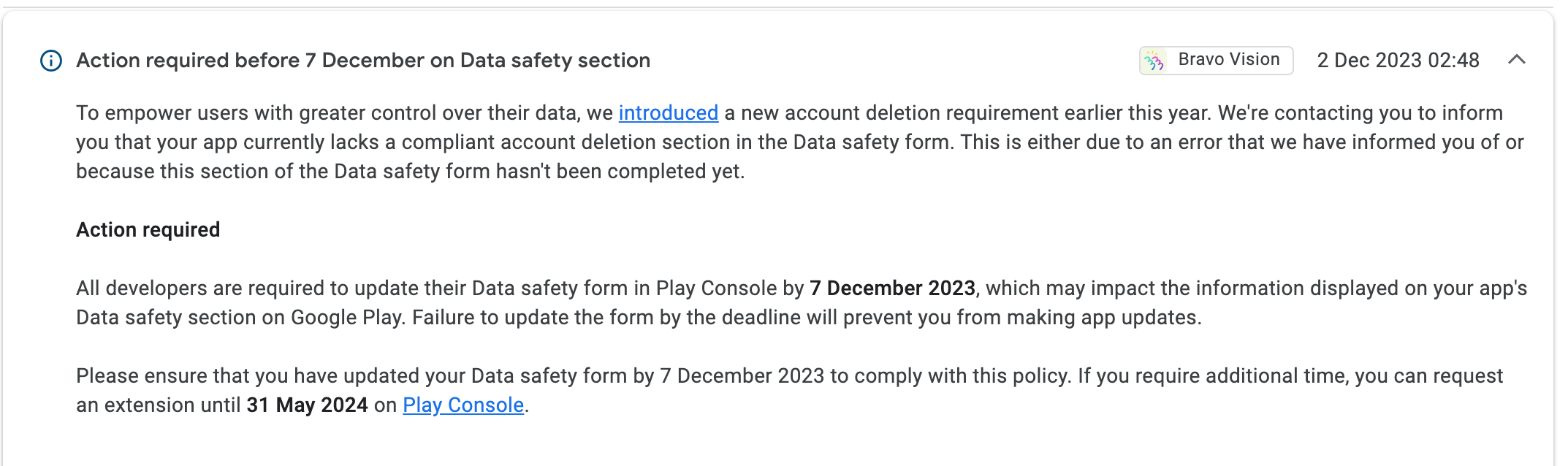
For apps with authentication, it is now mandatory provide an account deletion URL when publishing your Android app.
Here's how you can obtain the Delete account URL for Google Play (using any kind of authenticatiobn
Navigate to Bravo.
Select your App.
Go to “Publish”
Click on Android.
Choose “Publication”
In Step 4, you’ll find the Deletion account URL for Google Play
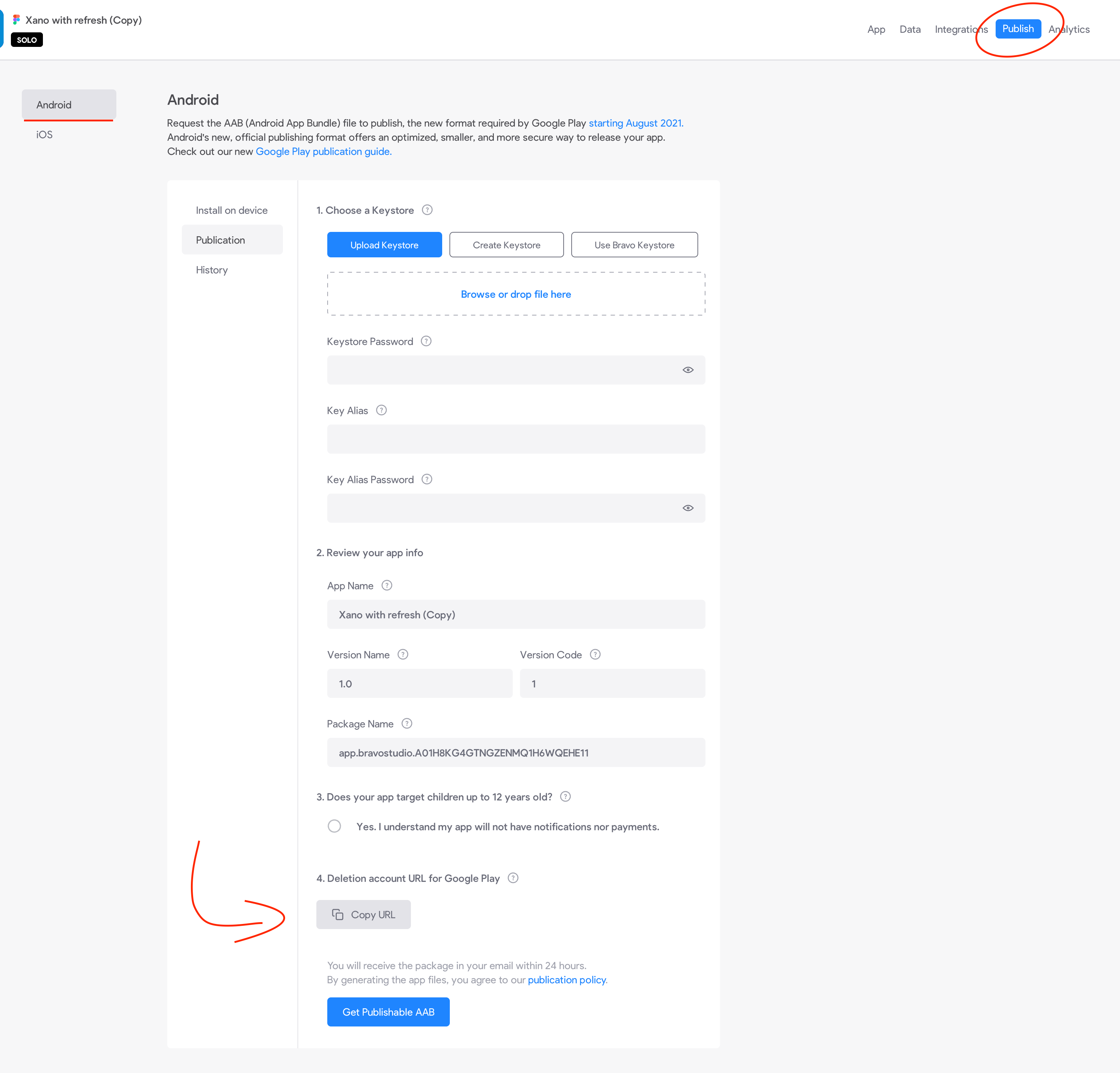
- Finally, click on the "Copy URL" button.
To ensure the completion of data in Google Play, kindly follow the instructions and copy the following:
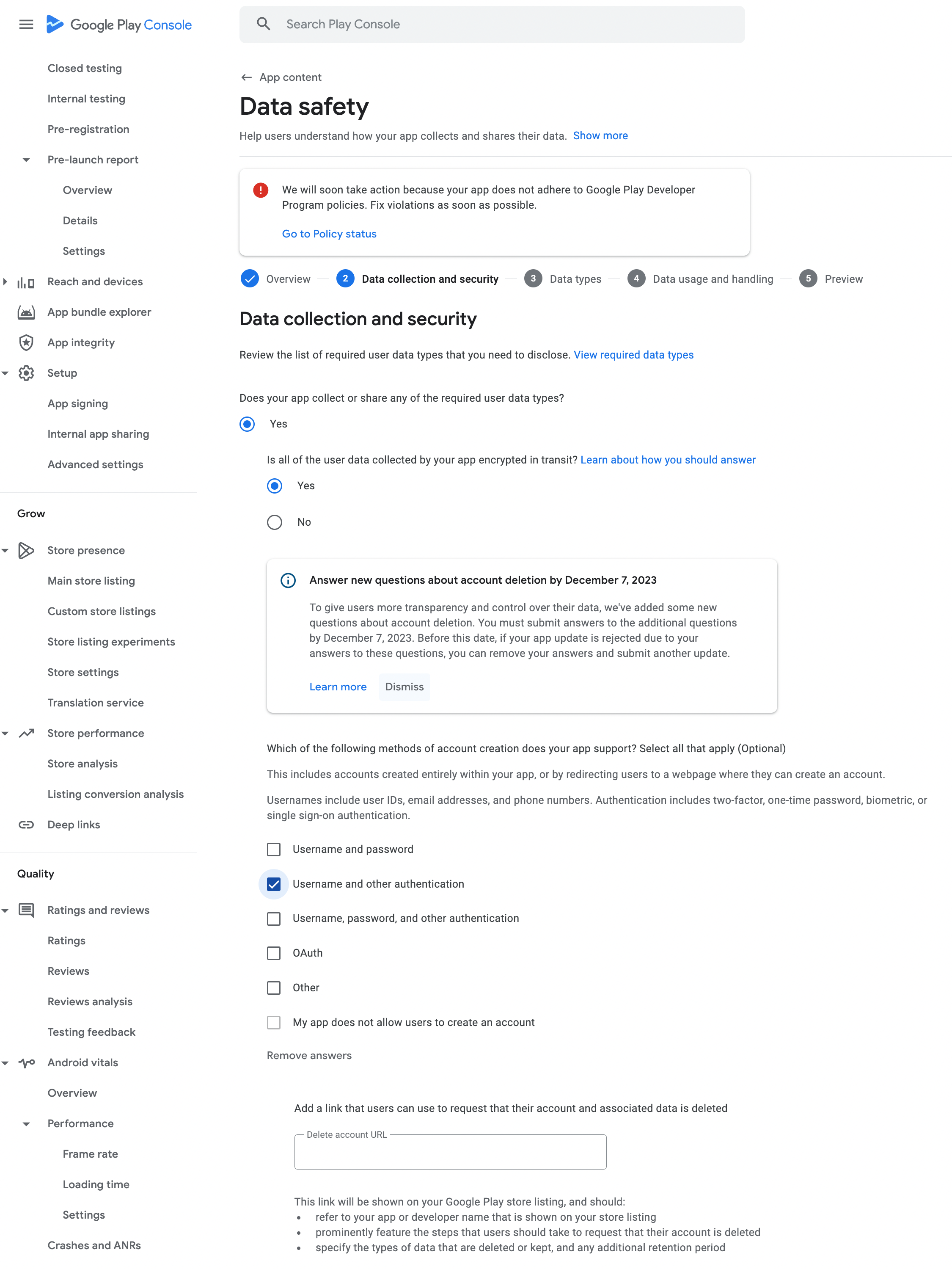
Find the complete Google Play publication process here.
Thank you for your attention and cooperation.
Let us know if any questions!
2 replies
Wrote something in this thread and want it removed? Request removal
Ask the community on Discord
This archive is read-only. New questions, office hours and product updates now happen in the Bravo Discord.
Join the Discord