← Publishing
Publishing March 6, 2025 · 3 replies

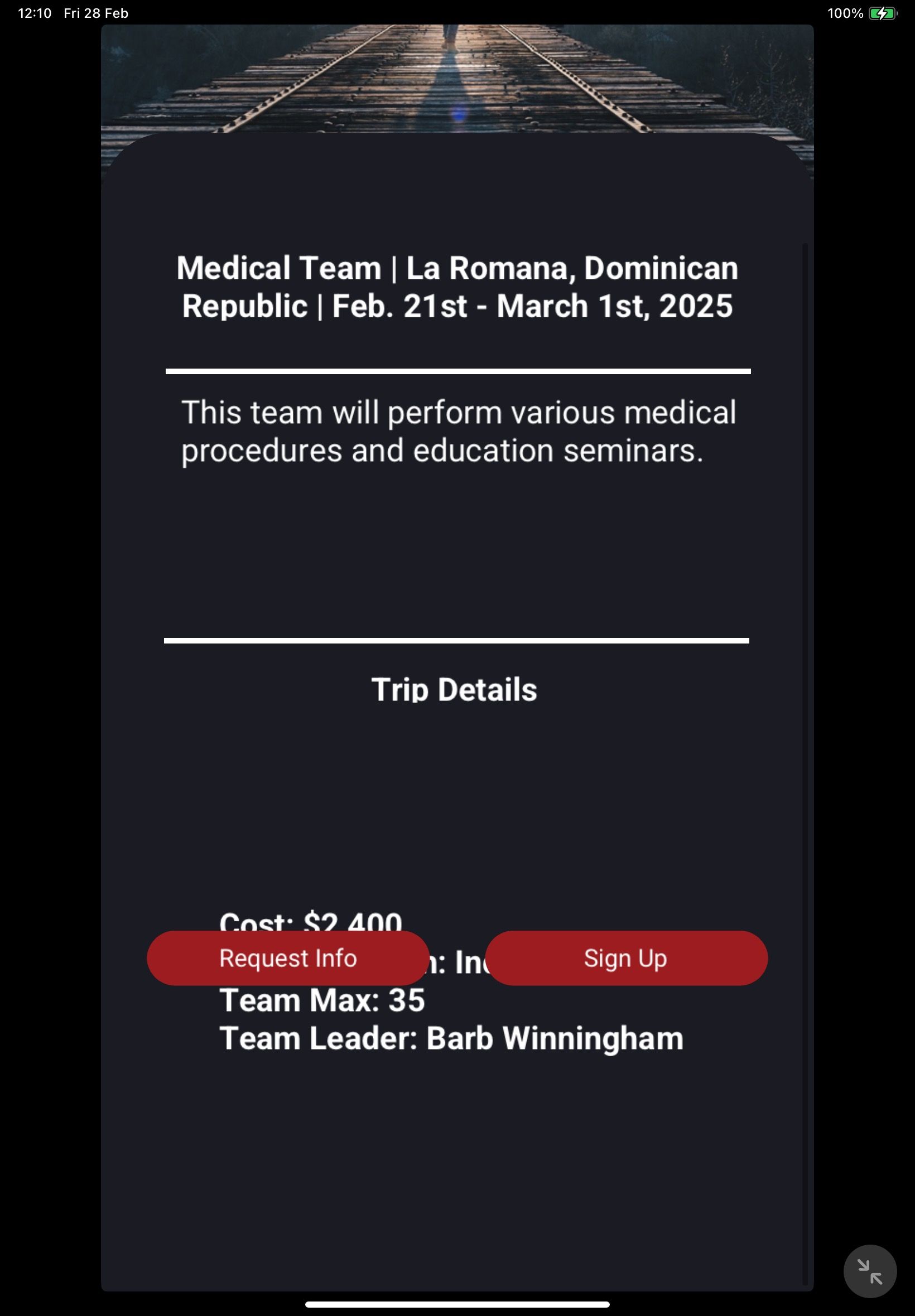
Several screens of the app were crowded, laid out, or displayed in a way that made it difficult to use the app when reviewed on iPad Air (5th generation) running iPadOS 18.3.1.

Archived from the Bravo community forum (2021–2026). Some answers may refer to older versions of Bravo.

Hello, I’m hoping to get some help. My app was denied by the Apple App Store because when it’s pulled up on an iPad, this specific screen isn't pulling up correctly. I wasn’t sure if it was an aspect ratio issue or what? The words behind the buttons should be up higher on the page, between “Trip Details” and the buttons. Would appreciate any help if anyone else has encountered this! Thanks!
3 replies

Alex March 6, 2025

I could be wrong, but I don’t think Bravo supports iPad yet? I’m not sure if you checked an extra box or how that works

Alex March 6, 2025

But if that’s the case, I think its the problem with using [layer] tag in this place. I wonder if you can just put it in a normal container and it will correctly push to the bottom of the stack/screen

Juan April 4, 2025

I have seen my apps displayed in an ipad and Android tablet, so although I don’t think Bravo “allows” or optimises the app for it, the package will work; but that means those UI issues are likely to happen I guess

@Mykaela Johnson did you intend to publish to ipads? if you didn’t, perhaps you should adjust your submission and/or let the reviewers know it wasn’t intended for ipad/tablets

Wrote something in this thread and want it removed? Request removal

Still stuck?

Ask the community on Discord

This archive is read-only. New questions, office hours and product updates now happen in the Bravo Discord.

Join the Discord