Archived from the Bravo community forum (2021–2026). Some answers may refer to older versions of Bravo.
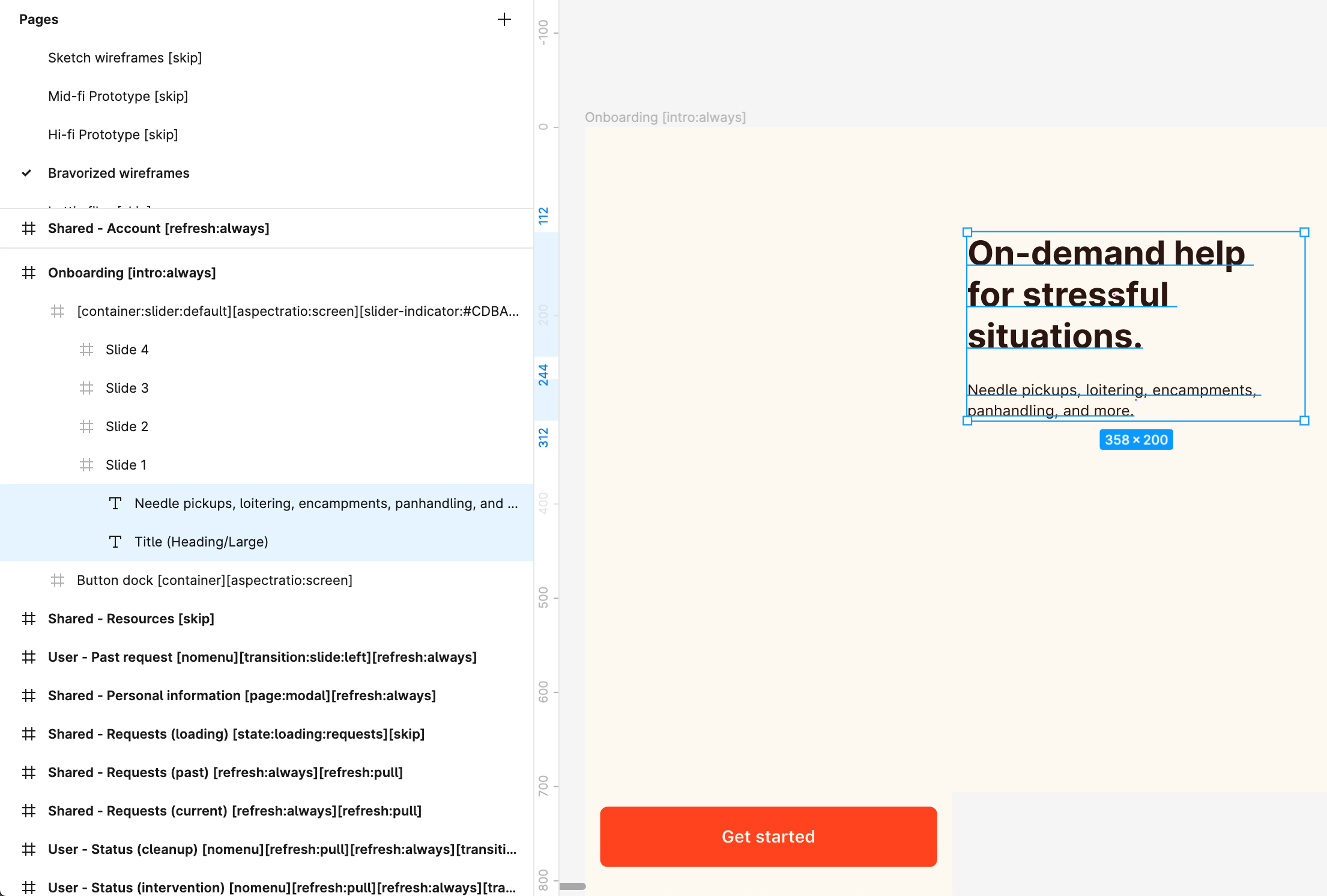
This is a very simple screen with a button container and a slide container, in which the text components are placed. The fonts are common fonts as well - Inter for title and SF pro for body - and they appear fine on most screens.
For the life of me I cannot figure out why there’s a huge space below the title font and the body font is cut off when the setup of the components is so simple.
This is quite frustrating because there seems to have been a lot of posts about this issue over the past 2 years and it still exists in one form or another.
Android

iOS

Figma
2 replies
Wrote something in this thread and want it removed? Request removal
Ask the community on Discord
This archive is read-only. New questions, office hours and product updates now happen in the Bravo Discord.
Join the Discord