Archived from the Bravo community forum (2021–2026). Some answers may refer to older versions of Bravo.
I have an ecommerce app with almost everything I need, from product search filters, to the selection of variants and to the cart with multiple products and forms to fill out ... The app is synchronized with airtable and I have added qr code to the orders / products but I would like to add a search step by scanning their QR code / barcode ... do you have any suggestions on how to do it? Is this possible with current tags?
28 replies
If the QR code can pass variables, yes, this would be possible :)
Explain in more detail for one product. What you have. What you want to do the search with. And what you want to display.
Hi Karla, thanks for your reply. First of all I have a base on airtable, with tables that contain all the data for my shop. One is a full list of product(with many variants for each), one only for parents, one for the cart, etc...one with all the orders generated from a WP website synced with airtable. I want to add a QR code for each order and a QR code for each product and filter products/orders scanning this code. I want to add a button(or a search field) that can receive the scanned code and generate an API call to the table, that can filter the data and fill another page with the order/product details(as I've already done without QR code). I don't know if there are better solutions...I know that the search field works only with data on a page(I can fill that page with all the article perhaps...) and fill the search field with the scanned code or try another solution, perhaps an API call with the code as variable to find the exact product...I'm open to suggestions...All of that is already done(almost all...) without QR code...
Thanks in advance...
I think, that’s just the normal search on your table using example:
/products?filterByFormula=SEARCH("${Product}", Product)
yes it is, but with the ${product} scanned with the qr cide reader...
I believe you need to create a deeplink that opens the right page with the right content for each of the products. This way, you can display the right result once you scan the we code it opens it inside the app. Does it make sense to you as well?
Or use the same deep link to the search page and display the result item for the user to click on
Thanks Karla, I don't know if that could be a useful solution...It's a workaround that can help me with products, but a the moment, I don't know how to manage the orders...In your opinion, is it possible to create a function(formula) that generate the right link automatically, adding the order_id in URL formula in the right position, every time that a new order is created in Airtable? Thanks again!!! I'm really fascinated and excited by this(for me) new world. Figma, Airtable and Bravo could change my work, or at least that's what I'm hoping for! I saw that after few months, I'm able to create an app that can do a lot of things, so I want to learn as soon as possible how to have a deeper control a create something really good...
You can create the page url by concatenating sentences with data from your products, but the QR code you would have to generate in another place, and I don’t know any that would do that automatically. You would need to research more about it.
Thanks Karla, I don't know how to do it, but I will try...For the QR code I know that I can create something directly on Airtable, but not automatically...so I think that I'll will look on the Integromat/Zapier forums for more info about that.
Hi Karla...I'm sorry to bother you again...I've done almost everything that you suggested. But I'm not able to see anything after I've scanned the QR code...I've tried connecting the QR code page in Figma(the page with the tag "[qr:page-visor][transition:slide:up]") with another page where I would have liked to view the result of my call, but I'm able to see only the page with the button that trigger the Qr code scanner...do you have any suggestions?
Hi Karla...I'm sorry to bother you again...I've done almost everything that you suggested. But I'm not able to see anything after I've scanned the QR code...I've tried connecting the QR code page in Figma(the page with the tag "[qr:page-visor][transition:slide:up]") with another page where I would have liked to view the result of my call, but I'm able to see only the page with the button that trigger the Qr code scanner...do you have any suggestions?
Hey Without trying it out I really have no clue. If you want to share the files and book a chit-chat I can check it. Bravo just sent an email about deep links, maybe check that out?
Hi Karla, here I am again today! I'm glad you can help me. Let me know what I can send to you to better understand the problem and I'll prepare the files for you ... Basically, the app must be used to dynamically display orders / products / etc loaded from Airtable, in a dynamic way. Based on the user's choices, through API calls, the app will create pages that contain the requested information. To do this at the moment I have provided some search functions with text strings (e.g. product name) and everything works. I would also like to use the QR code (I would not have the search page with all the elements to filter and it would be cleaner and more elegant), which should extract product / order information from Airtable, for example the main image, description, price etc. . I tried (probably wrongly ...) to create a QR code that contains the API call that I should use to search for the product, thinking that after the scan, Bravo would automatically connect me to the next page, where I will be able to view the data requested, but instead the app refreshes the QR code page and nothing happens...I don't know if there is a way to show, after the QR code is scanned, the next(right) page with the informations requested. I don't know if it is ok to pass an airtable formula with a QR code and if the variable are saved and usable, I don't know if there is a way to use the native mobile QR code scanner for this purpose...I saw other apps that implement similar functions...Best regards.
Hey you need to think here that you need to make it work as it doesn't come from a QRcode, if you do that, the QRcode is simply another path. I don't know if I am being clear.
This displays exactly what you are looking for, think of it and its logic for a bit:
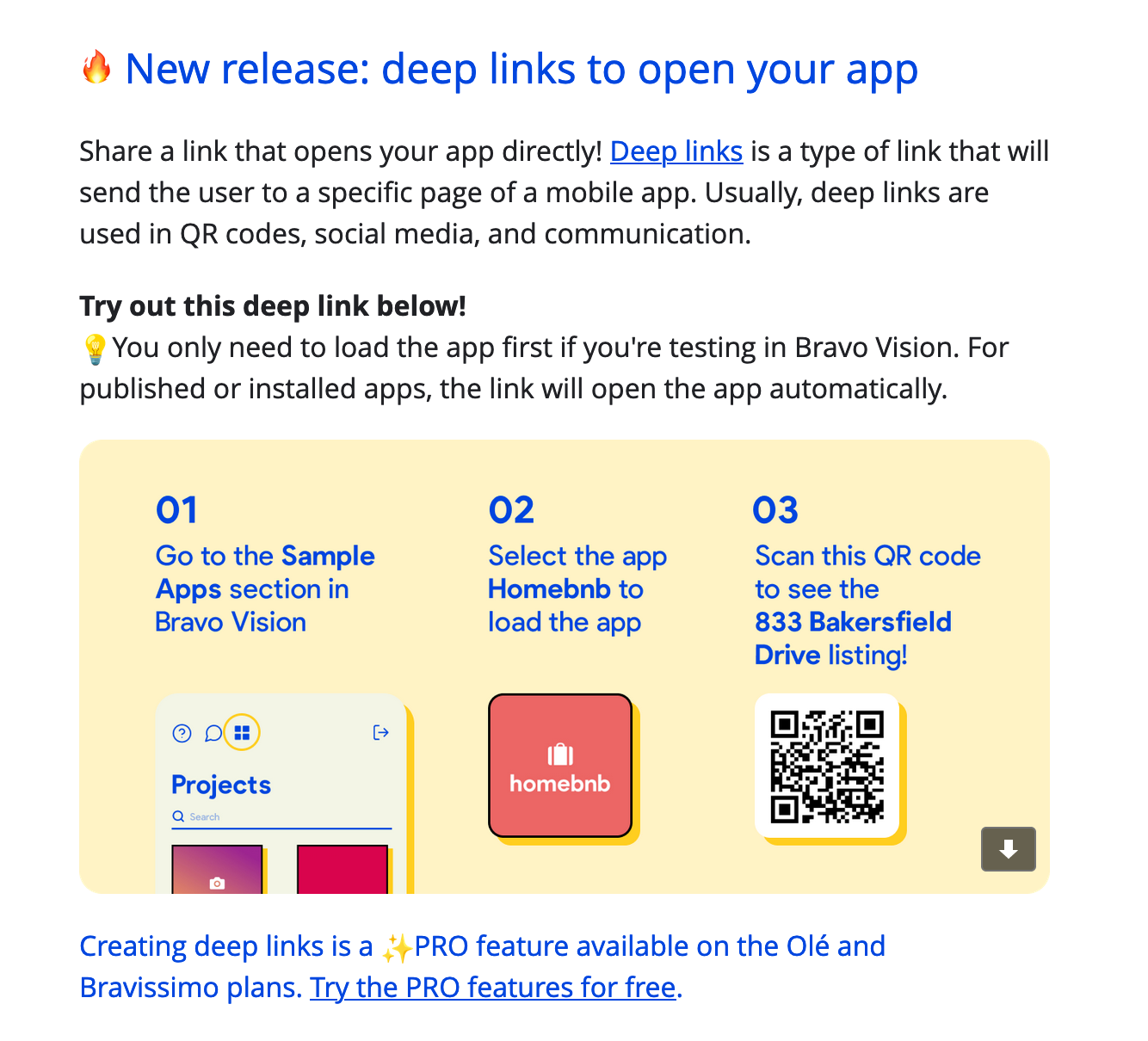
https://docs.bravostudio.app/connnec-api/create-a-deep-link-for-your-app
Hi , maybe I'm missing a step...First of all I usually create a page with Figma . After that I go to Bravo Studio and I make the binding steps...In this case I've created a request like that: https://api.airtable.com/v0/appXXXXXXXXXXXXX/ORDERS?filterByFormula=search('${product\_id}'%2Carrayjoin(product\_id)), so in this page when the customer click on a product in the previous page I'm able to see the right product here. I link few text fields with the right variable(product name, SKU, etc...) and try the app. Until now, everything is fine and I was able to add a search field to find easily the right product. When in your first message you talked about a formula that I can pass with the QR code, I've created an URL with a formula for each of my products...when I use the scanner I get a message in a pop up, but nothing else happens and i can only see the page with the "scan QR code" button...I'm missing something? How I can use the deep links? The page I want to view does not physically exist, but is dinamically generated by the app based on the customer's choice ... how can I use the deep link and insert the API call? Or do I have to proceed in another way?
In my mind I thought something like that: QR code --> API call to Airtable --> filter the right product --> the app displays another page with the corresponding product. That page does not exist until it receives data from Airtable, and only then they are inserted into the template created with Figma and displayed in the app. I like your phrase "you need to think here that you need to make it work as it doesn't come from a QRcode, if you do that, the QRcode is simply another path." But as I said at the beginning, maybe I'm missing a step...
So, I don't want to bother you more than necessary and I apologize in advance for my insistence ...
- I can add the API call in the QR code?
- If yes how I could display a page containing the needed informations?
- if no, I could use the deep links as workaround? How?
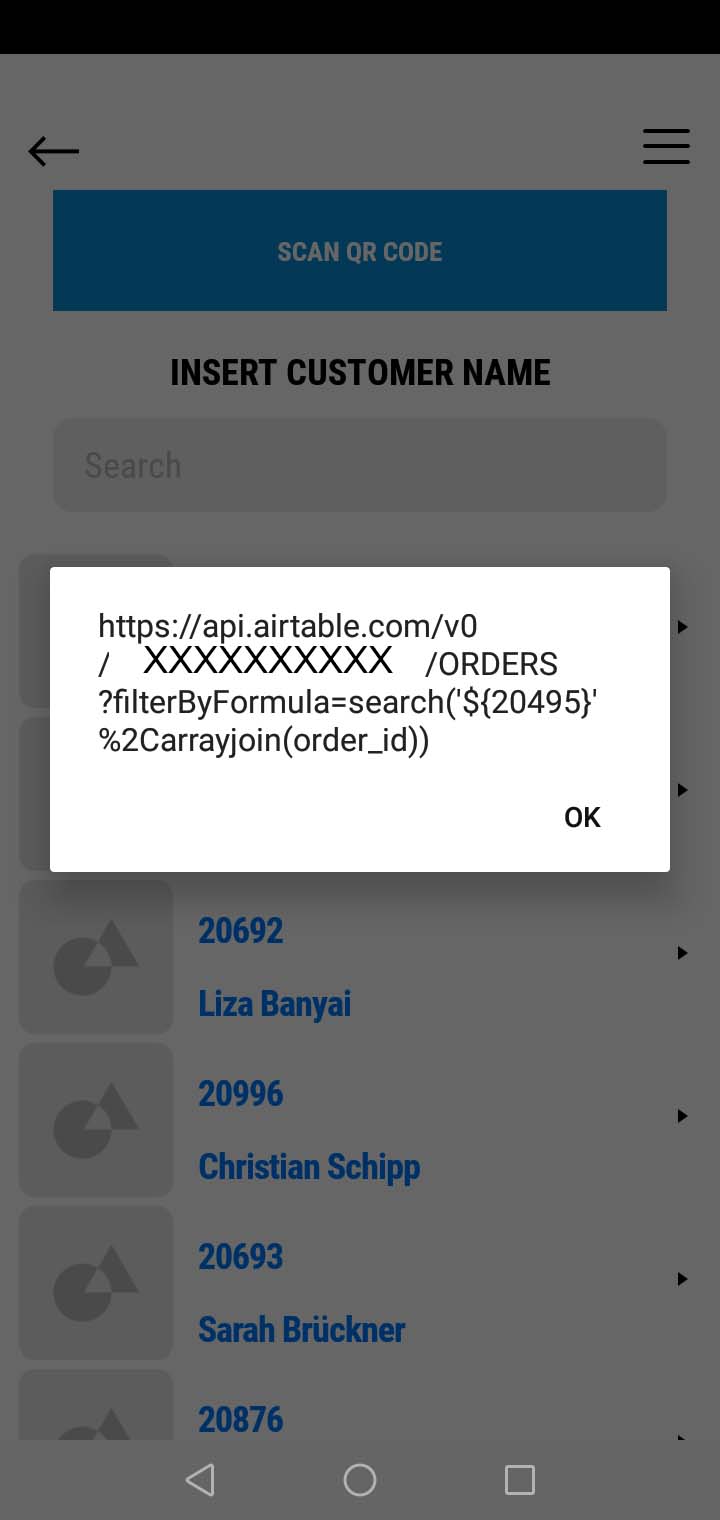
Hey for where I can see, that is pretty straight forward in my head, you need:
1 - Check the deeplink URL from the search when searching Product ID
2 - Create a custom URL that contains each product ID mixed with the URL address of that page
3 - Create a QR code with that Image
4 - Scar QR code
5 - QR code is read and redirect user to the deeplink with the right address page that reads the product ID
6 - User interacts with the product page
Is that what you are looking for? Try it out outside your product, do a small app version and use the tutorial for deeplink: https://docs.bravostudio.app/connnec-api/create-a-deep-link-for-your-app
Again...THANKS!!! I've been fighting deep links all day.I will try to follow your suggestions and let you know. For now a big thank you for your time!!!
can you help with the deeplink? For me it is just to go to bravo studio app, press it and get the link. Am I wrong?
I visited FIrebase console to learn more about deep links...After that I made a simple app design in Figma(with only 3 pages: one with the button "scan QR code", one with the visor, one as destination). After that I copied the URL of the destination page and the URL used in the Bravo Studio for the API search request and mixed both to obtain one single URL(I've used a URL sample from Firebase)...this is the result: https://apps-service.bravostudio.app/devices/apps/01FVD6QHBM2897K6N9R74HRTXH/node/01FVEX2012XKY14SRB46HR3TN3/?link=https://api.airtable.com/v0/appXXXXXXXXXXXX/ORDERS?filterByFormula=search('20495'%2Carrayjoin(order\_id))...is that correct in your opinion? Or I made a mistake?
With that I've created a deeplink...in this way I can see the destination page, filled with text rows of the template...So, I think that something is still wrong...The app doesn't receive/access the correct data so it shows the template data... I hope I have been able to describe the current situation well.Tthank you too
Does that link happens on the deep link? I find it odd to send the api on the deeplink.
Me too...but I don't know how to send the variable value to the app, to ensure that the right product is then displayed ...I've also tried adding at the end of the deeplink only "...?order_id=order_id", but it doesn't work..."https://apps-service.bravostudio.app/devices/apps/01FTB2CZH2CBTXT29DCW6EE2DJ/node/01FTTBV5FRYYE4ATDGH99EG04P?order\_id=order\_id " .
The problem is that I don't know how to send the scanned order/product value to the system to be able to view the details in the target page...
Do you know other Bravo app that use QR code to show external data?
That’s not external data, that’s inside the app data.
Hi here I'm again...I absolutely need to solve the QR code problem...I made some steps to the solutions, but I need your help(or / help) to complete my path... I tried different solutions and at the end, I'm able to use the QR code, but not as I need.
First of all, as I said before, my app works fine if I use a different and longer approach(search mode or single step mode). I'm able to reach the needed page and see all the informations. But the Qr code could make it easier and faster...
With Figma I create a purchase path made of few pages(homepage/category choice/product choice/product details). Each page is linked to the next in Figma and subsequently populated in BravoStudio with Airtable data(based on the customers choices). So in the homepage I am able, after an API call, to see the category table data. The user makes a choice by clicking on a row / button and he's able to see the needed values in the next page...and so on until the product details page...
So, I have few questions:
- I've used the debug mode, and I'm able to see the links that are generated when Bravo build the app(see image) and use them to create the correspondent QR code that connect to the needed final page...is it possible to know how to automatically create them instead of a manual(and very long) process of copying?
- Is it possible to use them in a different way? Now I have to create a deep links for every page(I have about 1000 different items)...
3)Inside the app, is not necessary to create a deep link for the next page, but every row contain a link...is possible to insert in the QR code a code/link that works in the same way? - How many deep links I can create?
- Can I use a template page URL(obtained with Bravo Vision) and add at the end some tags to reference the exact product as with HTML?(es.: https://procenter.it/prodotto/a1-a1-anfanger-windsurf-kurse/?attribute\_pa\_anzahl-der-kurstage=1-tag&attribute\_pa\_ganztags-basic-miete=keine)
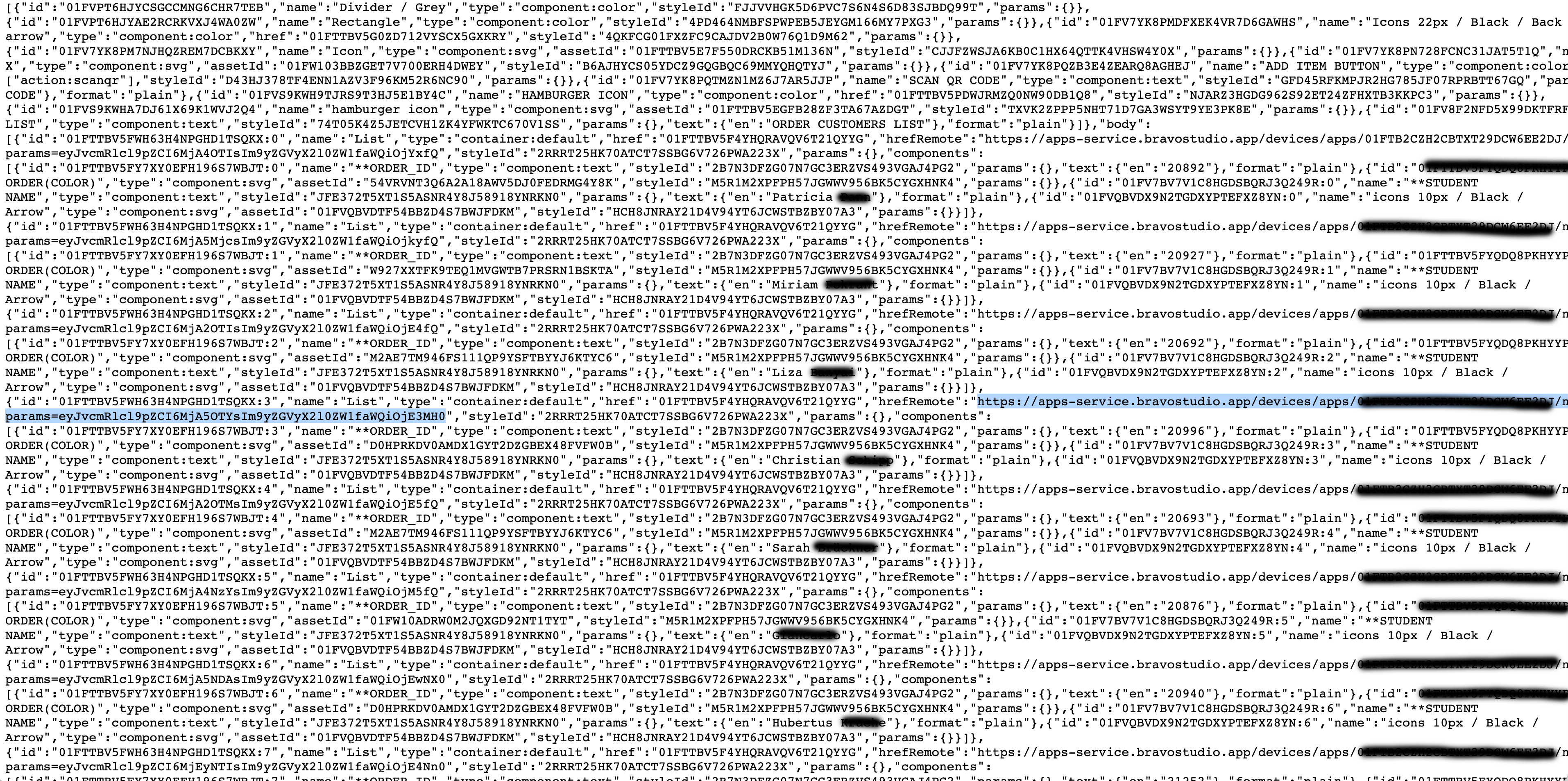
I don't know if my explanation is clear, but I saw a lot of apps that are able to search for a certain value in a database using the QR code, returning a page with the details, or the description(such as the apps of some supermarkets that allow you to shop and pay using your mobile phone).
Thanks for your time!
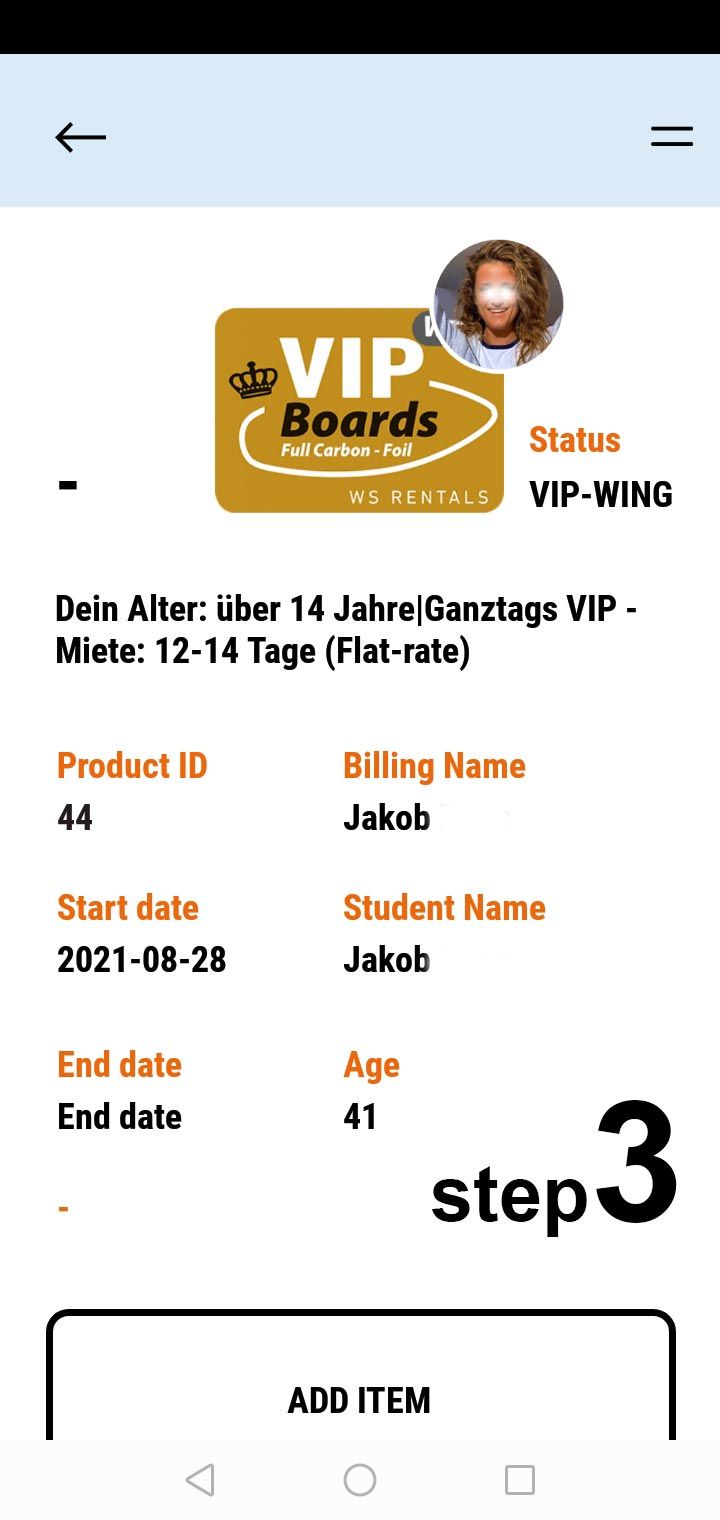
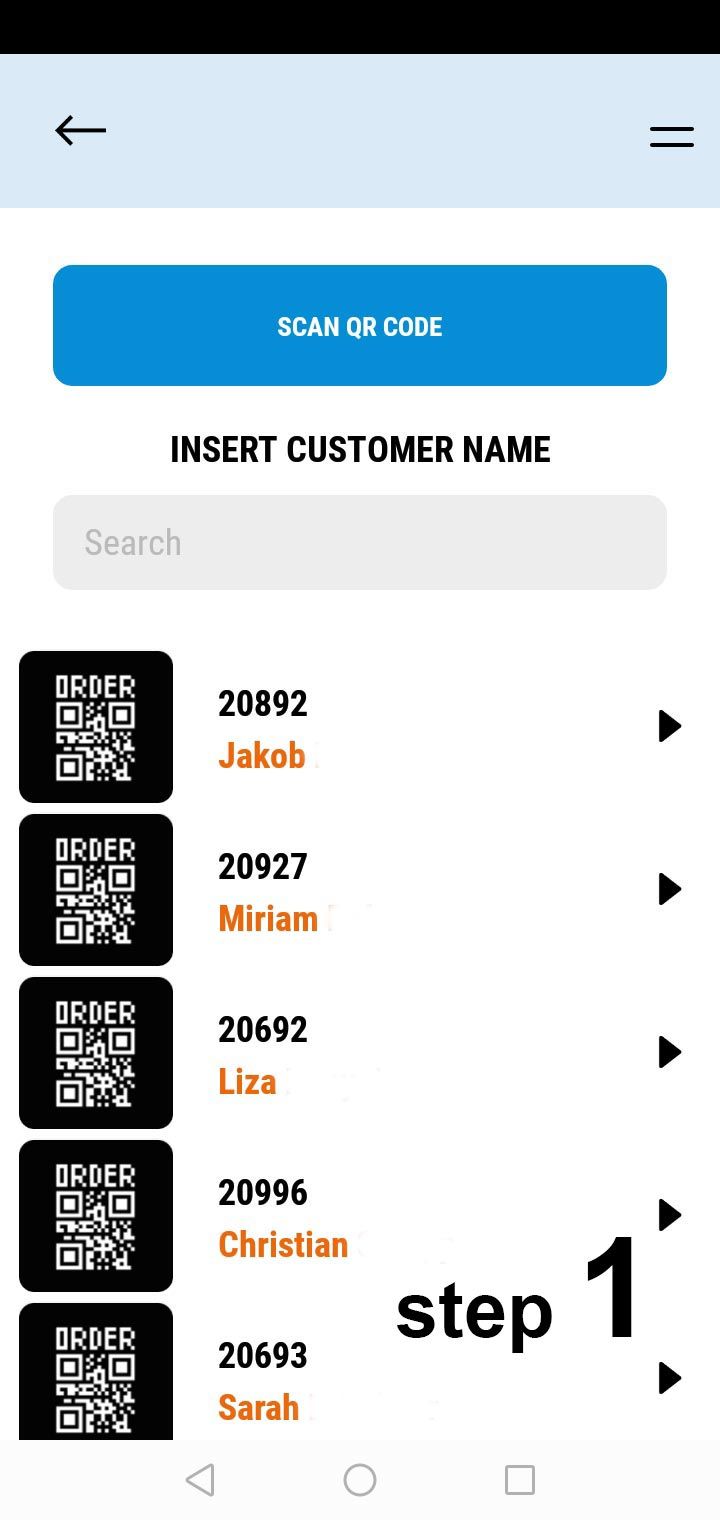
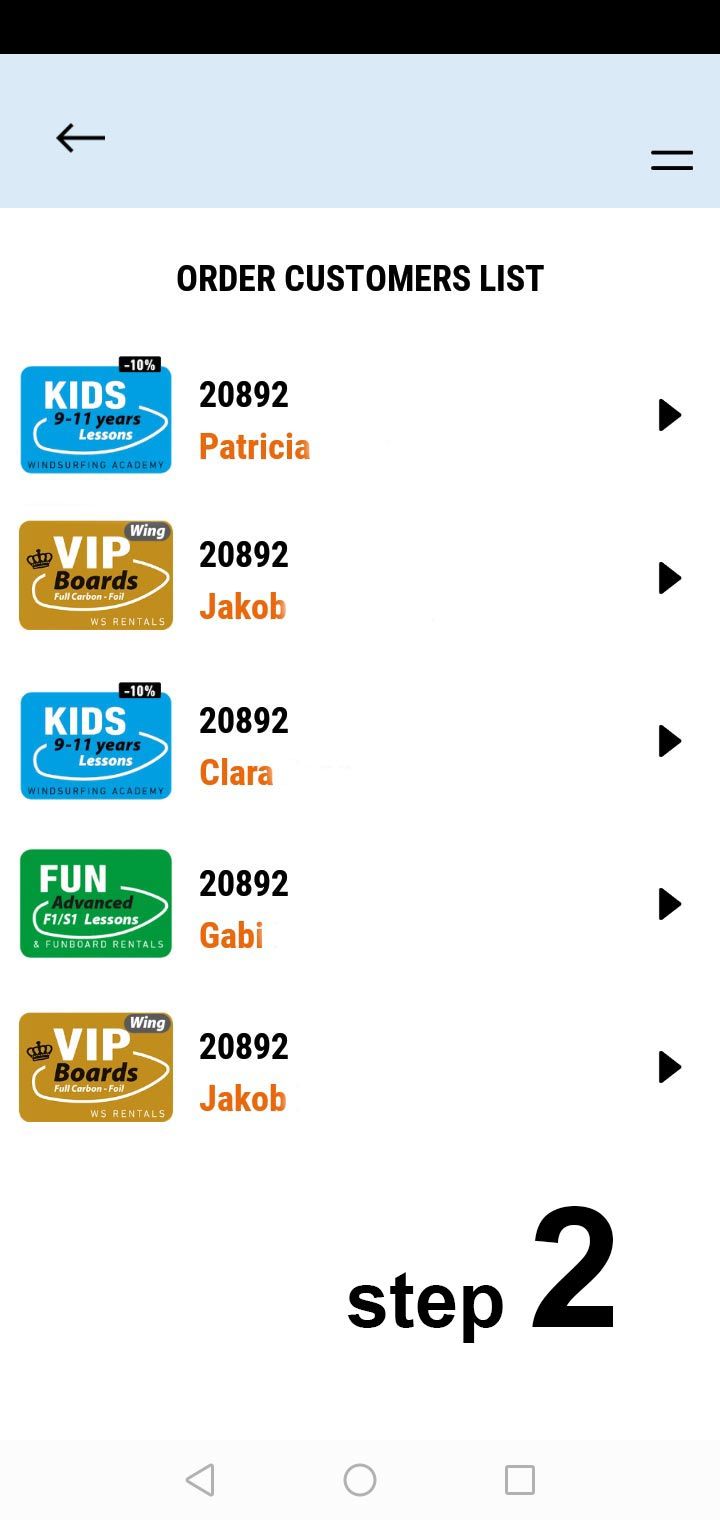
Can you explain that using loom.com and sharing your screens then? That will be much easier to follow your explanations.
Hi Karla...here are 3 very short video that show how the app works: one with QR code, one step by step, and one using search mode...what can I film you to better describe the situation?
https://www.loom.com/share/e78055ca5aec4515ab3cf35db00fe3ad
https://www.loom.com/share/a6b46701275b412cb382465f0c95e34a
I am sorry Giovanni.
- I can’t solve a problem I don’t understand, and the data you send isn’t enough nor clear.
- I also don’t understand what you are going to win by have QR code to each product on the app.
- I believe there isn’t a rule to create deep links so that you could generate them automatically.
- The best would be to have a real prototype of what you want to build, together with the data you are getting it from.
- Sadly, that’s again too complex and just get small pieces of what you are trying to build isn’t helping.
Yes, it is possible to create a QR code / barcode reader for a product but with using custom code (HTML javascript css). You can create a custom textfield that has the option to fill in the product id normally or to scan the barcode to fill in the textfield. If you're not sure how to accomplish it, check it out here!
Wrote something in this thread and want it removed? Request removal
Ask the community on Discord
This archive is read-only. New questions, office hours and product updates now happen in the Bravo Discord.
Join the Discord