← Design & Bravo Tags
Design & Bravo Tags July 26, 2022 · 21 replies

Not being able to click on anything

Archived from the Bravo community forum (2021–2026). Some answers may refer to older versions of Bravo.

Hi! So I prototyped my wireframes on figma and it works there but when I use bravo viewer, it won't allow me to press on anything, like it is just that one screen no matter what I press on. the frames did uploaded onto bravo and there's no notifications on things I should fix. I'm not sure what to do

21 replies
Kate July 26, 2022

I did put them all in a new frame, I'm not sure if thats bravorizing

Kate July 26, 2022

I have an intro page that doesn't work and also none of the button works but the 'email' and 'password' function works with the tags. Is there a tag for very button and for the intro screen to go to the login screen?

Kate July 26, 2022

Thank you! I try doing the exact steps but it still did not work, I still couldnt press on anything in the bravo preview and also the screens are not in order and i'm not sure how to fix that

app.monster July 26, 2022

Feel free to share your Figma file here so we can have a look

app.monster July 27, 2022

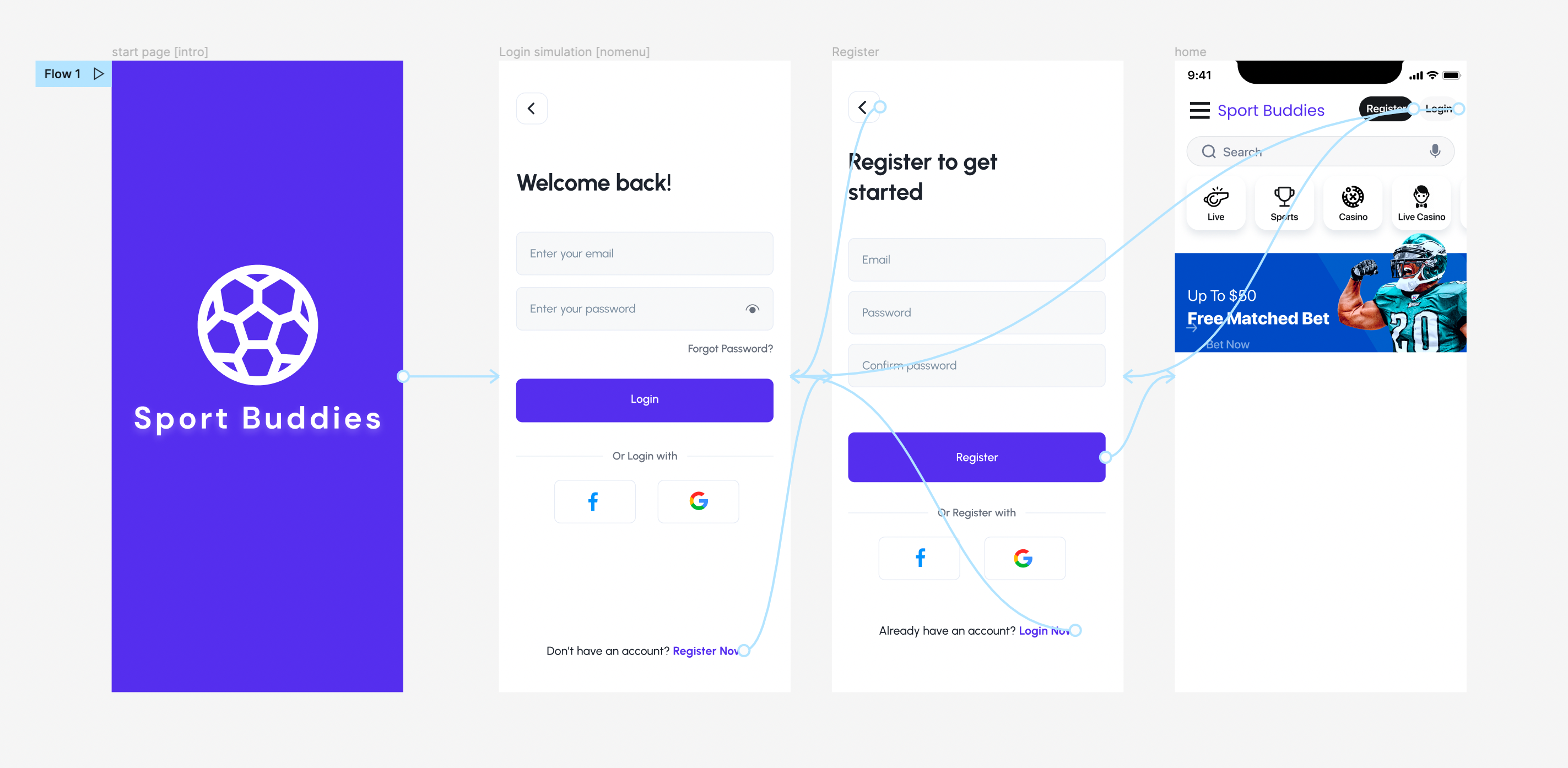
You linked buttons to your sketches. I linked them to the actual page and it worked for me

image.png

Kate July 27, 2022

I'm not sure how to do that, should I put : [action:remote and not a [action:submit.] after each button?

app.monster July 27, 2022

You don't need any tags. You link the button to the page using the prototyping tool as explained in the video and shown through the blue arrows in the screenshot

Kate July 27, 2022

Hi! I tried that but it didn't work in the preview, only work on figma

app.monster July 28, 2022

The exact same file is working for me if the buttons just link to pages. I don't know how else to help you, sorry. Do you have an idea? Should I send you your file again with the one change I made?

Kate July 28, 2022

I also want to ask how do I get the pages in the correct order in bravo preview? It seem that even when I start the flow on the purple "sport buddies" screen, it still start on the third wireframe you shared on your screenshot (the 'home' page)

Kate July 28, 2022

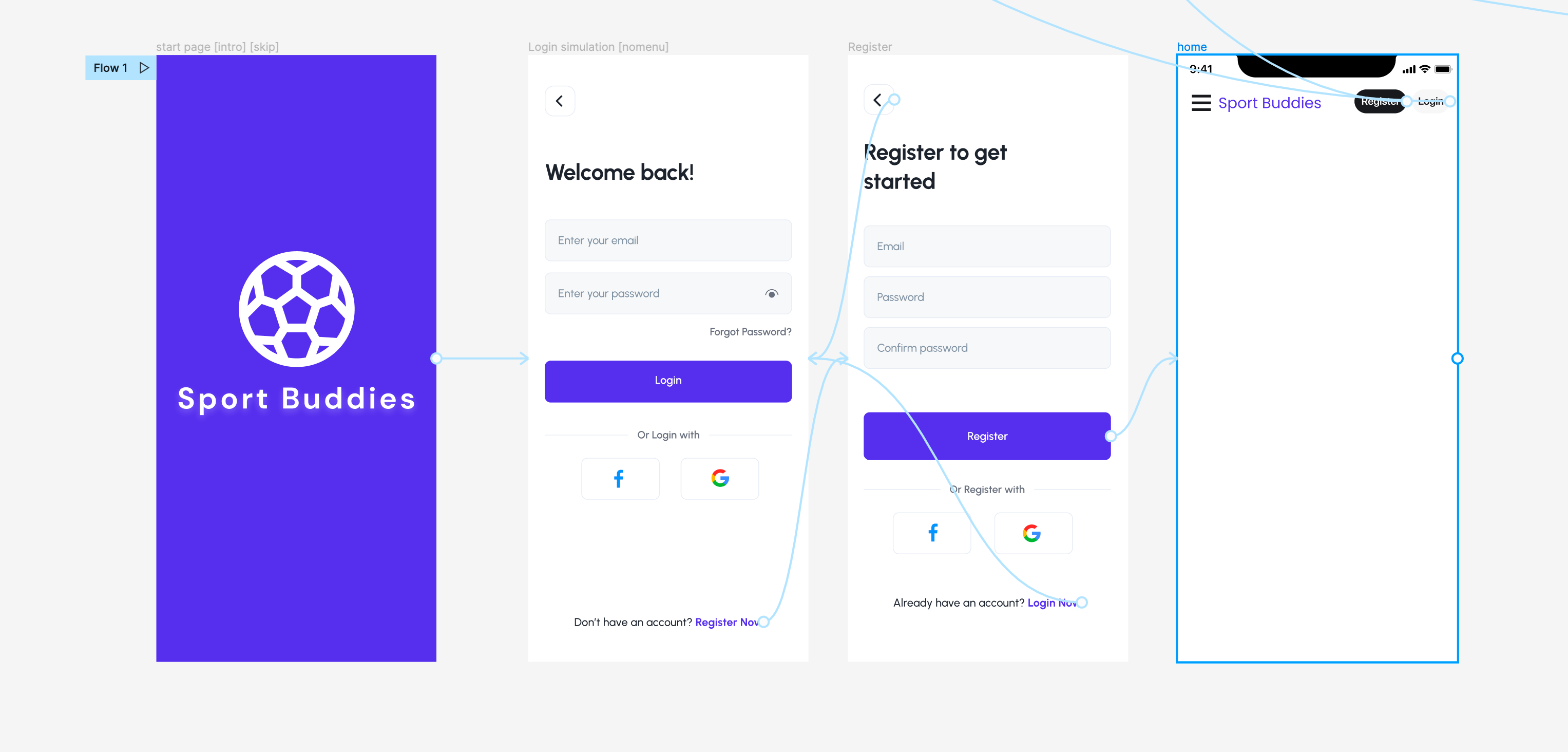
This is the flow I have now but it won't show in bravo preview 

image.png

app.monster July 28, 2022

That is not the flow you have. Notice how the blue arrows in the home screen point upwards instead of the page you want to go to (as shown in the screenshot I shared)

app.monster July 28, 2022

This, again, is not the file I shared. Have you tried that? Flow 1 is at the intro page instead of home (the intro page is always the first shown as specified in the docs)

Kate July 28, 2022

ohh thank you! that works, was I doing the prototype wrong in the beginning? Also, is there a way to show the intro screen?

Wrote something in this thread and want it removed? Request removal

Still stuck?

Ask the community on Discord

This archive is read-only. New questions, office hours and product updates now happen in the Bravo Discord.

Join the Discord