Archived from the Bravo community forum (2021–2026). Some answers may refer to older versions of Bravo.
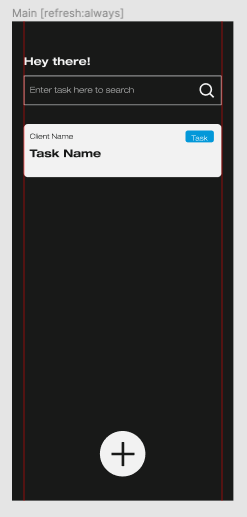
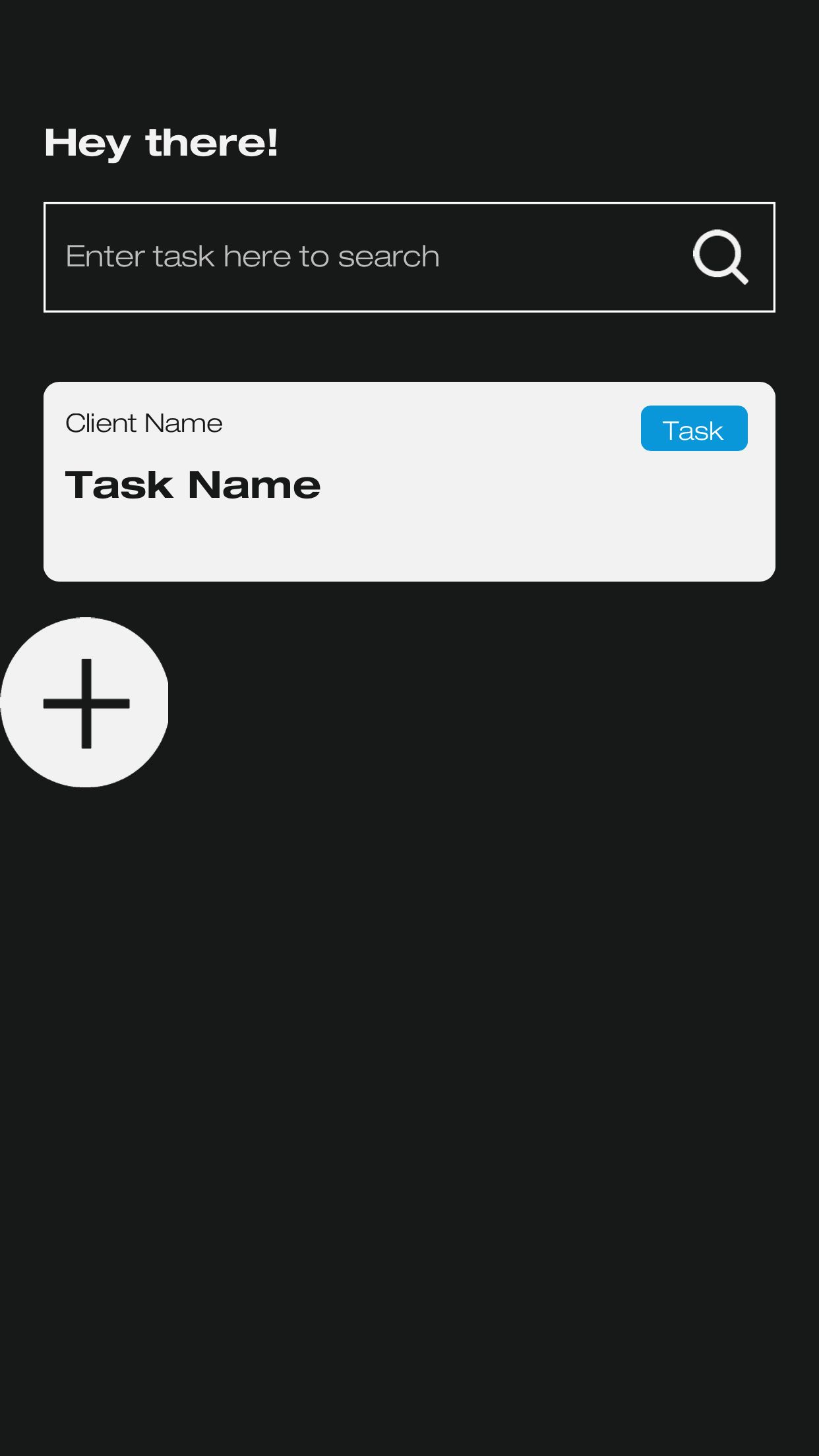
I've an "Add" button on the bottom of one of the screens on Figma (which is bottom centered. However when I view this screen on Bravo Vision, the Button seems to have moved towards the middle of the screen and is aligned to the left.
How it should appear:
How it appears instead on Bravo Vision:
I don't really know what I am doing wrong. (Today is my first time using Bravo so I'm sure I may be missing something).
I would appreciate any help to solve this issue. You can see my Figma file here - https://www.figma.com/file/lfDia3mIA2ZZlMMzWWndXN/SEVN-Task-Manager?node-id=0%3A1
6 replies
Wrote something in this thread and want it removed? Request removal
Ask the community on Discord
This archive is read-only. New questions, office hours and product updates now happen in the Bravo Discord.
Join the Discord