← Design & Bravo Tags
Design & Bravo Tags June 21, 2022 · 17 replies

Button text

Archived from the Bravo community forum (2021–2026). Some answers may refer to older versions of Bravo.

Hi everyone, I have a problem with most of the buttons within my app.
 
In figma, everything is fine as you can see below : 

image.png

But on bravo vision, the text's behaviour is weird :

attachment

Below you'll see the tags i used in this case :
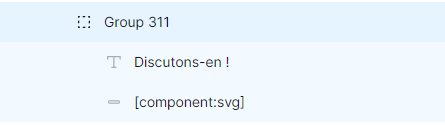
image.png

Can someone help me solve this problem ? Everything worked fine and suddenly this problem occured. 
Have a good day !

17 replies
Pawel June 21, 2022

I have the same issue, It appears like 2-3 days ago

Enrico June 21, 2022

I don't know if it helps, but I solved a similar problem by making the text layer the exact height of the button, then using Figma vertical align setting on the text layer to center it vertically. In my case, after this change the label was centered both on iOS and Android.

Robin June 21, 2022

That is exactly what I did but as  said, it suddenly appeared 3 days ago...

Pawel June 21, 2022

I have my button designed that way, yet this problem still remains

Enrico June 21, 2022

Then I'm not up-to-date :/ Sorry! 
I guess I'll follow this thread to find out the solution... it's certainly an important issue.

Jaron June 22, 2022

It's a very troublesome issue as well. It just happened recently, but this vertical misalignment bug only shows up on Apple devices for me, but works fine on Android devices. 

It took a lot of trial-and-error. I made the text layer slightly larger than the text, and also played around with formatting and height until it comes up centered on both devices. Took a long while. Would be good to hear from Bravo why this is happening.

Robin June 22, 2022

You're right, I am going to send a message to the support, and I'll let you know what they say !

Javier Felipe Bravo team June 22, 2022

Hi, we're working on fixing the issue, I'll post a message here once the fix is published. Sorry for the inconveniences 🙏

Jacob June 23, 2022

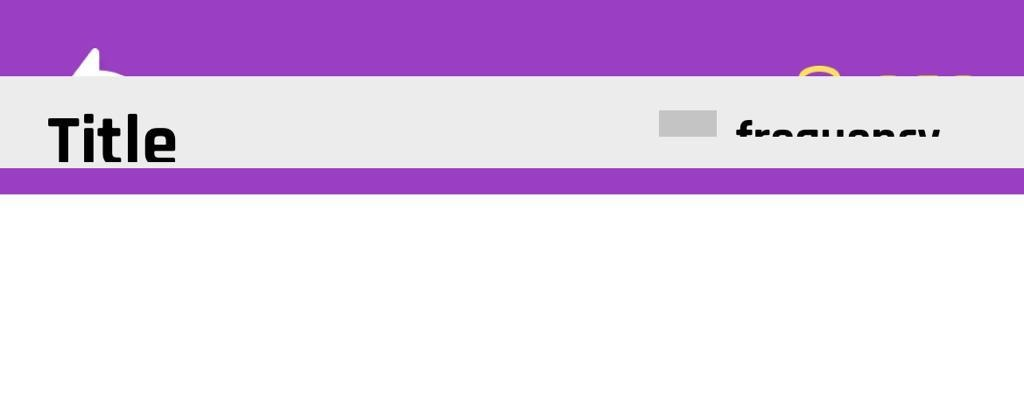
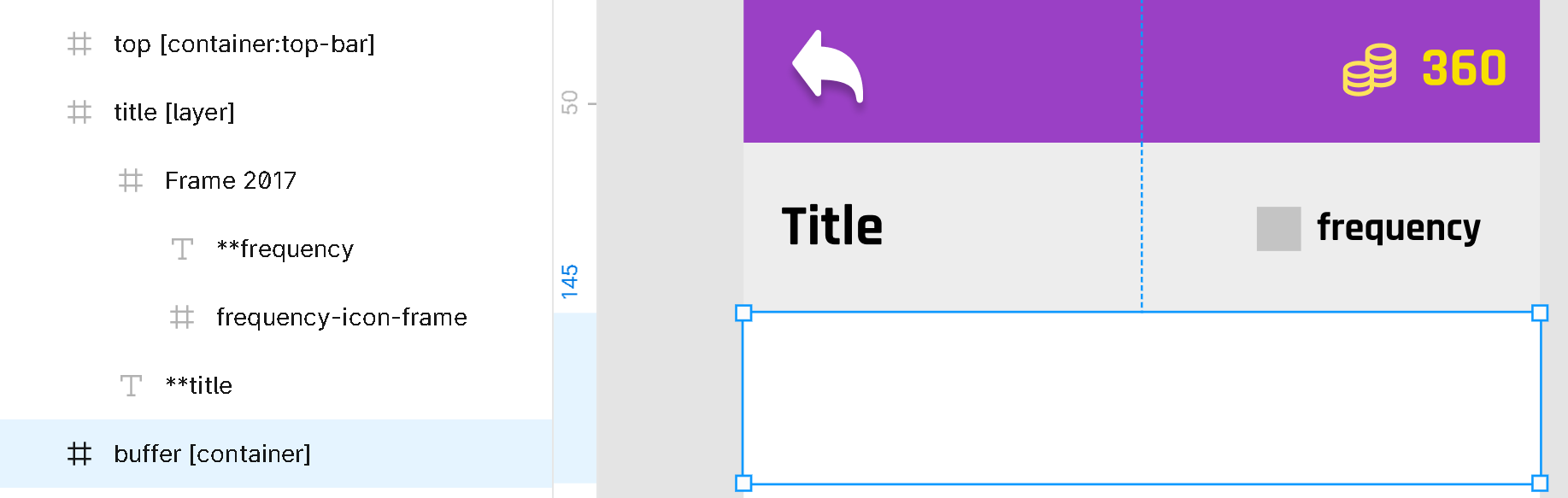
This may be related; in Figma I have the containers lined up correctly, but in Bravo Vision this Layer tag seems to have some issue in displaying on top of the top-bar and cutting off the text. This problem only appeared spontaneously a few days ago. It's happening both in Bravo Vision for android and iOS. Previously, the layer container would sit exactly where it is shown below rather than on top of the top-bar. 

image.png

image.png

Javier Felipe Bravo team June 24, 2022

Hi! We published a fix for this, it will be available in the latest Bravo Vision as well as in new bundles :)

Jacob September 4, 2022

any suggestion for how to fix this UI issue? It only happens for long pages, with the layer container near the top of the screen getting squashed more and more towards the top with longer pages.

app.monster September 4, 2022

I don't quite understand why you don't put the purple and the grey rectangle both in the container:top-bar if you want them to both stay on top of the screen. Is that what you are trying to achieve?

Jacob September 4, 2022

thanks! that solved my problem. I was under the impression that all elements in container:top-bar had to be the same across the entire app, but appears this is not the case.

Wrote something in this thread and want it removed? Request removal

Still stuck?

Ask the community on Discord

This archive is read-only. New questions, office hours and product updates now happen in the Bravo Discord.

Join the Discord