← Design & Bravo Tags
Design & Bravo Tags April 3, 2022 · 6 replies

Change notification logo and translate text of activating notifications

Archived from the Bravo community forum (2021–2026). Some answers may refer to older versions of Bravo.

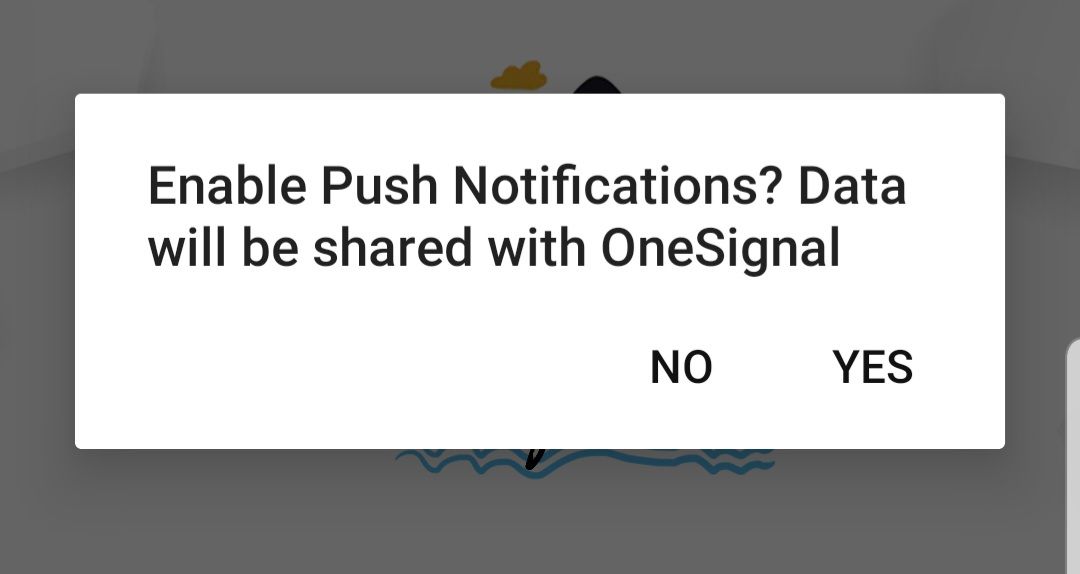
Hello good day. How can I change the small logo that appears in the notification bar? And how can I change the language of the notification activation message? Thanks.

6 replies
Diego Iglesias Bravo team April 12, 2022

Hi Cris,

Can you post a screenshot of the logo that you refer to? On the other hand, what notification message do you mean?

Thanks!

Alberto Manzano Bravo team April 12, 2022

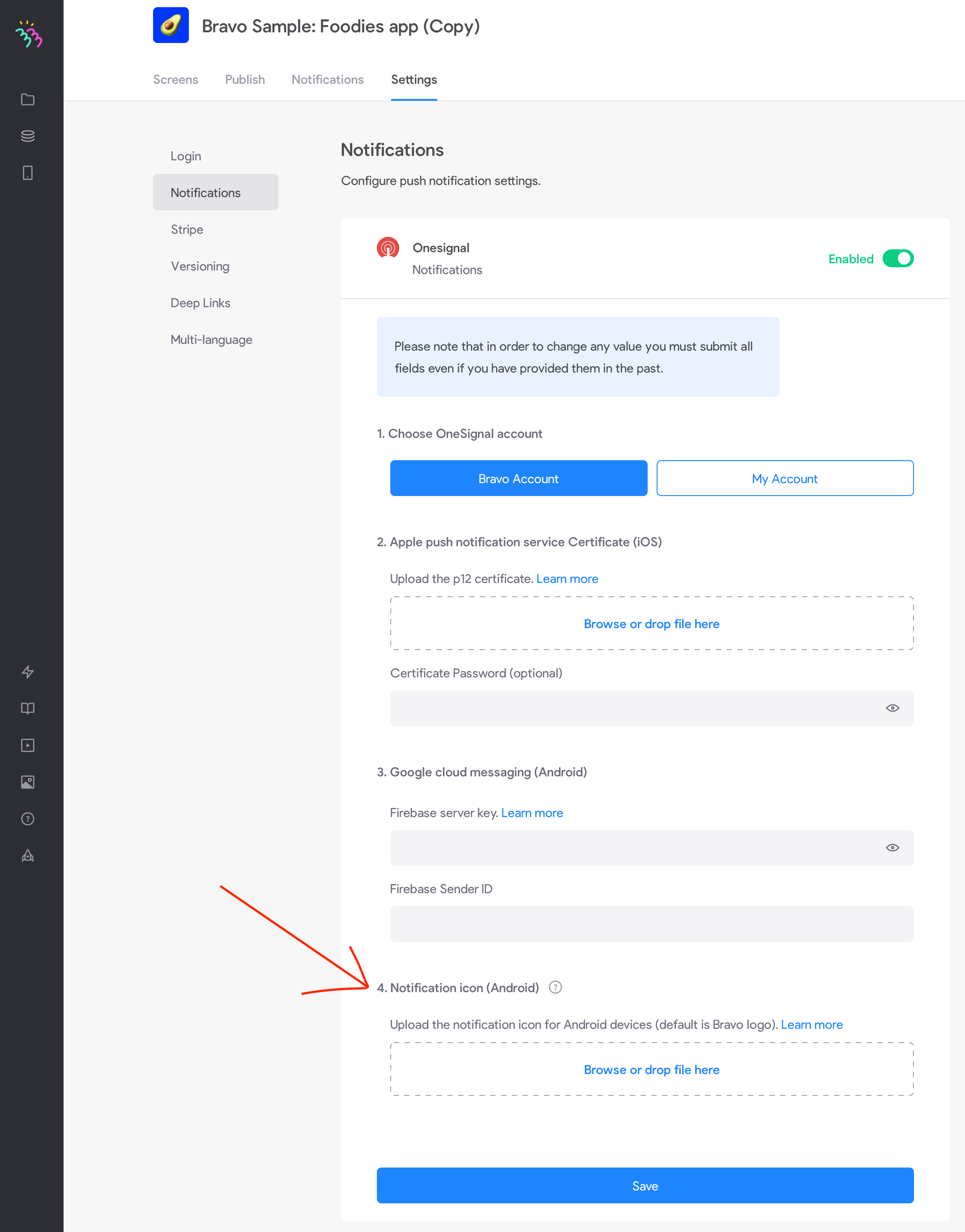
Hello , if you are referring to the push notifications icon, you can add a custom one for Android in the Settings - Notifications section. It needs to have transparent background, white color, and size 96x96. You'll need to request a new build for changes to take effect

Screenshot 2022-04-12 at 19.21.00.png

Cris April 13, 2022

I am attaching a screenshot so you can see it. Thank you

Image.jpg

Alberto Manzano Bravo team April 13, 2022

, unfortunately that text cannot be translated as of today, but it will be possible soon in the multilanguage section

Wrote something in this thread and want it removed? Request removal

Still stuck?

Ask the community on Discord

This archive is read-only. New questions, office hours and product updates now happen in the Bravo Discord.

Join the Discord