Archived from the Bravo community forum (2021–2026). Some answers may refer to older versions of Bravo.
When a menu is added to the Figma design, it is added to all pages unless the tag [nomenu] is added to the page. However, a modal page is the exception. It covers the menu by default: when the modal page opens, the bottom menu becomes invisible. Is it possible to make a modal page open without covering the menu, like this:
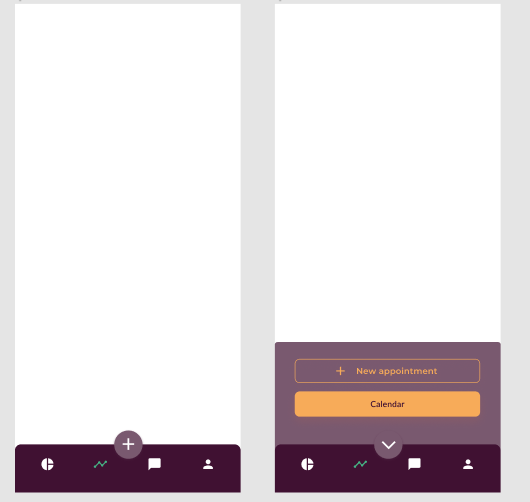
1 reply
Wrote something in this thread and want it removed? Request removal
Still stuck?
Ask the community on Discord
This archive is read-only. New questions, office hours and product updates now happen in the Bravo Discord.
Join the Discord