here's my setup:
Figma
How you set up your Figma layers is the most important part of making it work.
Initial design
Below you can see the design without my hack applied:
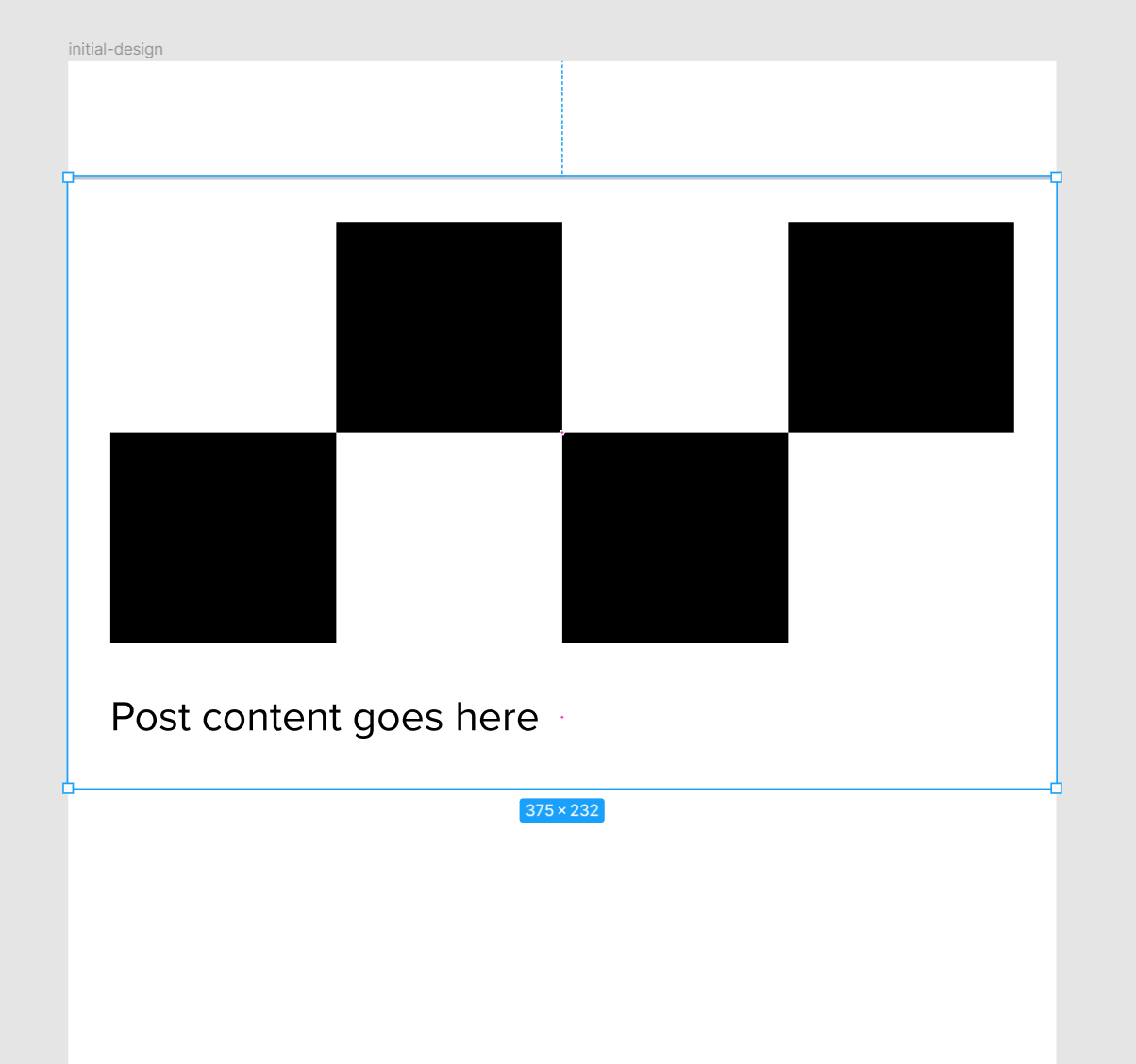
Here are all the layers:
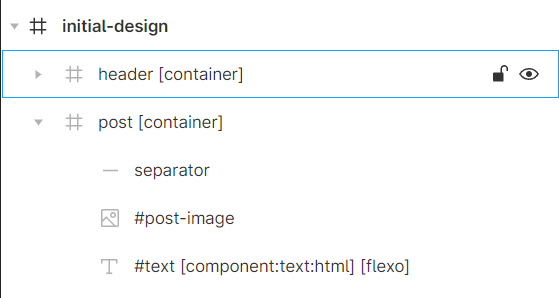
The order of the layers is very important because [flexo] must be the last layer of its [container]. That's why separator line must be at the top of the post, not at the bottom
I'm using html tag because I needed a way to deliver breaking lines in an invisible way (there are probably other ways to do it but this is what I went for for this test).
What you need to do now is to rearrange layers as if there was no image (without actually removing it) and reduce [container] height to end where [flexo] text ends.
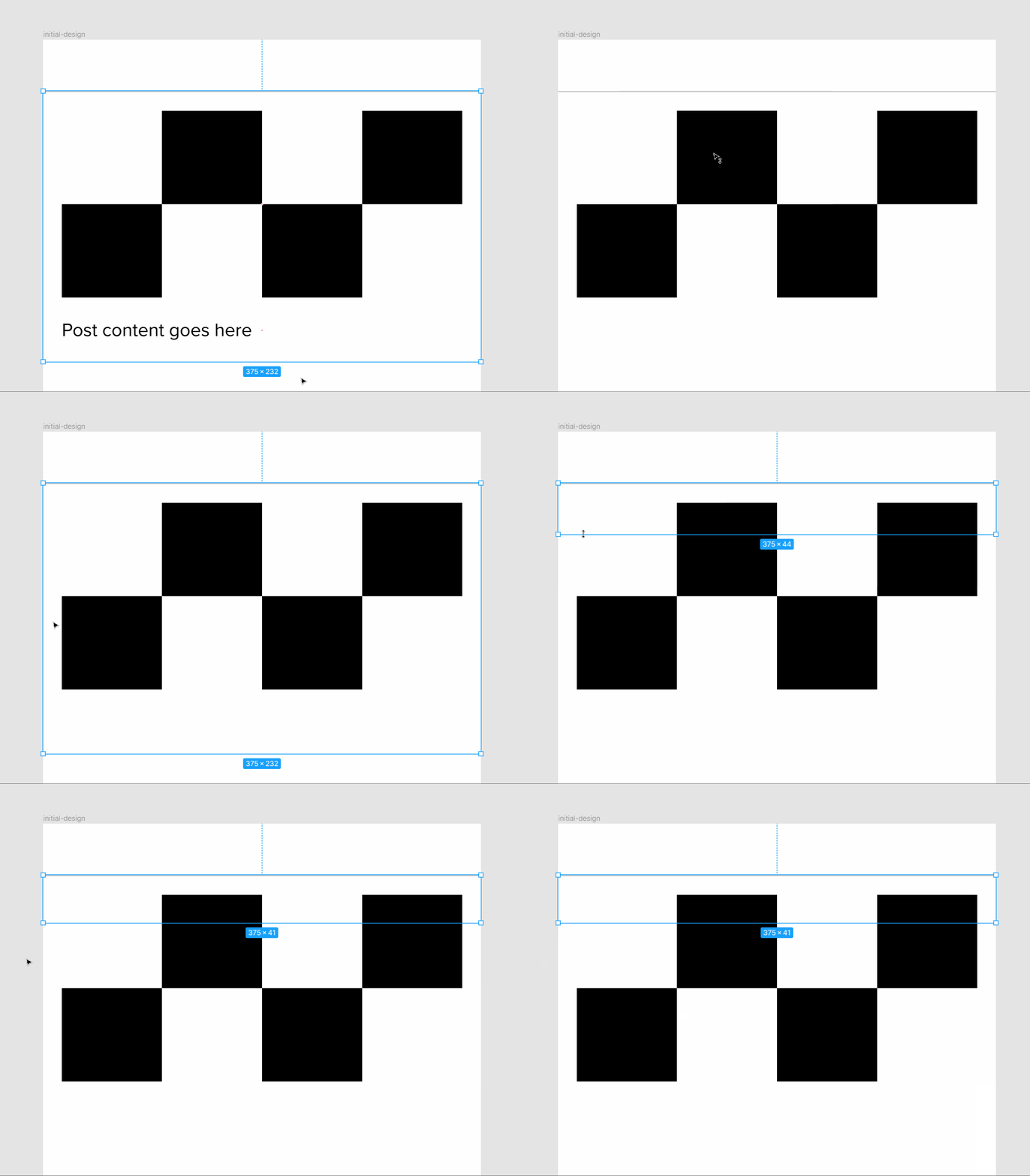
At the end of the above GIF, I'm simply hiding post image a couple of times to show you that text is still behind it but the image should be visible when you send it to Bravo.
How this will work
Idea is that when you have [flexo] as the last layer of the [container], it will change [container] height almost like Figma's "Hug contents" auto-layout do.
Meaning you can add breaking lines to "create space" for the image if there is one and [container] height will change accordingly.
Here's a representation of that in Figma:
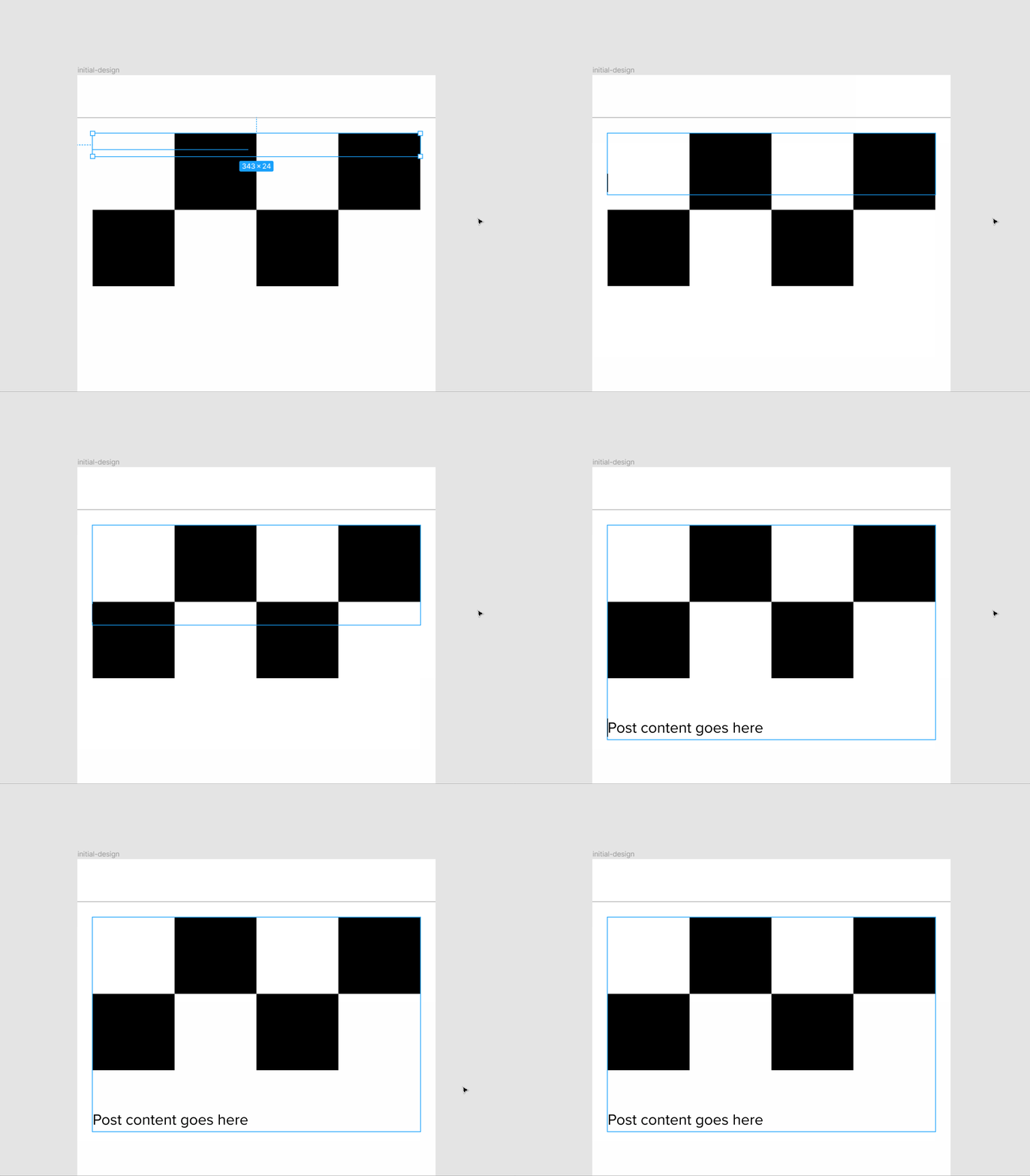
Basically - if there is a post image you add breaking lines to the post content to drop it below the image holder (this will also adjust the container height).
And if there is no image, you leave post content as is and use conditional visibility to hide the image placeholder.
Airtable
Here's my Airtable setup:
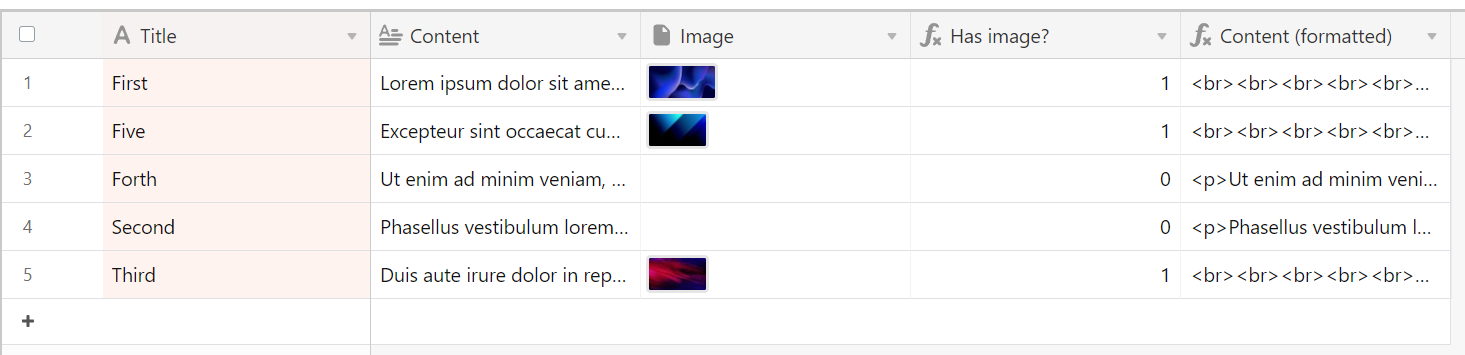
Title - it's not important for this to work.
Content - this is content submitted by the user.
Image - this is an image submitted by the user.
Has image? - this is Airtable formula that checks if there is an image. It returns true (1) or false (0) that I later use to show or hide images using Bravo conditional visibility. Here's a full formula:
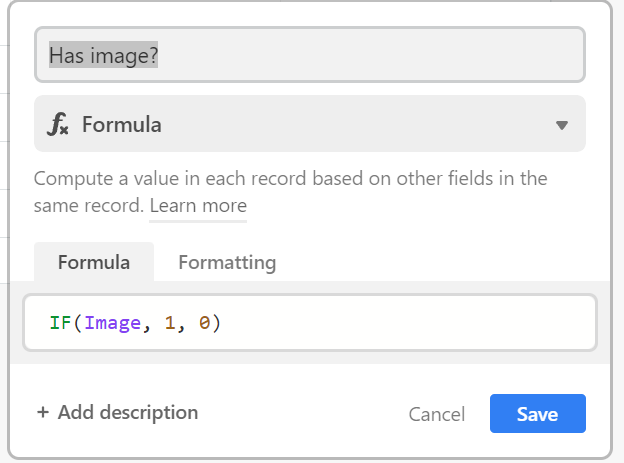
In plain English - if Image exists return true (1), if not return false (0).
Content (formatted) - another Airtable formula where breaking lines are added if image exists. Here's a full formula:
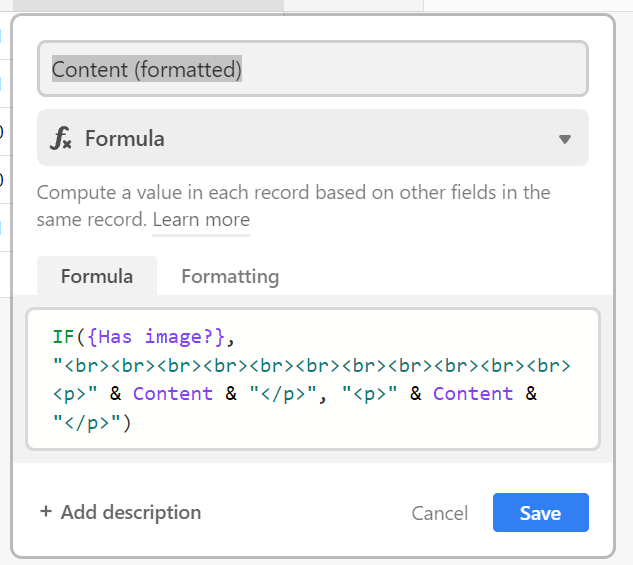
The formatted content is what you actually display to the user.
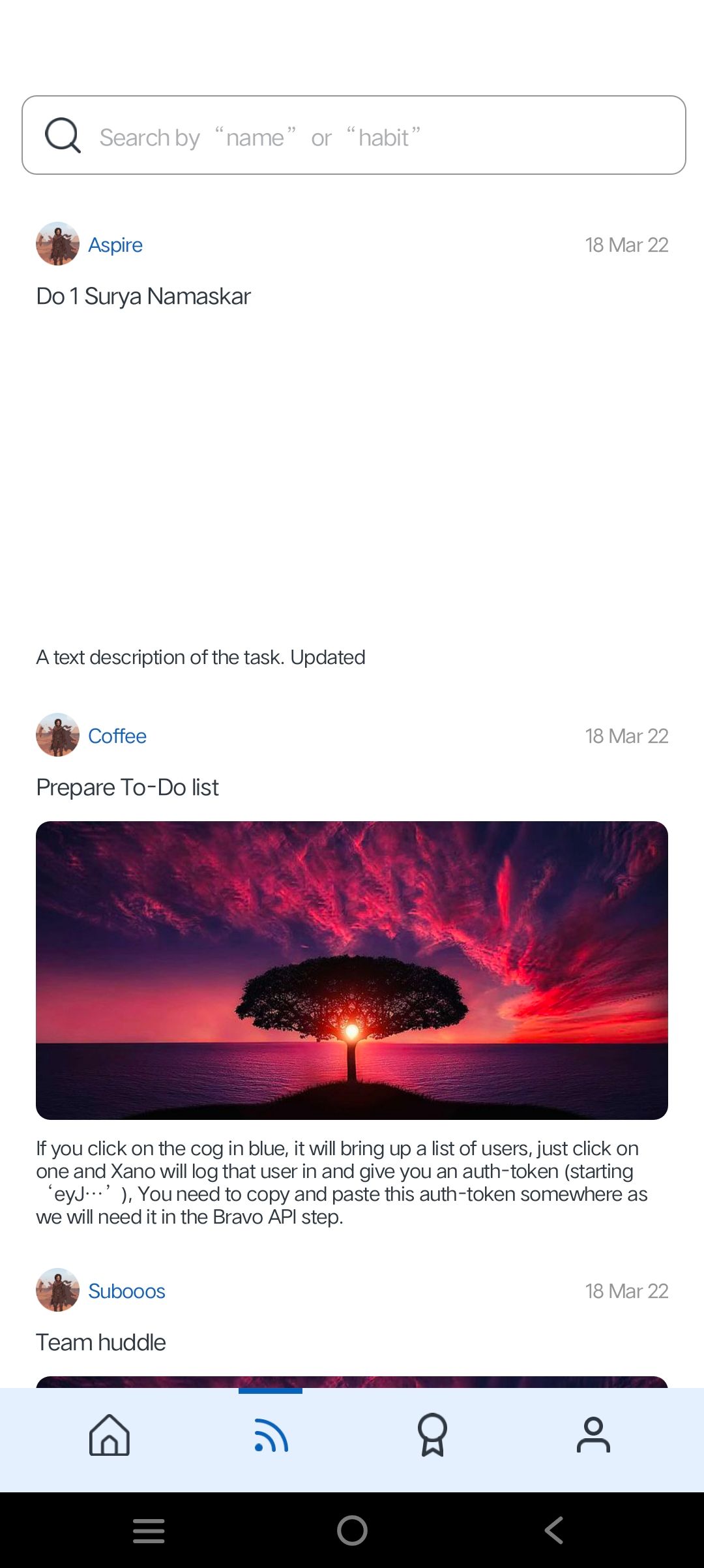
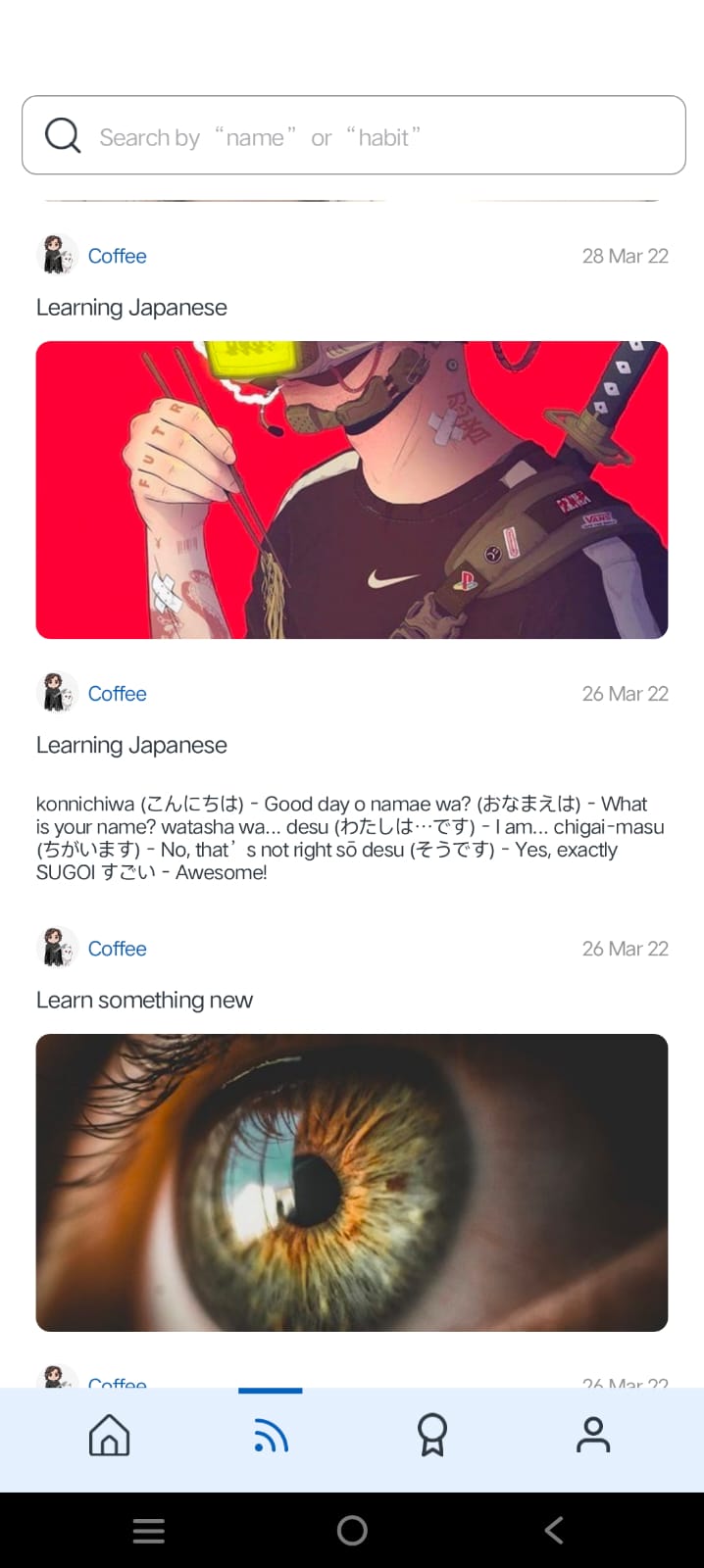
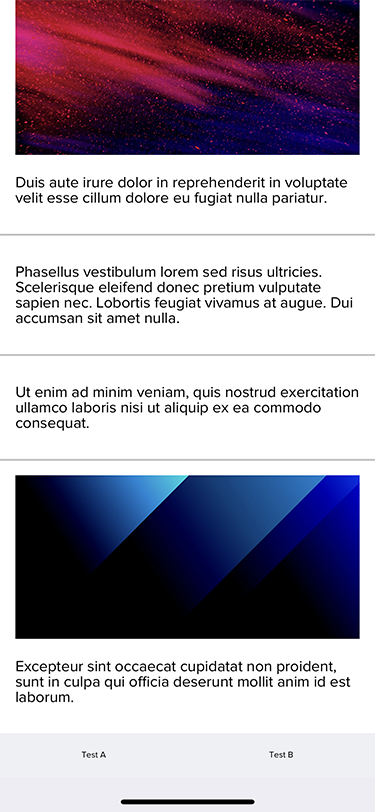
Here's a screenshot from the Bravo Vision as proof that it actually works 🙂
I know it's a bit hacky but that's the best I could think of for now.
Let me know if that makes sense or if you need any clarification.