Archived from the Bravo community forum (2021–2026). Some answers may refer to older versions of Bravo.
I am trying to create a screen that allows me to have videos specific to where I come from within my app. While still using the same screen template.
Essentially I have tried the following.
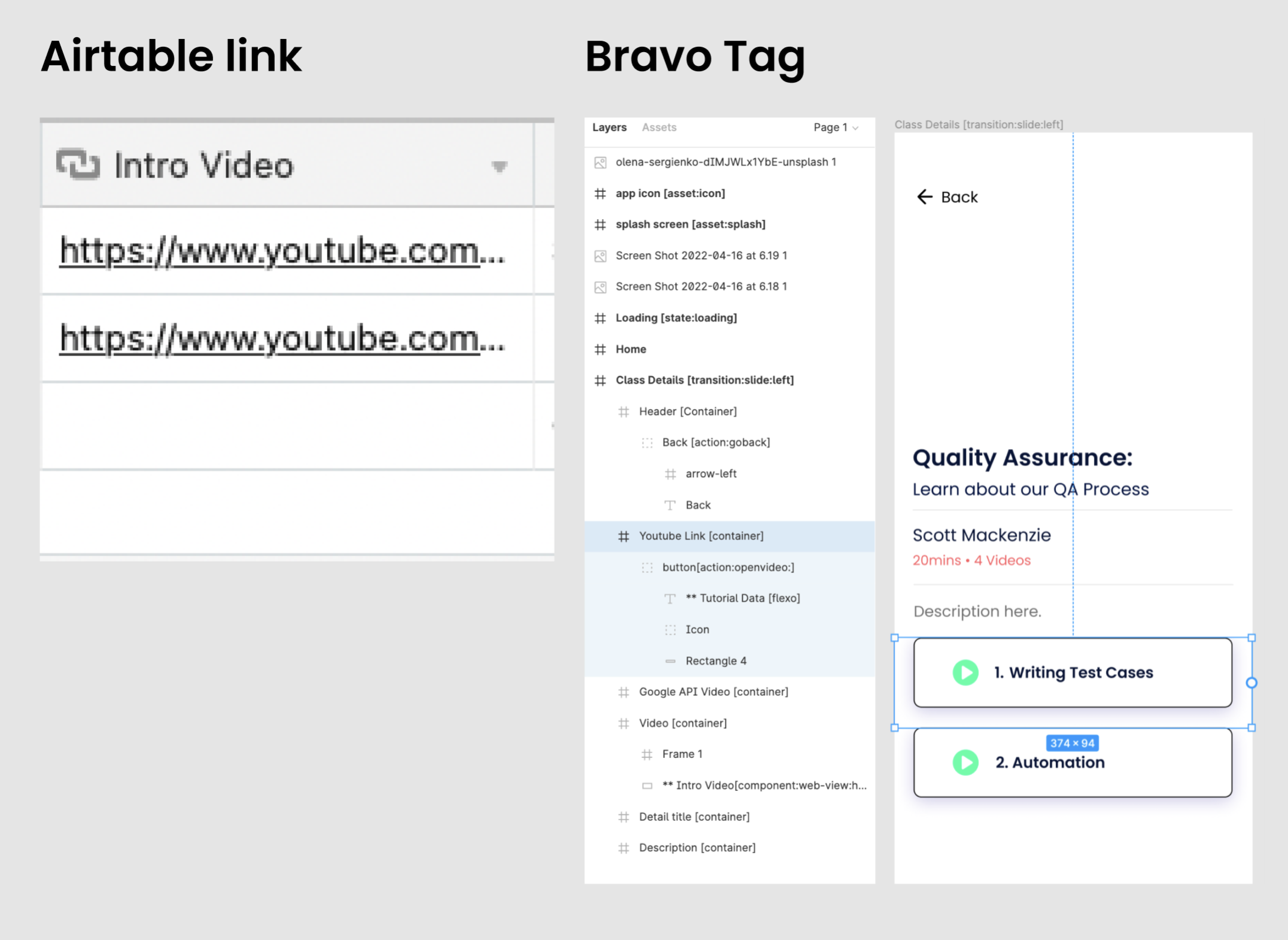
Created an action tag to open a YouTube video link. eg:button [action:openvideo:]
Added links to my Airtable data base so I can pull in different videos.
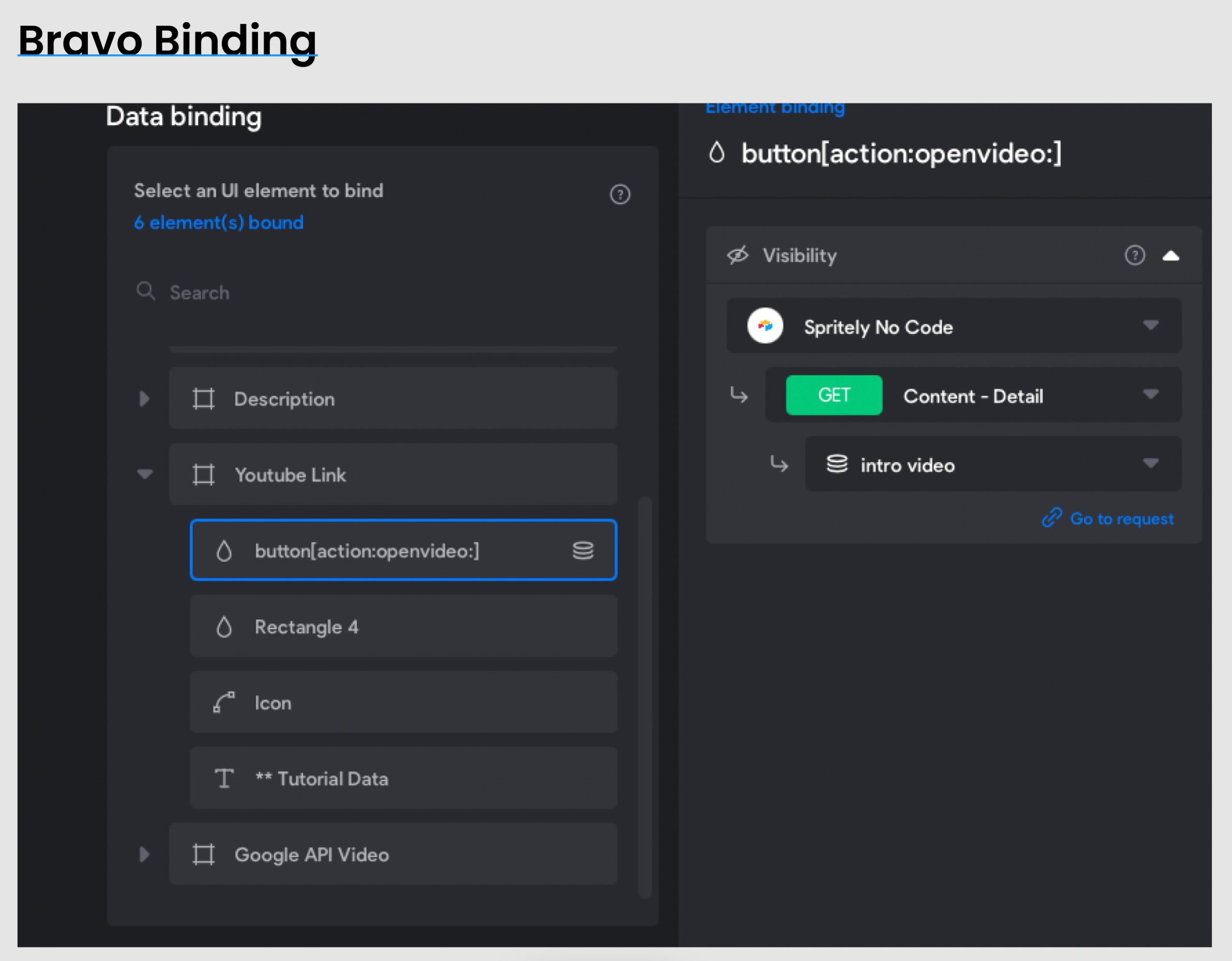
Used bravos data binding functionality to bind the bravo tag to the links.
You can see below how I have set it up. I don't think the link is getting pulled from Airtable. The button is not clickable.
Am I missing anything?
2 replies
Wrote something in this thread and want it removed? Request removal
Ask the community on Discord
This archive is read-only. New questions, office hours and product updates now happen in the Bravo Discord.
Join the Discord