← Design & Bravo Tags
Design & Bravo Tags June 25, 2021 · 14 replies

Create account

Archived from the Bravo community forum (2021–2026). Some answers may refer to older versions of Bravo.

How do I make it so that during the sign up phase of account creation they can upload a profile picture, bio, email etc and then to display that on their own personal profile page, similar to that of instagram?

I want to use airtable POST requests to send the data, but then to get the data back for only that specific user? How would I go about this?

Also using Firebase for email login, so I am unsure how to link the two

14 replies

Karla June 26, 2021

I believe  did that with his Tuned app :) he can give us more info about it :D

Clement June 26, 2021

Hey  !

This is how I did :

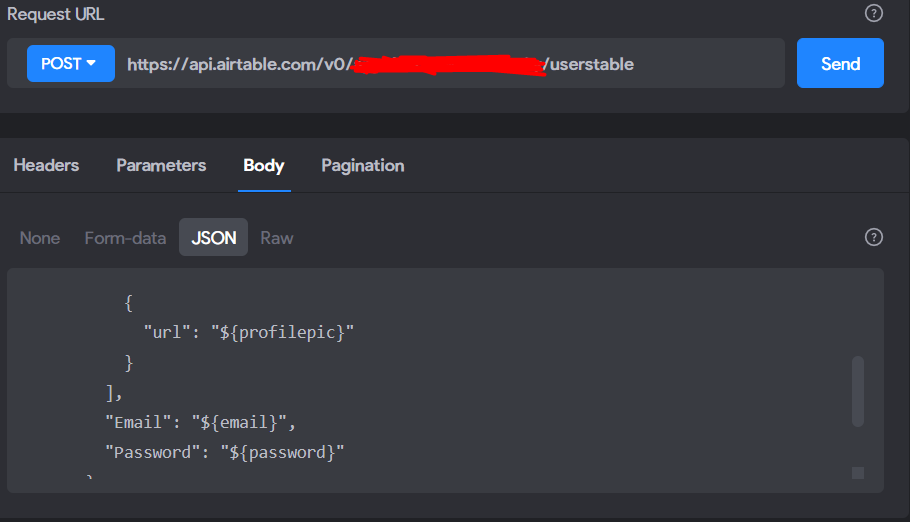
-In your sign up phase, you could create a first screen where the user need to give his email/ picture profil/ pseudo and everything you want you gonna send by POST to airtable

ps: important to identify the user email as {user.email} for the next step

-Then put your firebase screen in the sign up phase, to create the account with email + password
-> There is no link between my Airtable and Firebase. Firebase is only here to limit the access at the app

Finally, for display data by user (like the personal profile for example) you have to make a GET api ends by ${user.email}

retrogatorade June 26, 2021

Do you mean at the end of the GET api request url I should put ${user.email}?

Thanks for this information by the way.

Clement June 26, 2021

Capture d’écran 2021-06-26 à 22.52.19.png

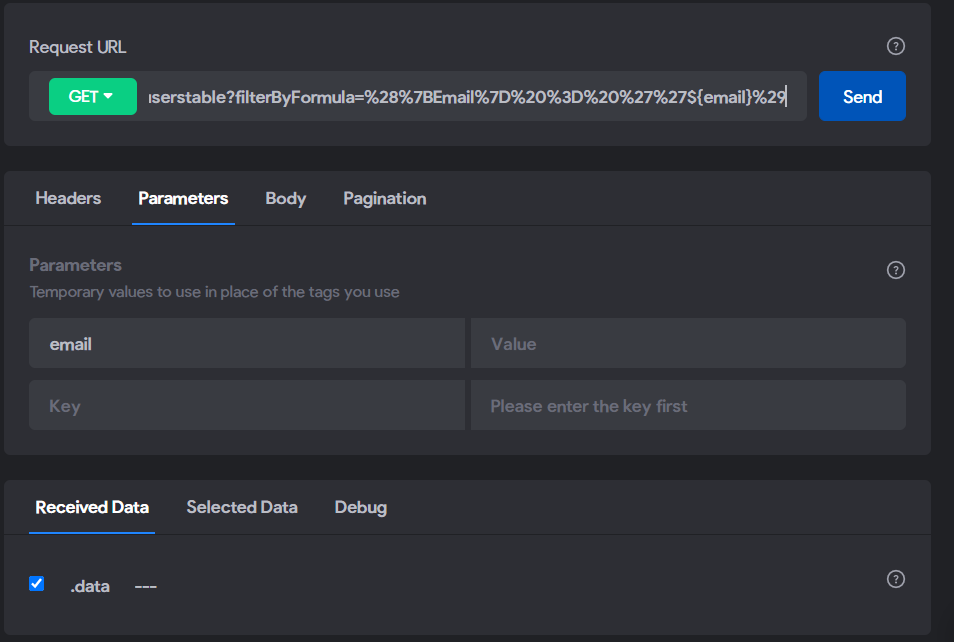
Actualy for my case, i put a filterbyformula. You can write exactly the same, but change "email" by the name of your field where you there are the user.email

The goal is to display the record where the user connected is matching with the user.email into the field "email". Normally, only one record will be displayed ;)

retrogatorade June 27, 2021

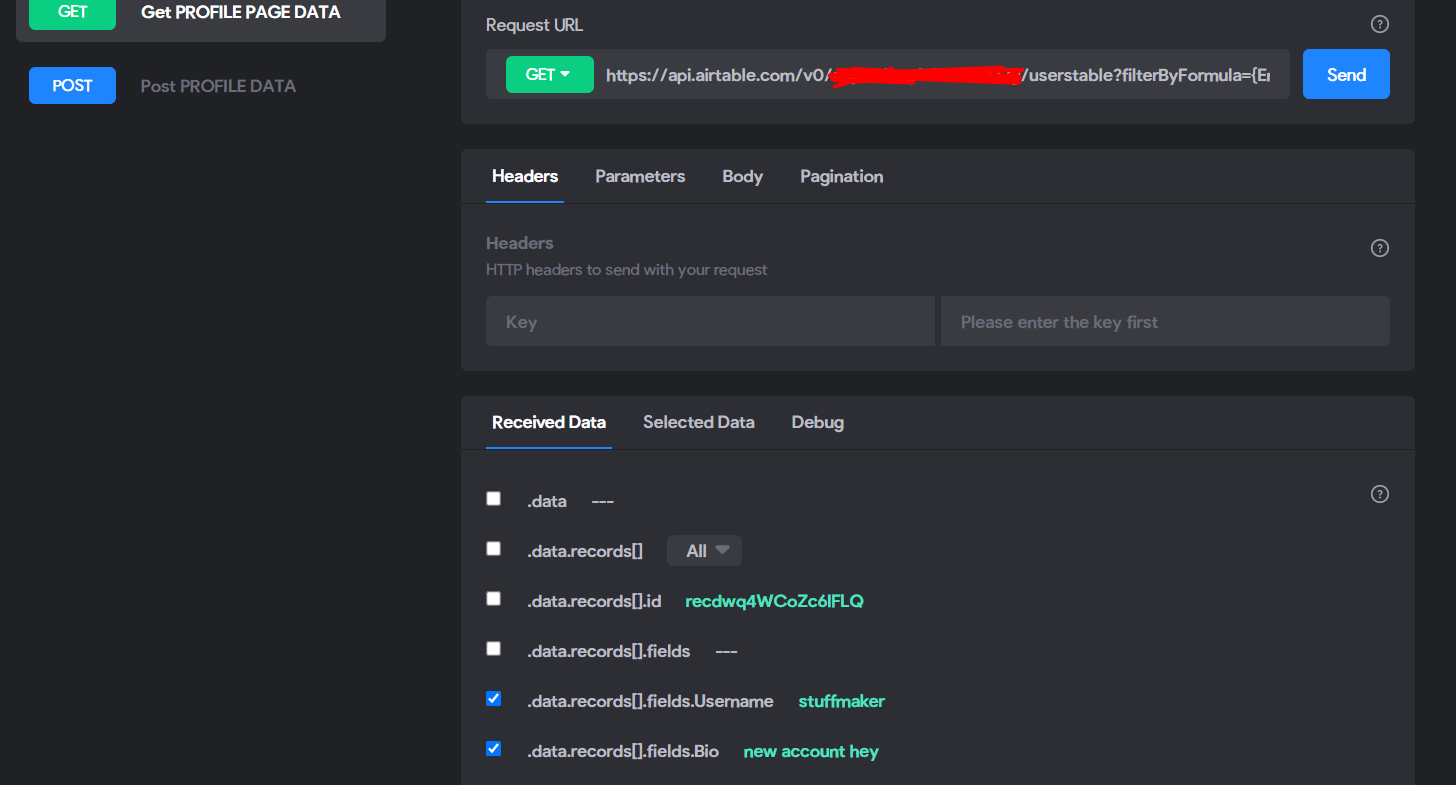
I am trying this but the GET data (profile pic, bio, username)is not being displayed even after I bind the UI elements. Instead the UI elements where they are meant to be just disappear.

Also, in the data library's GET request, once sent does the received data just say ".data   ---" ?

Clement June 27, 2021

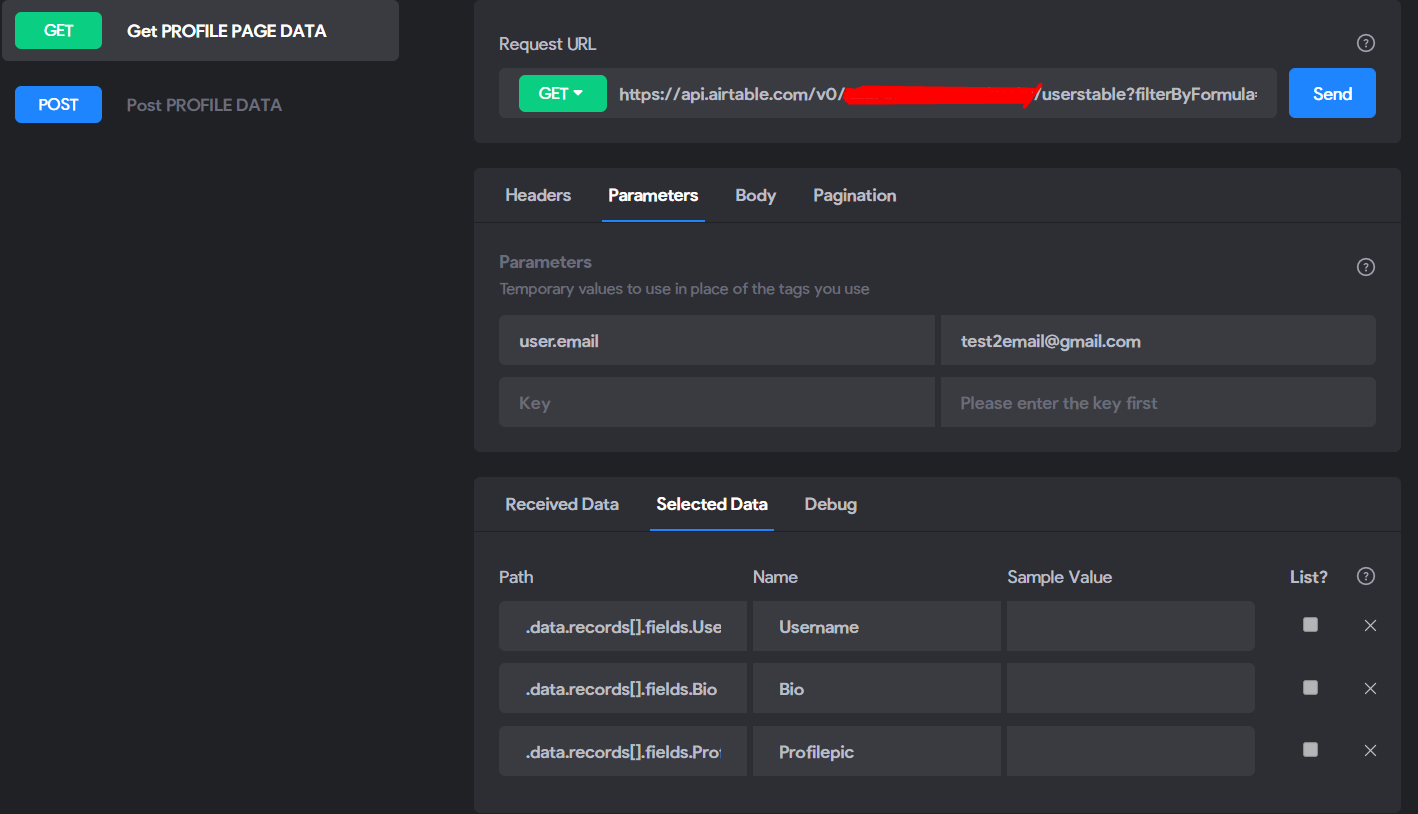
Because below  "parameter" you need to identify one "user.email"

retrogatorade June 27, 2021

I done this but it is still not appearing.
Am I meant to put an example request in the JSON body?

Clement June 27, 2021

not for a GET request

Show screenshot of your set up! API request + airtable structure

retrogatorade June 28, 2021

so this is my airtable: 

image.png

this is my post request and it works to post to airtable:

image.png

now this is the get request:

image.png

I set the variable as ${email} with lower case e. and in the airtable field its "Email" with capital E.

Clement June 28, 2021

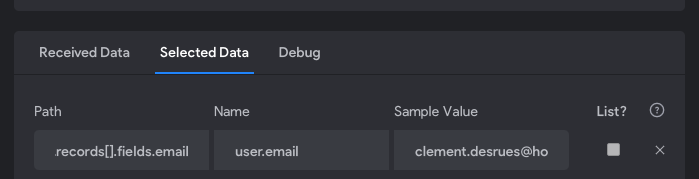
In your post request, after cliked on "send" you need to check the checkbox field.email and go below "selected data". here you need to identify that is the user.email : like my screenshot you have to change the name with exactly user.email and then put a exemple below sample value :

Capture d’écran 2021-06-28 à 11.29.27.png

then in your GET request : change email by user.email and try this !

{user.email} is a variable, so you juste need to identify a exemple when the data is incoming in DB 
check the doc : https://www.notion.so/Request-URL-Variables-3a675960ed0b43dda27ff9685532b4f6

retrogatorade June 28, 2021

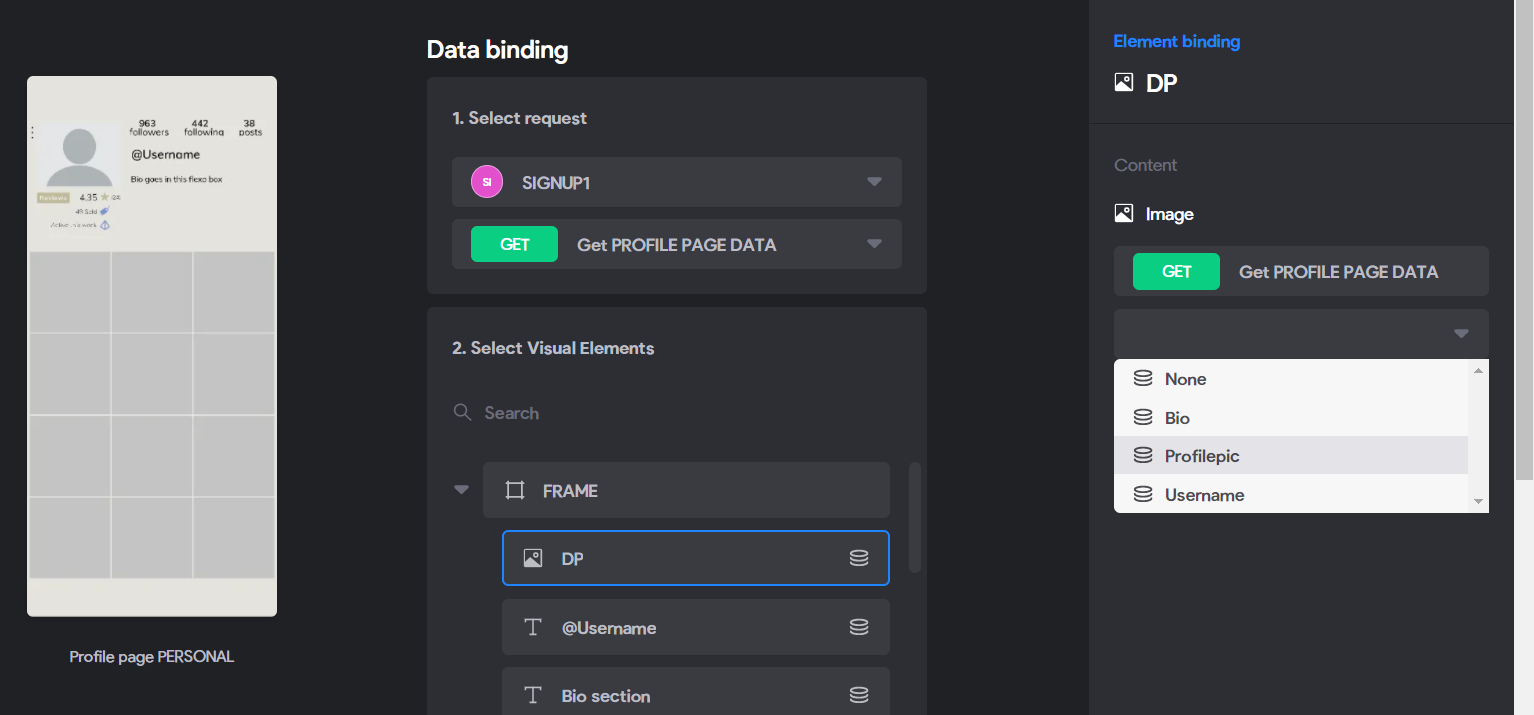
The GET request is now pulling the data out of airtable and I can view it in the data library collection. However in bravo vision I am getting error 422 Unprocessible entity

Clement June 29, 2021

give screenshot of your data library and your screen where you are binding the data!

doctor3390 August 10, 2021

Is it possible that managing user contents using firebase uid?

Wrote something in this thread and want it removed? Request removal

Still stuck?

Ask the community on Discord

This archive is read-only. New questions, office hours and product updates now happen in the Bravo Discord.

Join the Discord