← Design & Bravo Tags
Design & Bravo Tags July 3, 2021 · 11 replies

Design Tips

Archived from the Bravo community forum (2021–2026). Some answers may refer to older versions of Bravo.

Hi All!

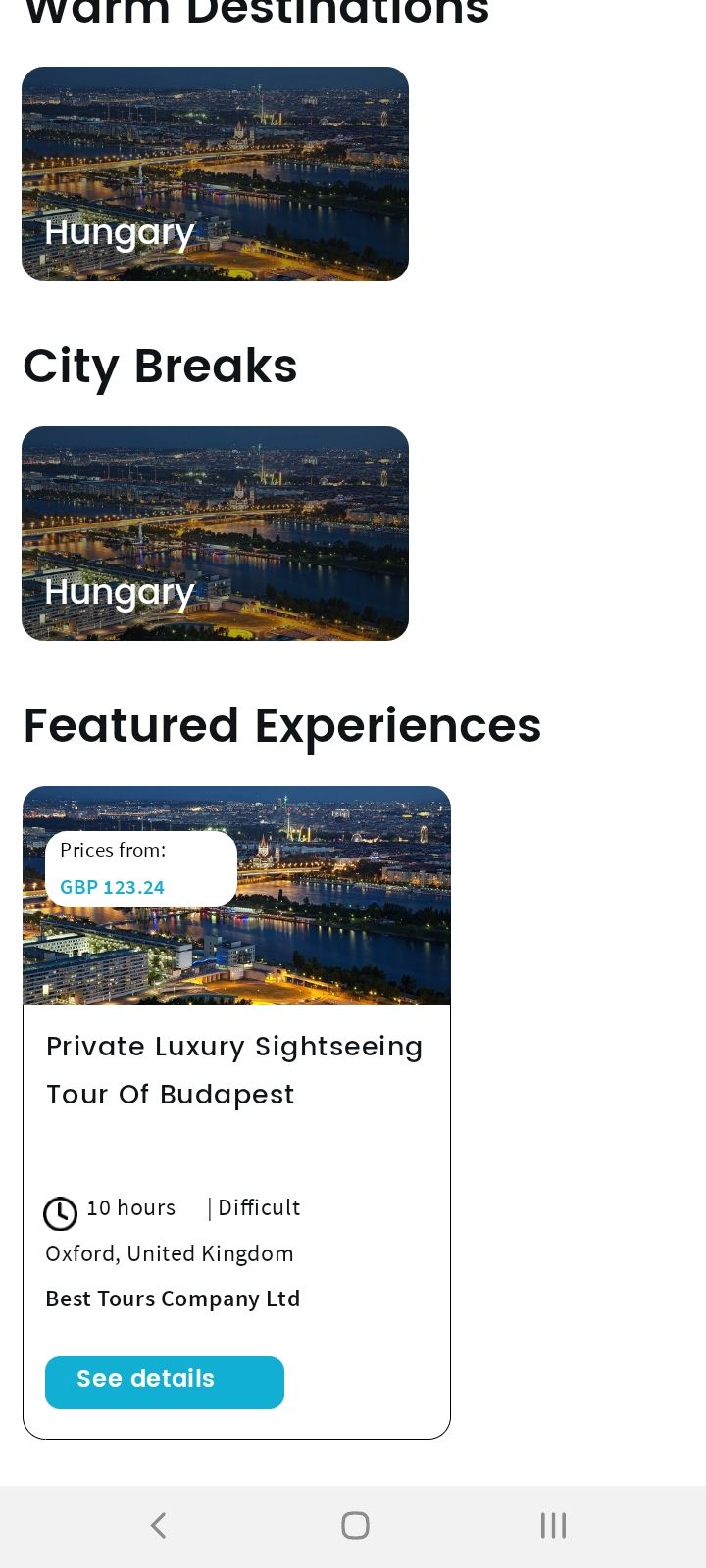
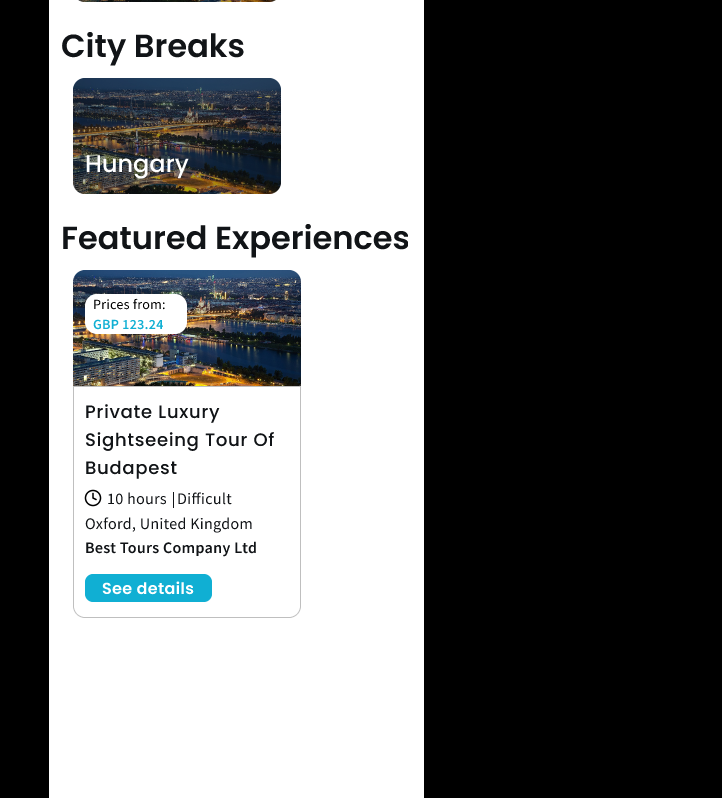
Do you have any tips for creating the design? I'm creating the design using 375 x 812 as base. I also added a splash screen. I am experiencing issues with the font sizes. Any tips on how to make the font responsive? I attached 2 screenshots. 1 of them is the design preview, the other is the preview on my phone using bravo vision app. Many thanks!
Preview mobile.jpg

Preview Figma.PNG

11 replies

Karla July 3, 2021

I couldn't see the problem clearly Edward. Could you add a simple print screen from your phone and another from the frame on the software that you are using? Is that Figma?

John July 3, 2021

Hi Karla,

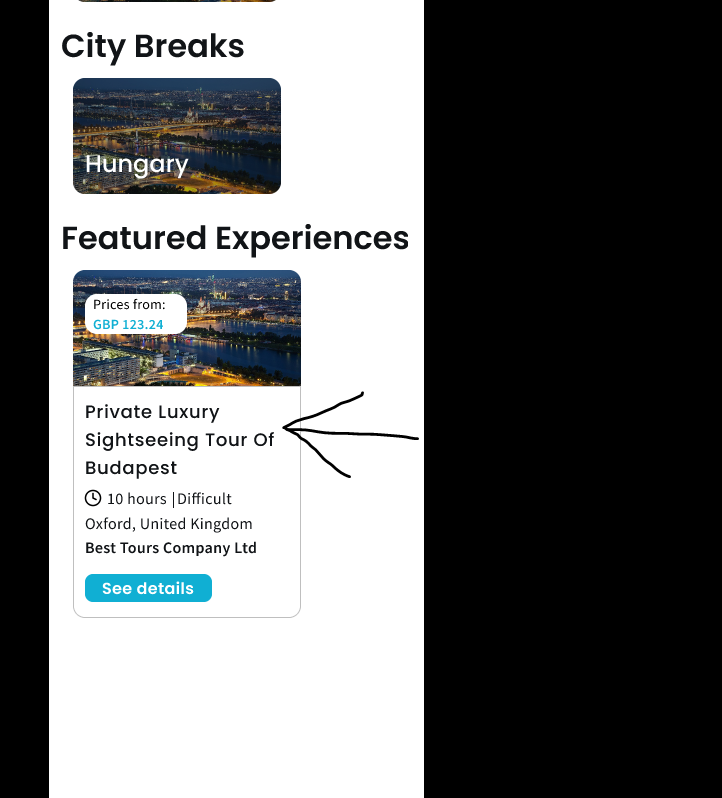
Thank you for responding. I am using Figma. The above is a screenshot from Figma + a screenshot from my phone. I found that for example a heading is multi line on Figma preview but becomes single line on my phone so I always have to play around. Or 3 lines on Figma preview but 2 lines on phone etc. Another example is I define 32px for font size which looks fine on Figma, but looks to small on my phone. It's like the font is not scaling. Here is the example pointed out. This is from Figma. On the above screenshot you can see it on my mobile. The font is small and becomes 2 lines only

Preview Figma.PNG

John July 3, 2021

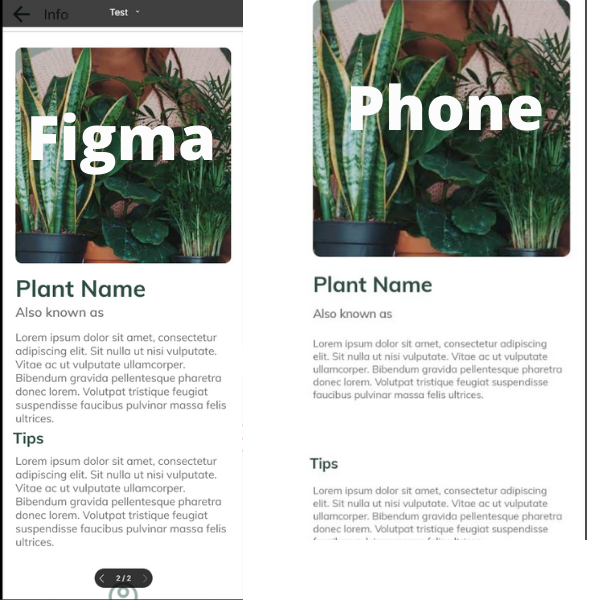
I think it is what it is sadly :( . I just created a test with one of the Bravo Studio templates called "Plantagram". I simply copied the file and previewed it on my phone. It is very unfortunate as I was hoping to move from Adalo / bubble to here due to the performance of the apps here is much faster, however I can not get over the font and scailing issue. Maybe the screenshot does not show, but the small font is barely readable on my phone.

Figma.png

Karla July 3, 2021

I understand, I would try a new container to each new separated text, as well, checking if you have the font installed.

I had some differences too, but if the phone is completely different from your figma, you must be careful on how you add the text… from what I learned.

John July 3, 2021

Thank you for your response. The issue is that users (customers) have different phone sizes right? So how do I ensure that everything appears correctly on all phone? I understand that there are differences. I believe that Bravo should translate the font pixels to SP (for Android) and PT (for iOS) so that it would scale with the container. I can see that the image and container gets scaled up based on the pixel density of my phone, but not the text. I use Poppins and Source Sans PRO (all of them are Google fonts)

I'll try your suggestion of separate containers for each text, thank you.

Karla July 3, 2021

Yes, you are right. But with containers separated, even that it doesn’t get bigger won’t have so much spacing. I believe bravo resizes well down, which I’ve tested, but up I don’t have phones to test.

John July 3, 2021

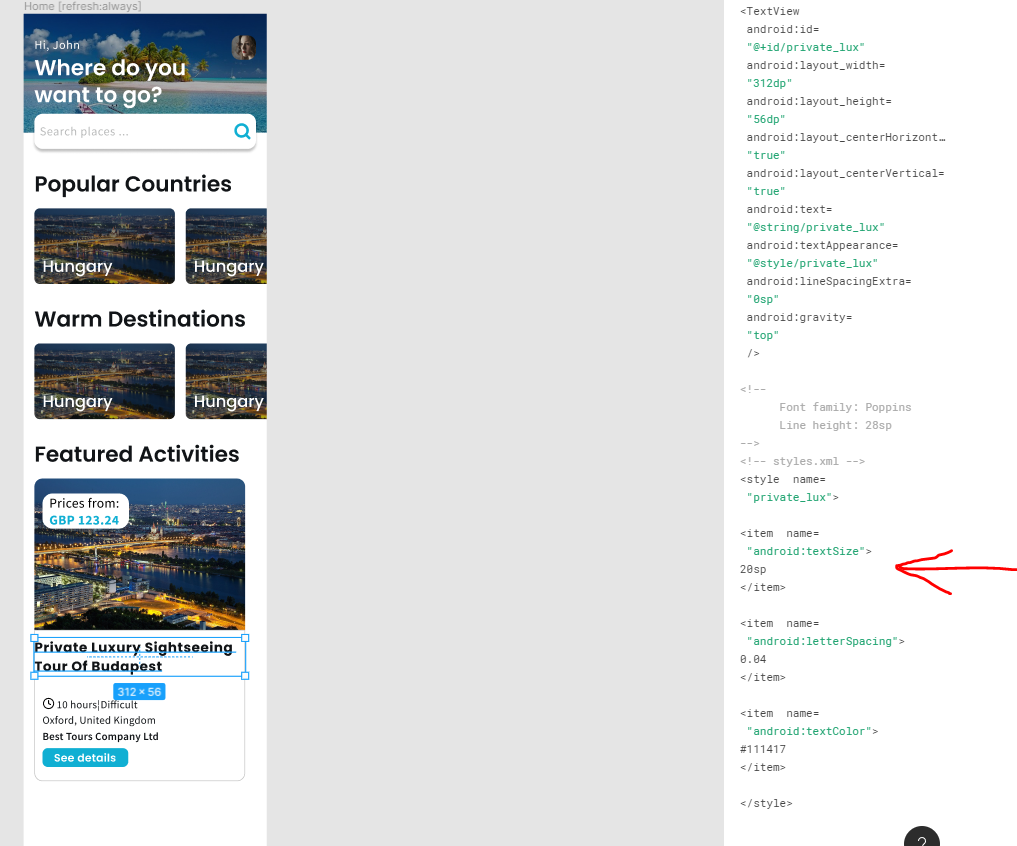
So I actually found that Figma already translates the fonts. I am wondering if that is taken into consideration when importing to bravo studio?

Capture.PNG

Karla July 3, 2021

I would like to see your file, if you want, share it with me via dm :) but I am not sure the figma code is talento consideration, what I am thinking of it is the structure you are creating inside the file

John July 4, 2021

Thank you for your guidance in private. It will help me to think about my design :)

Karla July 5, 2021

You are welcome 🥰 looking forward to seeing your app published

Wrote something in this thread and want it removed? Request removal

Still stuck?

Ask the community on Discord

This archive is read-only. New questions, office hours and product updates now happen in the Bravo Discord.

Join the Discord