← Design & Bravo Tags
Design & Bravo Tags November 12, 2024 · 9 replies

Different designs from figma in Bravo app preview [managed not solved]

Archived from the Bravo community forum (2021–2026). Some answers may refer to older versions of Bravo.

Hello, good evening everybody!
A few month ago I duplicated my app in order to work on some improvements and fixing bugg.
I was able to fix my bugs and improve my database management, but when I look at my app in “the mobile Bravo app” there are some differences with my figma file.

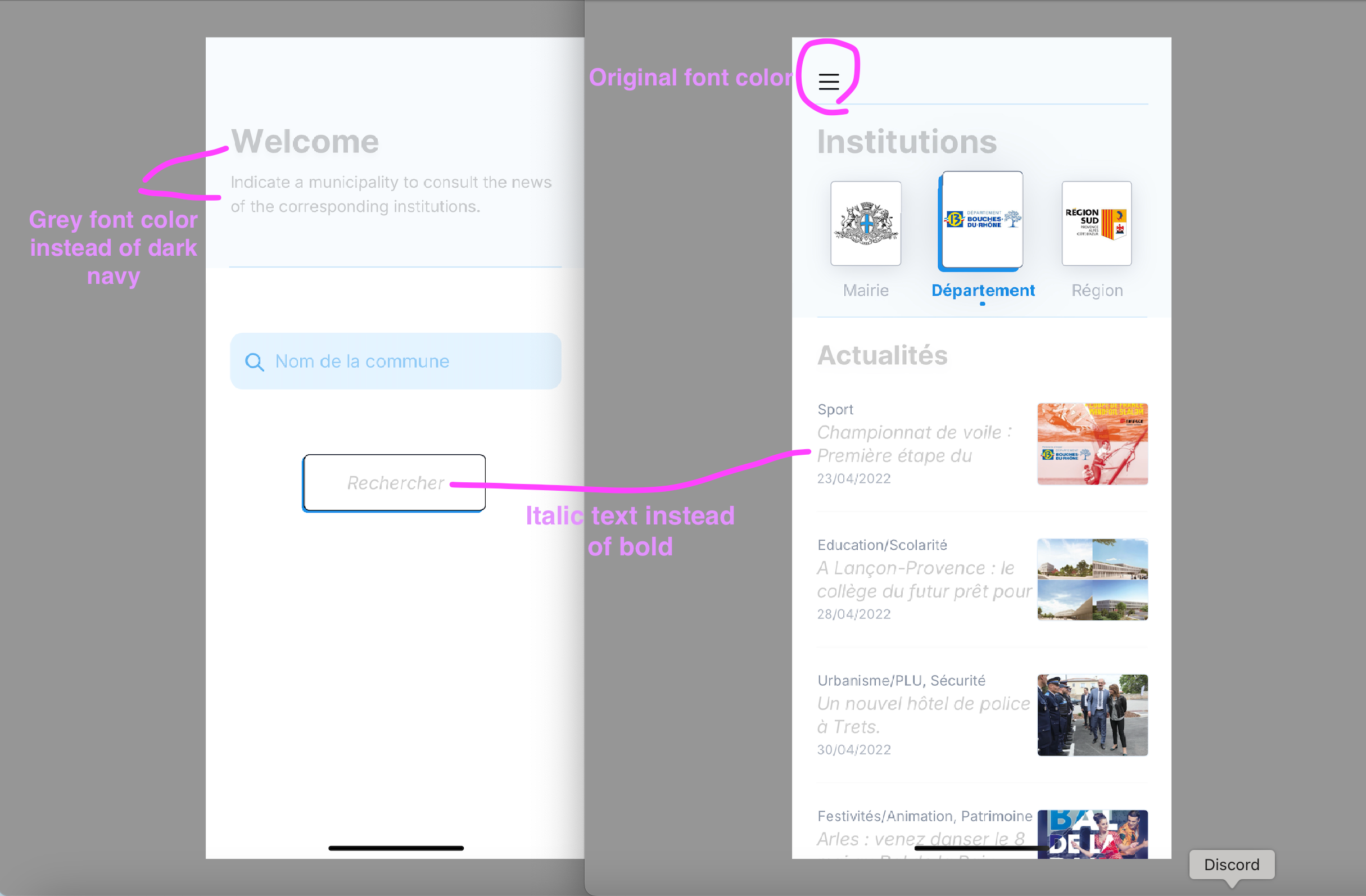
Font color is lighter almost everywhere.
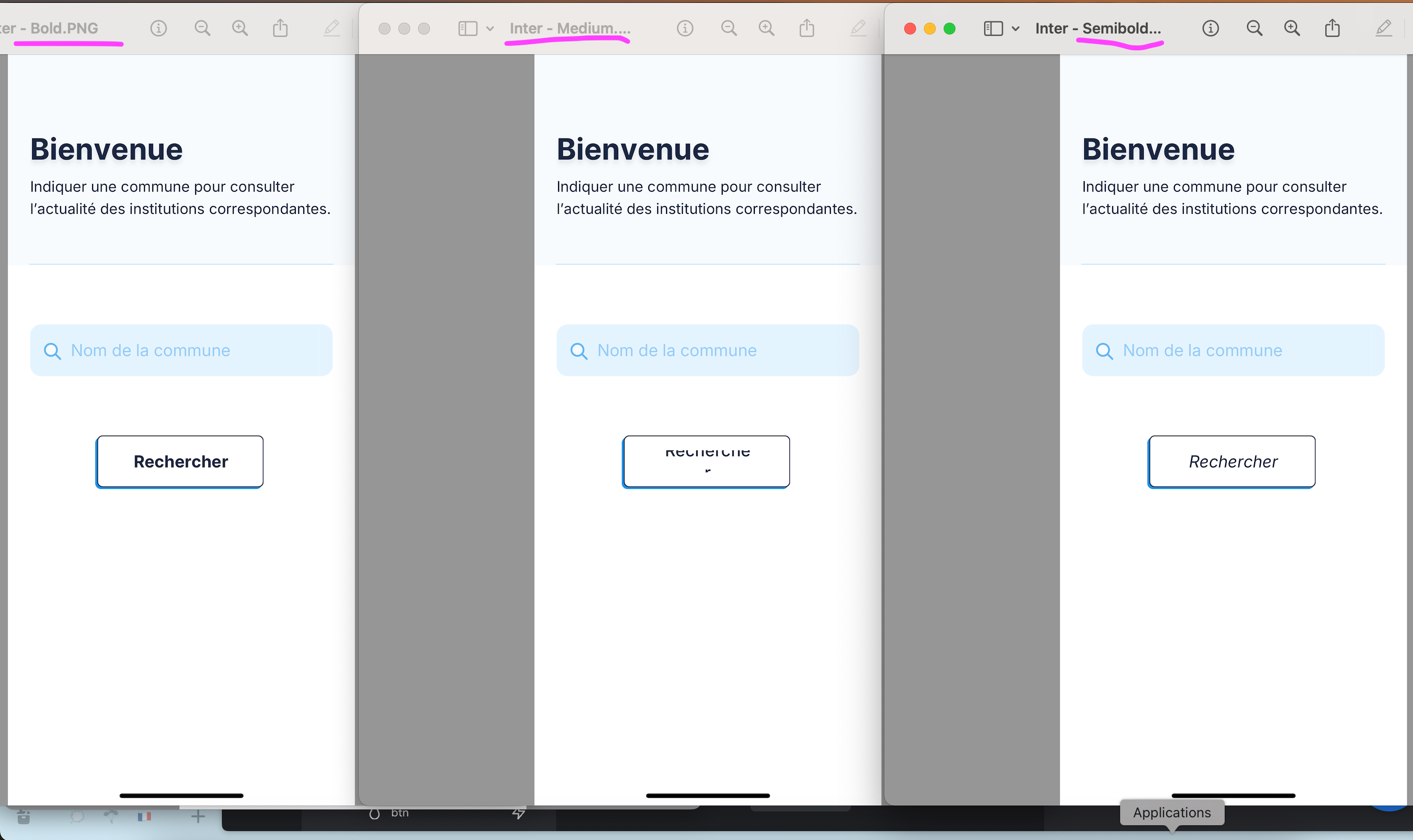
Text layer in buttons or in card has changed to Italic.

Have somebody experienced the same issue?
I did not work on my app since a long time so I may have missed an info regarding the layer structure in the last year.

Would love to read what i missed ahah.
Thank you for your help!
9 replies
Judah November 12, 2024

Hello! It is probably a problem with the bravo tags in figma.

If you have added 2 or more effects to a layer in your figma file, you have to use the [component:svg] tag.

SVG Component | Bravo Studio Help Center

I attached the [component:svg] tag documentation for information on how and where to use it.

Brice November 12, 2024

Thank you for jumping in judah!!
I just checked my svg tags (concerns 2 small lines) and they look good to me.
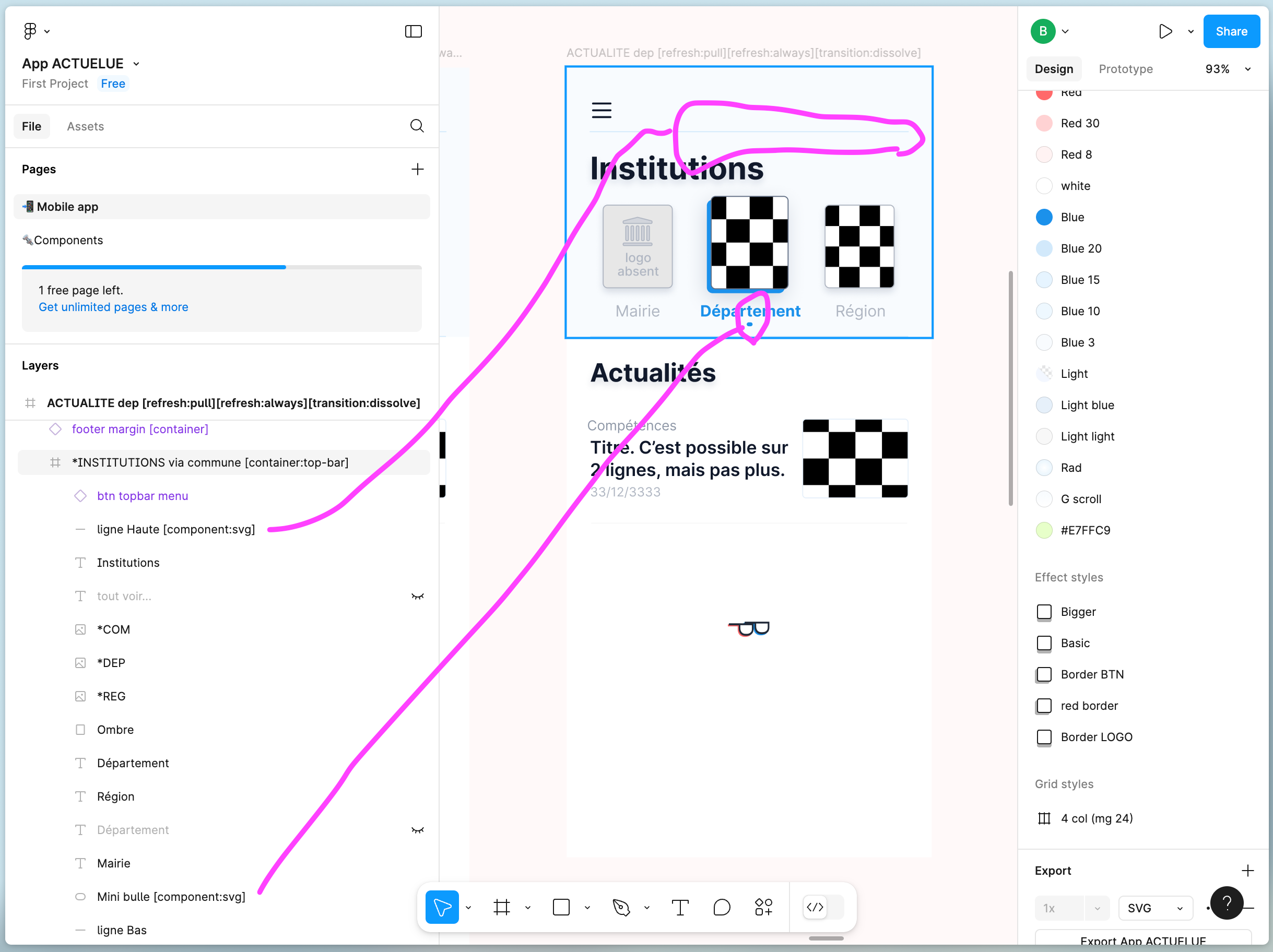
(attached)

Do you have any other idea where i could go to look for?

Judah November 12, 2024

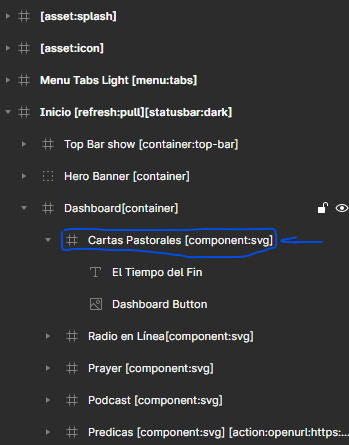
Have you tried to make groups of elements into frames in figma? Then apply the svg tag to the frame. For example: Department and button image in a frame. Then add the svg tag to the frame. I attached an image to explain the structure.

Brice November 12, 2024

Thank you again - i tried a few modifications accordingly but there are no improvments on my side ahah. Thank you - i will sleep on it and see ;-)

Brice November 13, 2024

When the “InterFont” came out and wasn’t yet available in figma I imported it in Bravo.
Since then Figma has updated its data - do you think it can cause the font changing color and going to italic now?

Judah November 13, 2024

Yes, that could be the problem. The font in figma and bravo studio have to be the same. Here is an the documentation explaining how to upload fonts to Bravo Studio. NOTE: Bravo studio supports all figma fonts. You can check if you are missing a font in Bravo by clicking on the bell icon on top of the bravo editor.

Brice November 13, 2024

Thank you again for your support!
I have the same “a priori” but I can’t delete font i previouslu download… So i’m stuck for the moment ahah

Brice November 14, 2024

Ok so “InterFont” is working great but only when it’s “Regular” or “Bold” on my side.

If someone from @BravoTeam has any idea or could help me ? I would love it.
Thank you all

Brice November 15, 2024

The issue is indeed the font listed in my account.
I replaced all of it (even if it’s “inter” and should be by default).

Don’t know what is the appropriate format:
.otf
.ttf
.wolf2

Can’t delete the font from my account (i have to modify every layer in figma and not use it anywhere - and then Bravo will authorise me to delete it).

Here is a “small issue” taht is a quick win. ;-)

Wrote something in this thread and want it removed? Request removal

Still stuck?

Ask the community on Discord

This archive is read-only. New questions, office hours and product updates now happen in the Bravo Discord.

Join the Discord