← Design & Bravo Tags
Design & Bravo Tags May 5, 2025 · 5 replies

Display dynamic text in a container that auto-resizes vertically

Archived from the Bravo community forum (2021–2026). Some answers may refer to older versions of Bravo.

Hello, I would like to create a chat page with messages boxes.
I would having the boxes (white or grey) resize themselves automatically according to the message text.

I tried with the [flexo] tag in the texts layers with all instructions I saw here : https://docs.bravostudio.app/bravo-tags/components/component-flexible-text but it’s not working well. Texts goes beyond the boxes.

I noticed that it works well with texts that follow one another and aren’t nested inside blocks.

Is there a way to build my design with Bravo or not?

I’m considering switching to the paid plan to publish my app, but the design limitations in Bravo are holding me back a bit.

Do you think someone from the paid support team could help me?

5 replies
Pedro Bravo team May 12, 2025

Hi Nic, for it to work properly it needs to be the last item in the container

Karla May 13, 2025

I'm not sure I understand the issue, could you share some images to illustrate it?
If you're expecting the background to expand automatically, that won't happen by default. But you can set top and bottom padding and apply the background to the text container so it appears extended.

— What I see here, it is that one message is on top of the other on the top. Not the problem with the text you mention.

Nic May 13, 2025

Hi Karla,

Thanks for your reply.

Here’s another example with the same need, but on a different screen.

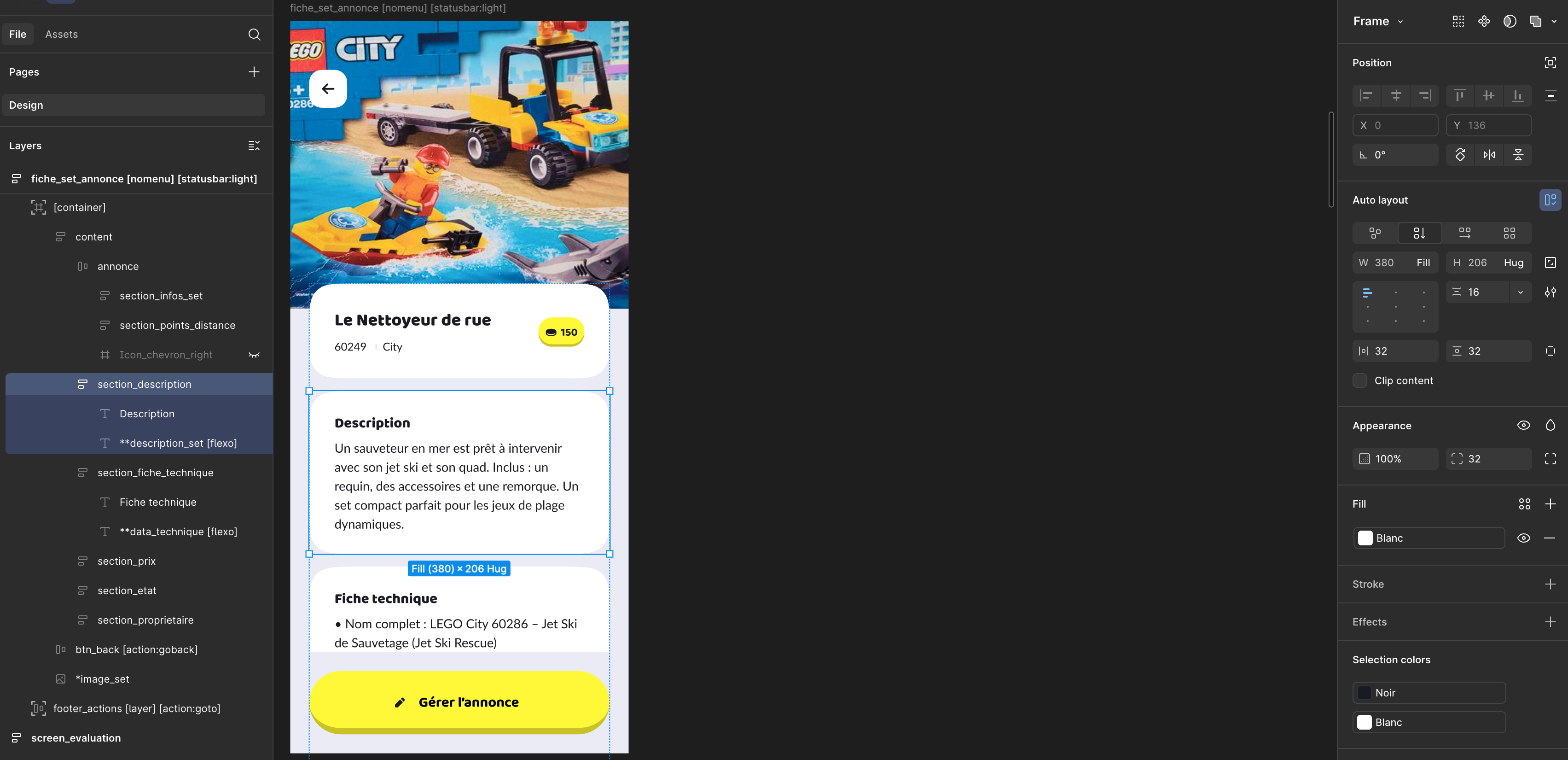
I want my white blocks to automatically adjust their height based on the text content.

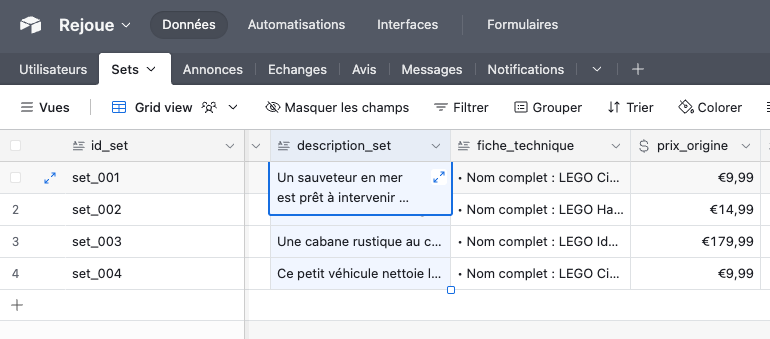
The text comes from an Airtable database, and its length will vary (sometimes 3 lines, sometimes 10+).

So, I need each white block to dynamically resize vertically depending on the text received from Airtable.

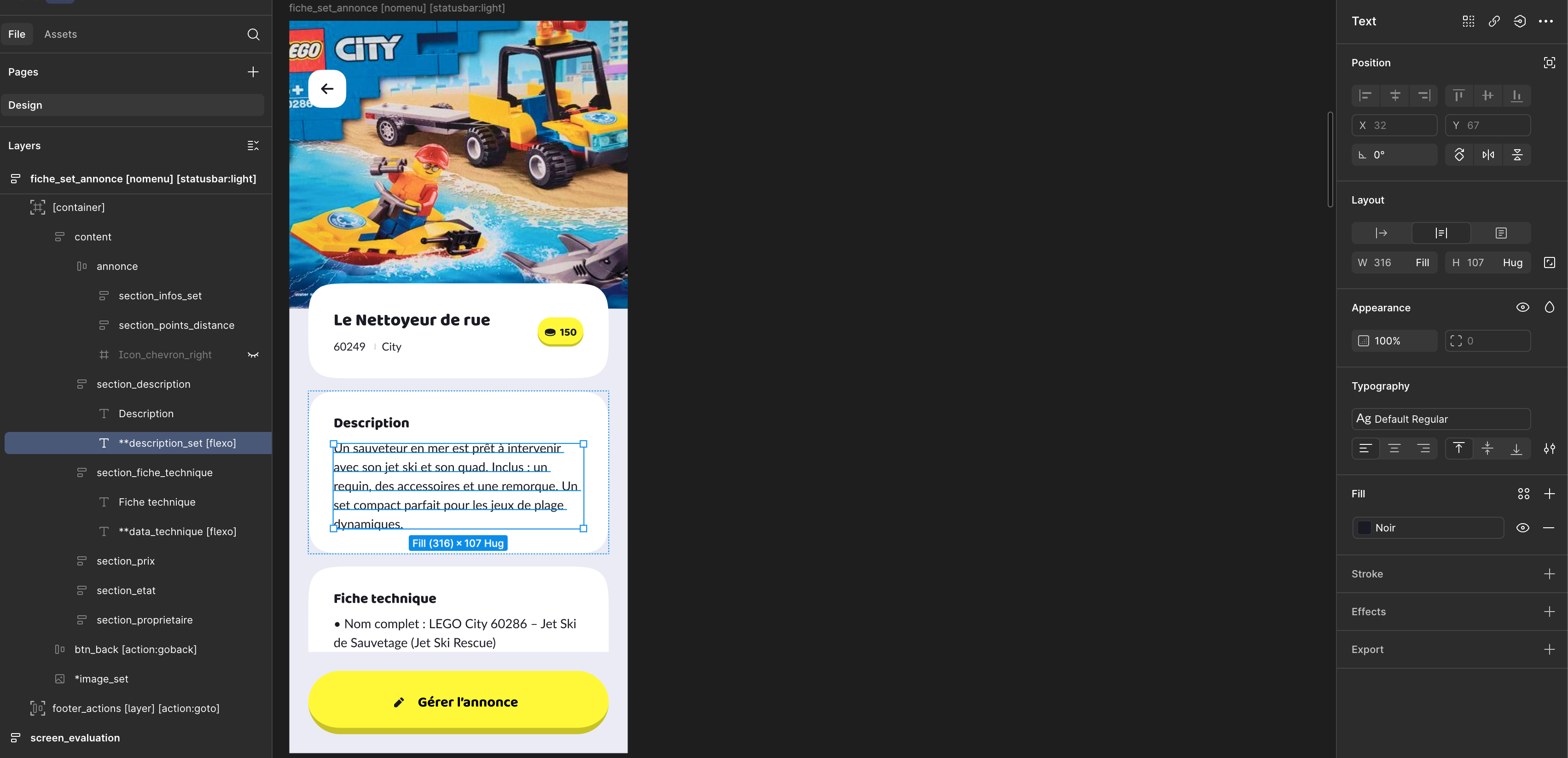
In Figma, I’ve set up each white block as a section.

You can check section.png for the auto-layout settings (with padding).

Each section contains a title and a text field. The text field should grow or shrink based on its content. (texte.png shows the frame settings.)

Now, I want to display several of these sections in a column, each with different text length (same logic as a chat interface).

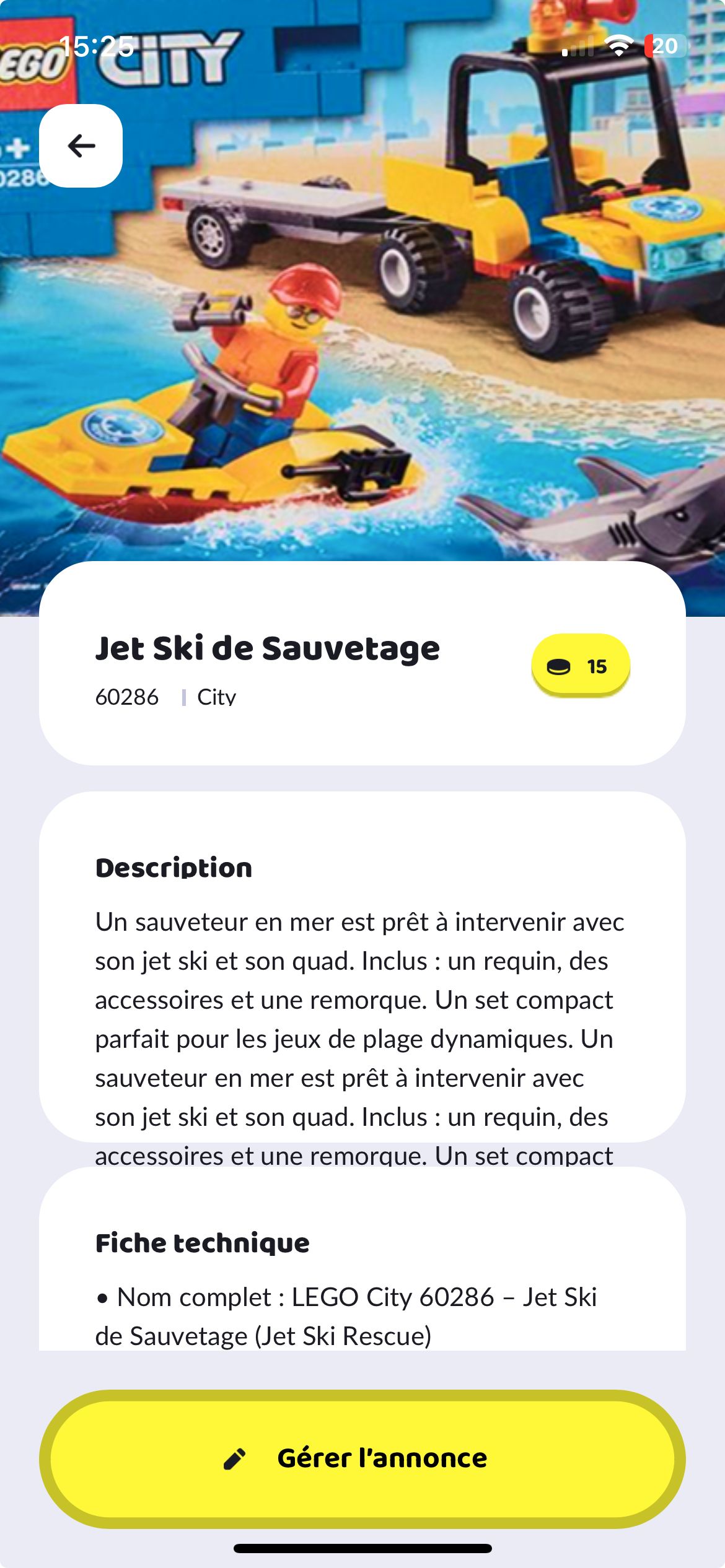
However, when I use the [flexo] tag like in my Figma examples, the white blocks don’t resize — their height stays fixed, and long texts get cropped. (see bravovision-live screen)

Can you confirm how to set this up properly so each block adapts dynamically?

Thank you in advance.

Juan May 19, 2025

Hi @Nic M the [flexo] tag allows your text box (as in, the Figma text layer) to resize, as you have in your screenshots; but that won’t make any other elements, even if built with auto-layout, to resize accordingly (that’s why you see your text overflowing your white box)

A couple workarounds I usually try:
- don’t make the text box depend on a visual element > remove the white box around the text and rework your UI for the page accordingly if necessary
- if you wanna keep the white box around the text - limit that text box to a couple lines (e.g. if all your descriptions will have at least 2 lines always > apply the tag [style:text-max-lines:2] > then if you want users to read the full description, have a “read more” small button at the end (you can customise it as you want) and have that open up a modal or pop up that displays the full description

Wrote something in this thread and want it removed? Request removal

Still stuck?

Ask the community on Discord

This archive is read-only. New questions, office hours and product updates now happen in the Bravo Discord.

Join the Discord