← Design & Bravo Tags
Design & Bravo Tags October 8, 2021 · 4 replies

Form Submission and Pop Up Messages

Archived from the Bravo community forum (2021–2026). Some answers may refer to older versions of Bravo.

Does anyone know where the wording for the pop up messages (like Email and Password Required) are stored for editing?

I've just sorted a form on my app, but the popup message says "Form sent succefully!"

Ouch!

So I'd like to edit them and make them a little more friendly for my app.  🙂

4 replies
Stéphan October 8, 2021

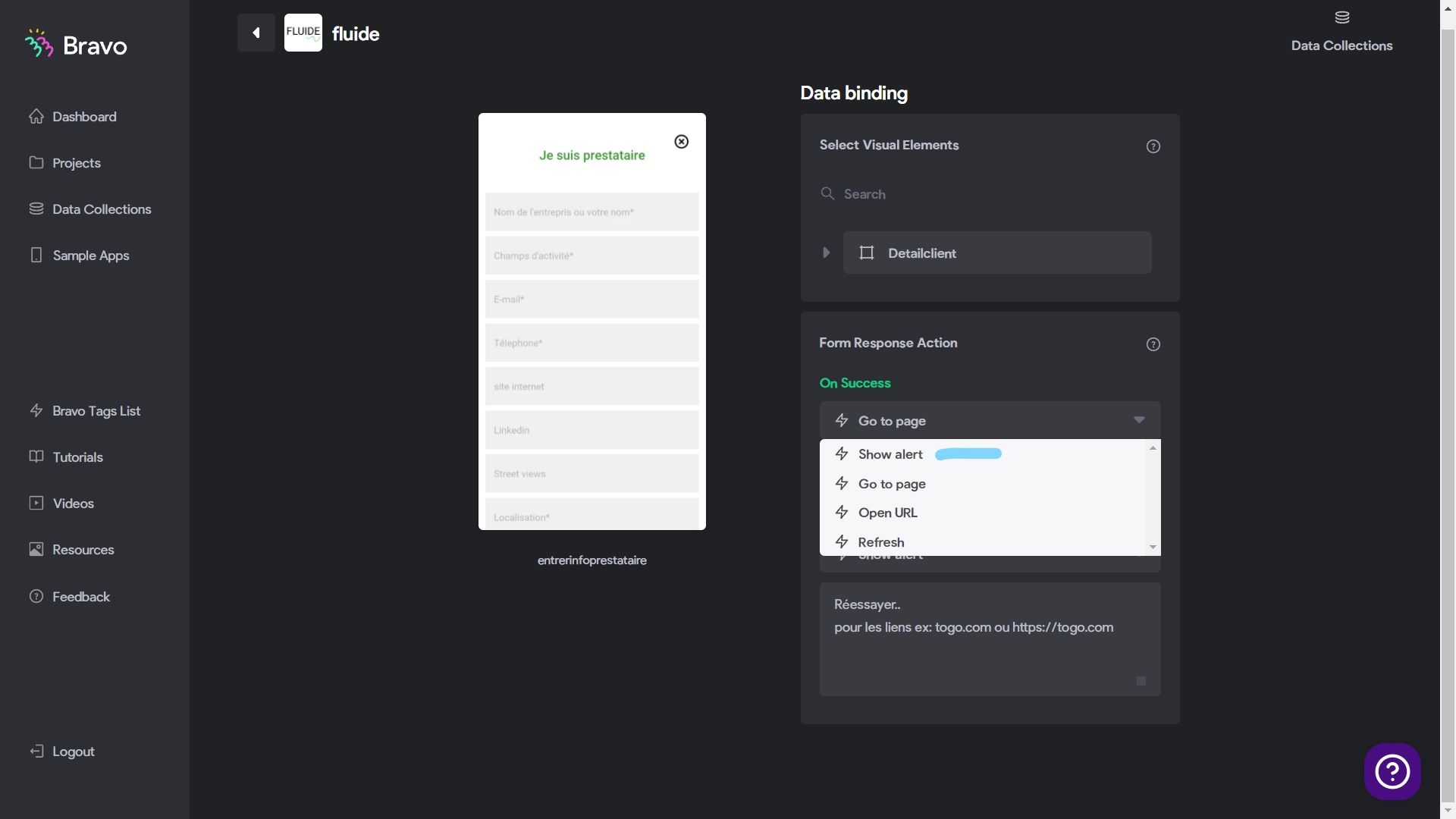
Hi, look at the bottom of your design links to Bravo: select Show Alert, below Add your text.

Bravo Studio - Bindings - Google Chrome 08_10_2021 17_03_37_LI.jpg

Paul October 9, 2021

Thanks Yao Stéphan Alain N'GUISSAN

I had a look, and I can't see that option on my screen, I just have the UI binding options.

Paul October 9, 2021

Looks like the Form Response action options are only available on pages where you have the [action:submit] Bravo tag, and not the login tags.  I did add the submit tag too, and I was able to change the message. 🙂

Thanks for your help  Yao Stéphan Alain N'GUISSAN

Fred October 25, 2022

How could you trigger a text when "on error"? In my case any time I get an error response from API, I just get the default error page screen from Bravo studio

Wrote something in this thread and want it removed? Request removal

Still stuck?

Ask the community on Discord

This archive is read-only. New questions, office hours and product updates now happen in the Bravo Discord.

Join the Discord