Archived from the Bravo community forum (2021–2026). Some answers may refer to older versions of Bravo.
Hello all, new here, trying to learn Bravo/Figma setups.
I'm facing a problem with grouping by 'department' from my Airtable to Bravo.
This is what I get out:
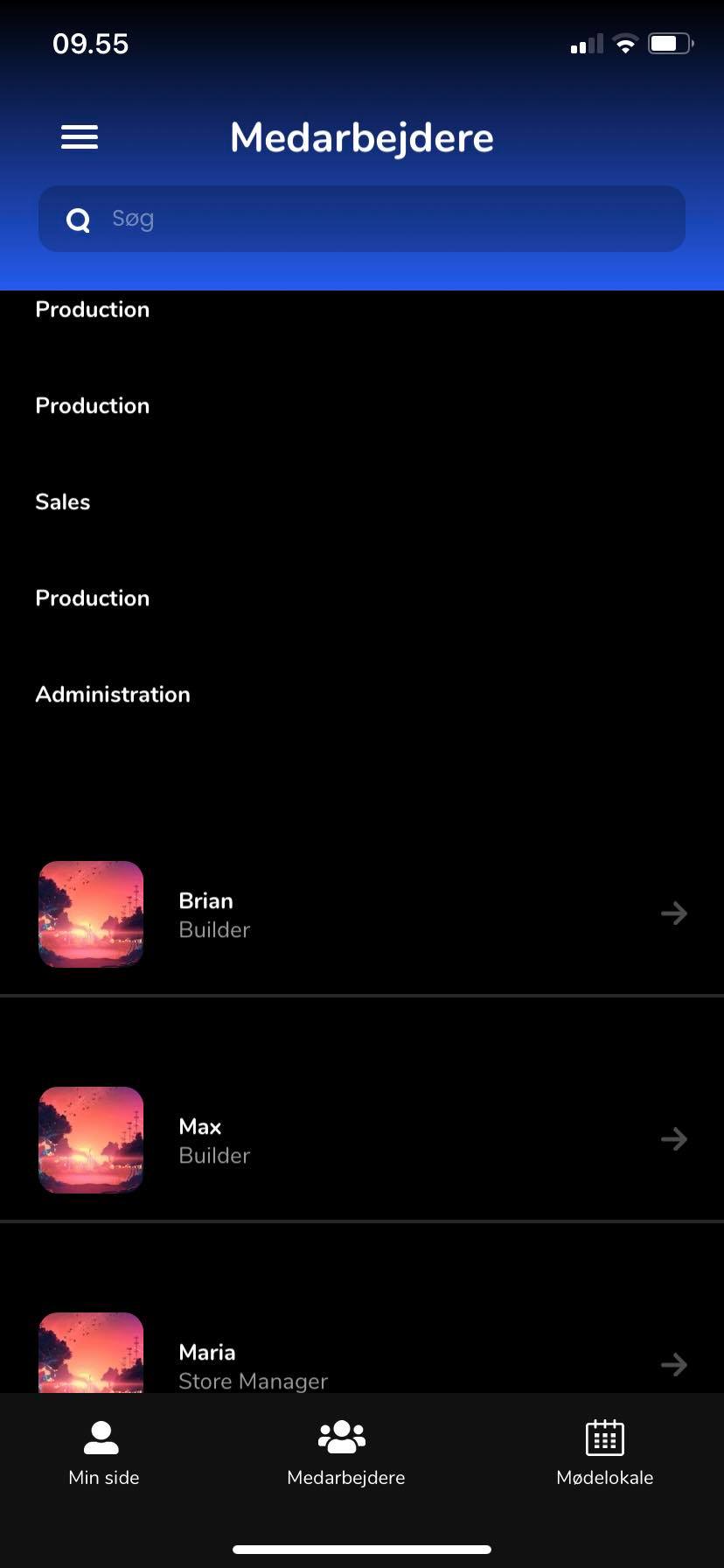
But as you can see, the department titles are listed above by themselfes.
This is what I essentially want:
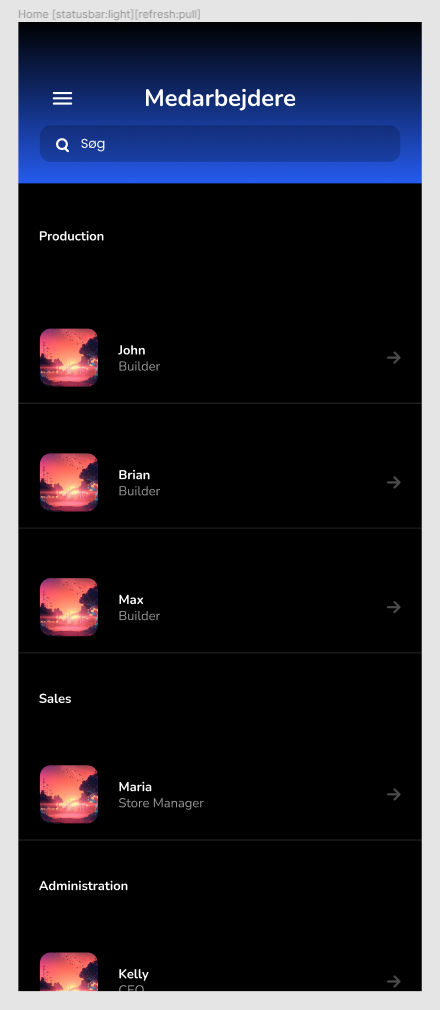
Here is my Figma setup:
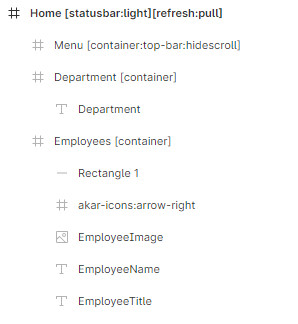
And my Airtable:
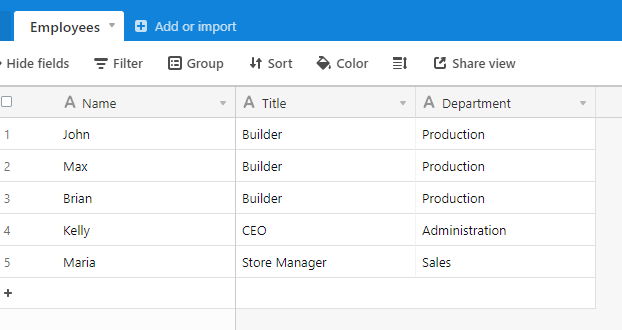
What am I doing wrong here? 🤔
Thanks!
1 reply
Wrote something in this thread and want it removed? Request removal
Still stuck?
Ask the community on Discord
This archive is read-only. New questions, office hours and product updates now happen in the Bravo Discord.
Join the Discord