Archived from the Bravo community forum (2021–2026). Some answers may refer to older versions of Bravo.
Hi (thank you for taking the time out to read my issue - im a newbie),
so I have a few issues that no one seems to have covered yet 😟
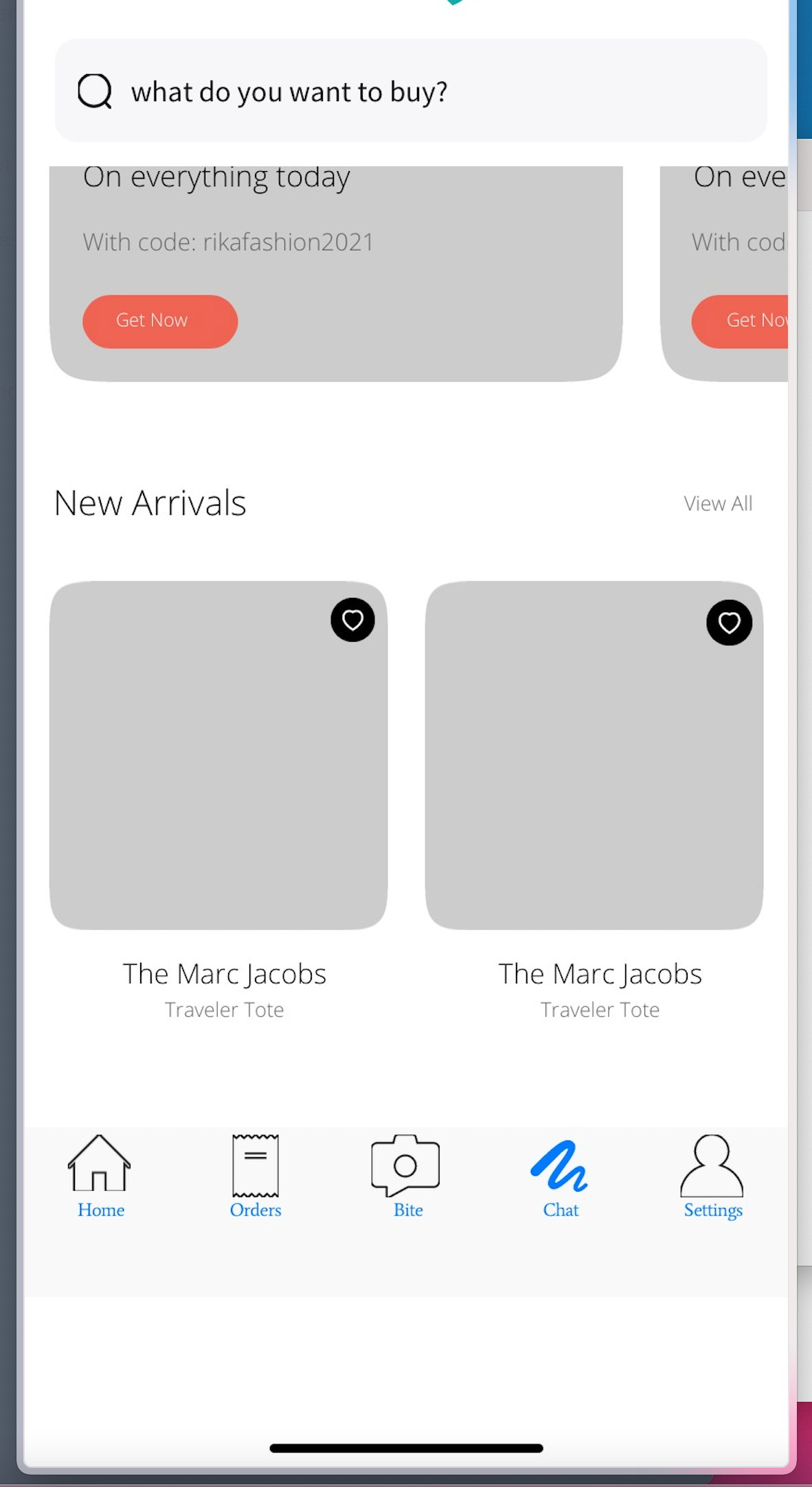
- My icons on every page keep getting cut off(menu, search etc)
- My pages keep over scrolling to infinity.
how do I stop these issues. I've tried adding as SVG's and pictures and still the same result. I have even copied and pasted a bravo app and taken the working menu and put my own icons in and it still cuts them off.
4 replies
Wrote something in this thread and want it removed? Request removal
Still stuck?
Ask the community on Discord
This archive is read-only. New questions, office hours and product updates now happen in the Bravo Discord.
Join the Discord