← Design & Bravo Tags
Design & Bravo Tags February 18, 2022 · 10 replies

Horizontal scroll (Airtable) list.

Archived from the Bravo community forum (2021–2026). Some answers may refer to older versions of Bravo.

When I connect my database to the card, the cards are stacking on top of each other. I would like to have them next to each other. Is there something I am forgetting or is it not possible?

Thank you!

10 replies

Tim February 18, 2022

I have that applied to the container already, does not keep the items from stacking vertically :/

Bastos February 18, 2022

Maybe it’s on the wrong design frame.. or it’s a design problem ☺️

Alex February 22, 2022

did you figure this out? We're having the same problem.

Ideally we're trying to pull our images from a single cell in AirTable > Horizontal Slider

image.png

Tim February 23, 2022

Hey Alex! I have also tried to apply that to my detail pages. It did not seem to work the way you (and I) have tried.
 
I just sent an email about it to support and will share it here when they respond.

Alex February 23, 2022

Okay. They replied and I figured it out. Let me know if you still need help.

I can get horizontal slider pulling images from one cell.

Next - Stretch goal:
I might try and put labels under each image, but TBD how the airtable would need to be structured.

David August 31, 2022

Hey did you get documentation on this issue? I'm currently experiencing the same issue trying to get from a single airtable box and it displays everything from every image box on airtable.

Alex August 31, 2022

Oh... we eventually did manage to get multiple images in an Airtable cell to pull into an Bravo Horizontal slider. And it worked well. 

But then we migrated to Xano and trashed the whole thing. If I remember correctly the issue was about - checkboxing in Bravo binding the little radius button that kinda says "this data is a list"

Mark December 2, 2022

Does anyone have some better information on how to acheive the horizontal scrolling with data that is bound?

Horizontal scrolling is ok for static content:

GIF-221202_213115.gif

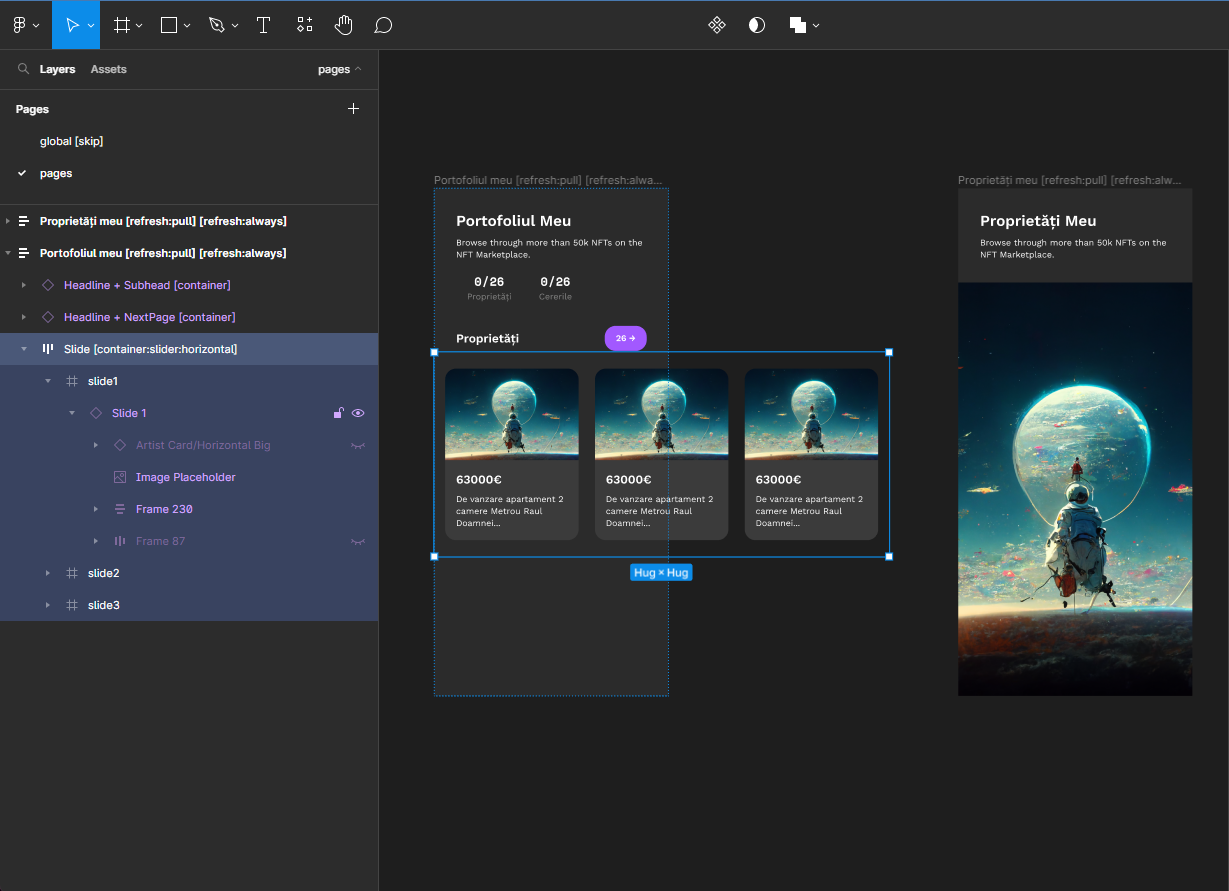
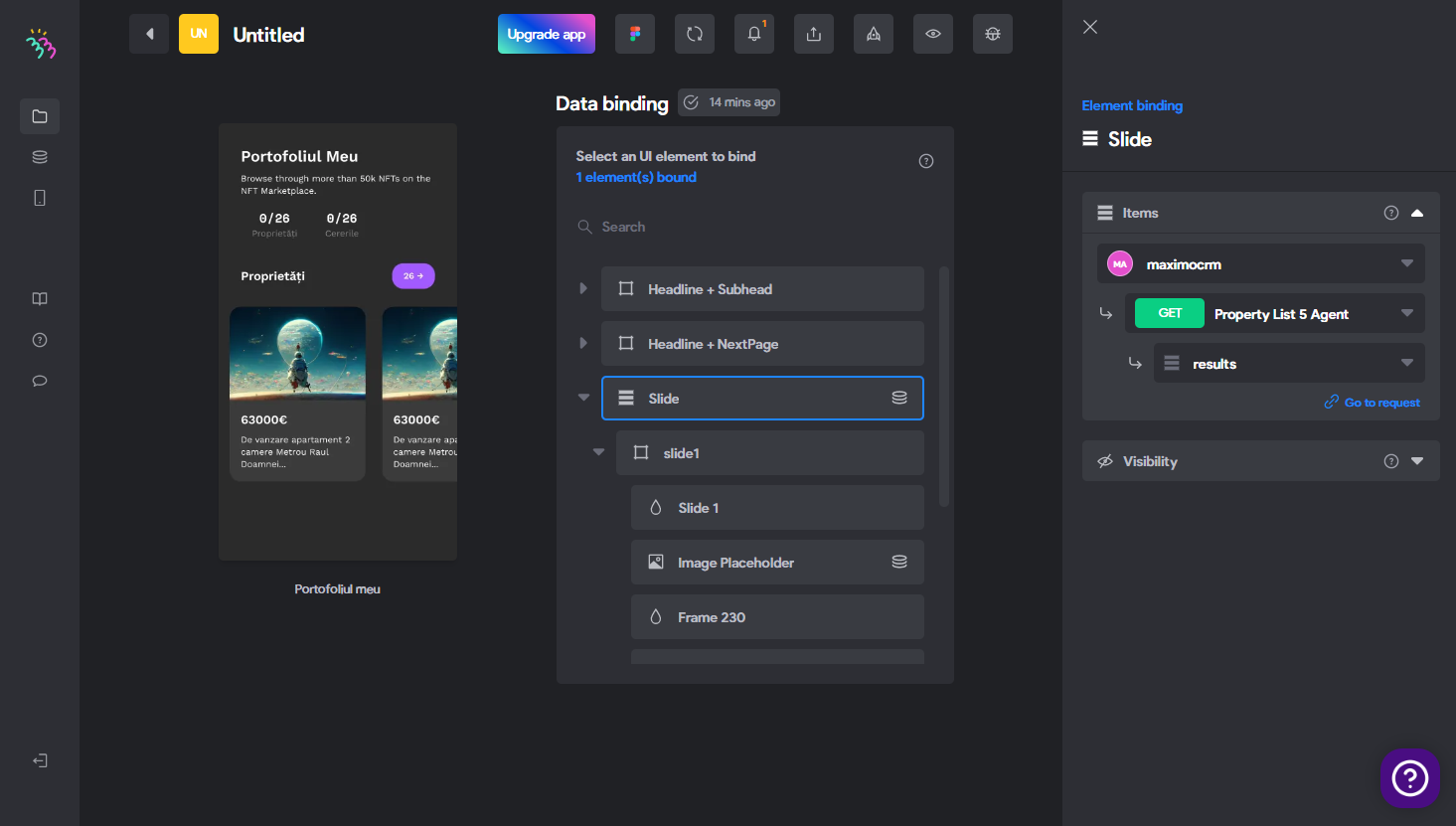
As soon as you bind some data, it stacks vertical as if was a list. Repeats the [container:slider:horizontal] vertically :

GIF-221202_213241.gif

Here is the figma file:

image.png

Data is bound in Bravo:

image.png

Is there a working example somewhere?

Mark December 3, 2022

There is a working example in the Foodgram sample app.

GIF-221203_053339.gif

Make sure you bind it to the correct frame to make it work:

image.png

Wrote something in this thread and want it removed? Request removal

Still stuck?

Ask the community on Discord

This archive is read-only. New questions, office hours and product updates now happen in the Bravo Discord.

Join the Discord