Archived from the Bravo community forum (2021–2026). Some answers may refer to older versions of Bravo.
To create a list populated with API my list items must be [containers], right? This means that I can’t really wrap them in another frame (since [containers] need to be 2nd level frames) to recreate a layout like this:
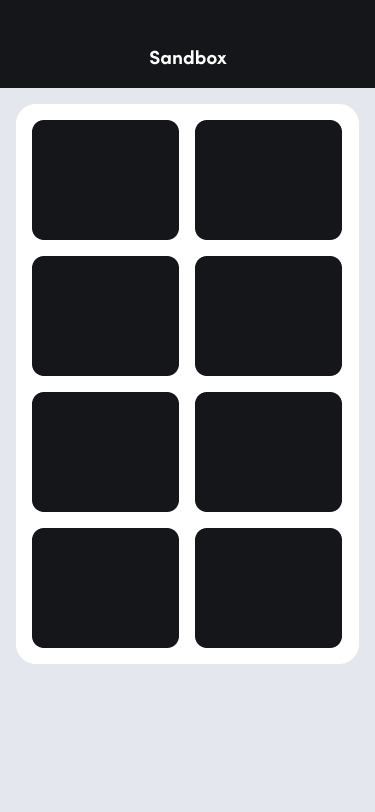
I was trying to work around this by cutting it into slices (à la 2000s 🙂 ) but it won’t work with rounded corners and odd number of list items.
Similarly, I don’t think there’s a way to wrap [flexo] text inside a frame that is not a [container]. If true it means that something like this is currently also not possible:
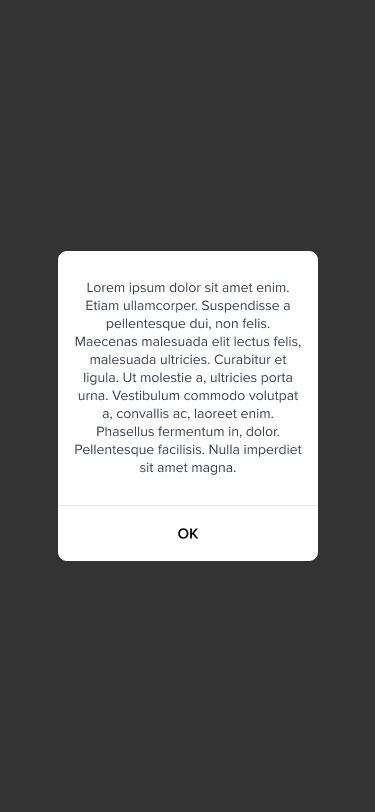
Because I would end up with this:
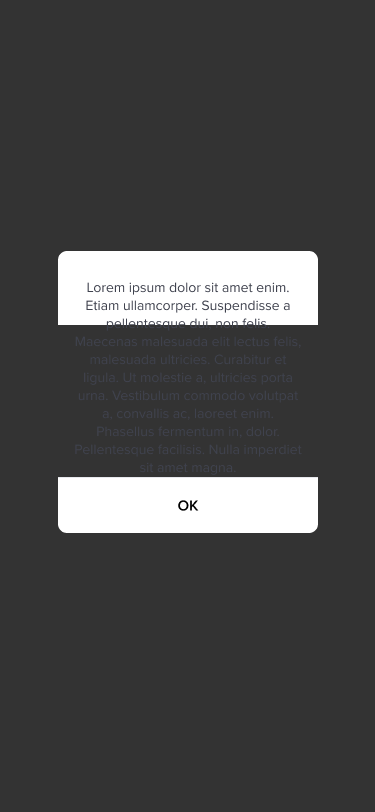
I’ve spent hours to figure it out and come up with this hacky solution where I tag my text layer as [flexo] [component:text:html] and inject <p> with inline CSS into it.
Bravo’s master tag list only mentions size and color as supported attributes but it turned out a few more, like display and text-align, works as well. Unfortunately, padding not being one of them.
That said, it so happens that margin did work and behave exactly as padding would (background color going into the extra space). So this is where I’m right now:
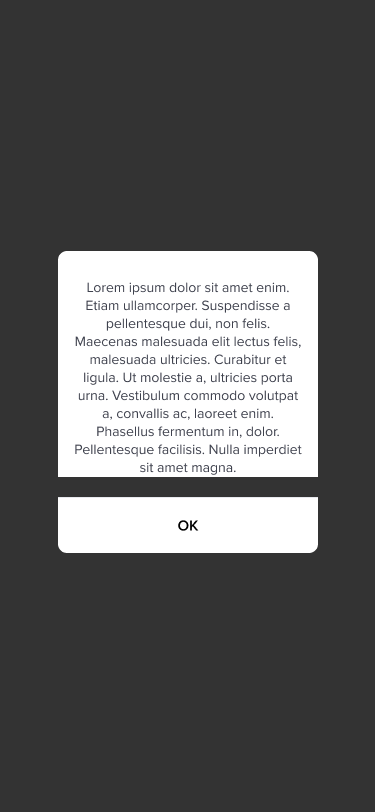
Unfortunately, as mentioned above, padding doesn’t work so I’m not able to remove extra space below my paragraph. Rounded corners are also not supported - I’m using another “slice” [container] above my text to fake it.
So yeah - all this to basically say that it would be great to have some kind of wrapper tag that will maintain Figma styling (like borders, shadows, etc.) but also be responsive to the content inside of it.
Or alternatively, it would help to have better support for inline CSS attributes.
Also, don't hesitate to bash me if I'm missing something and above are actually possible to achieve right now 🙂
2 replies
Wrote something in this thread and want it removed? Request removal
Ask the community on Discord
This archive is read-only. New questions, office hours and product updates now happen in the Bravo Discord.
Join the Discord