← Design & Bravo Tags
Design & Bravo Tags August 2, 2022 · 4 replies

how to make pop-up change based on button pressed

Archived from the Bravo community forum (2021–2026). Some answers may refer to older versions of Bravo.

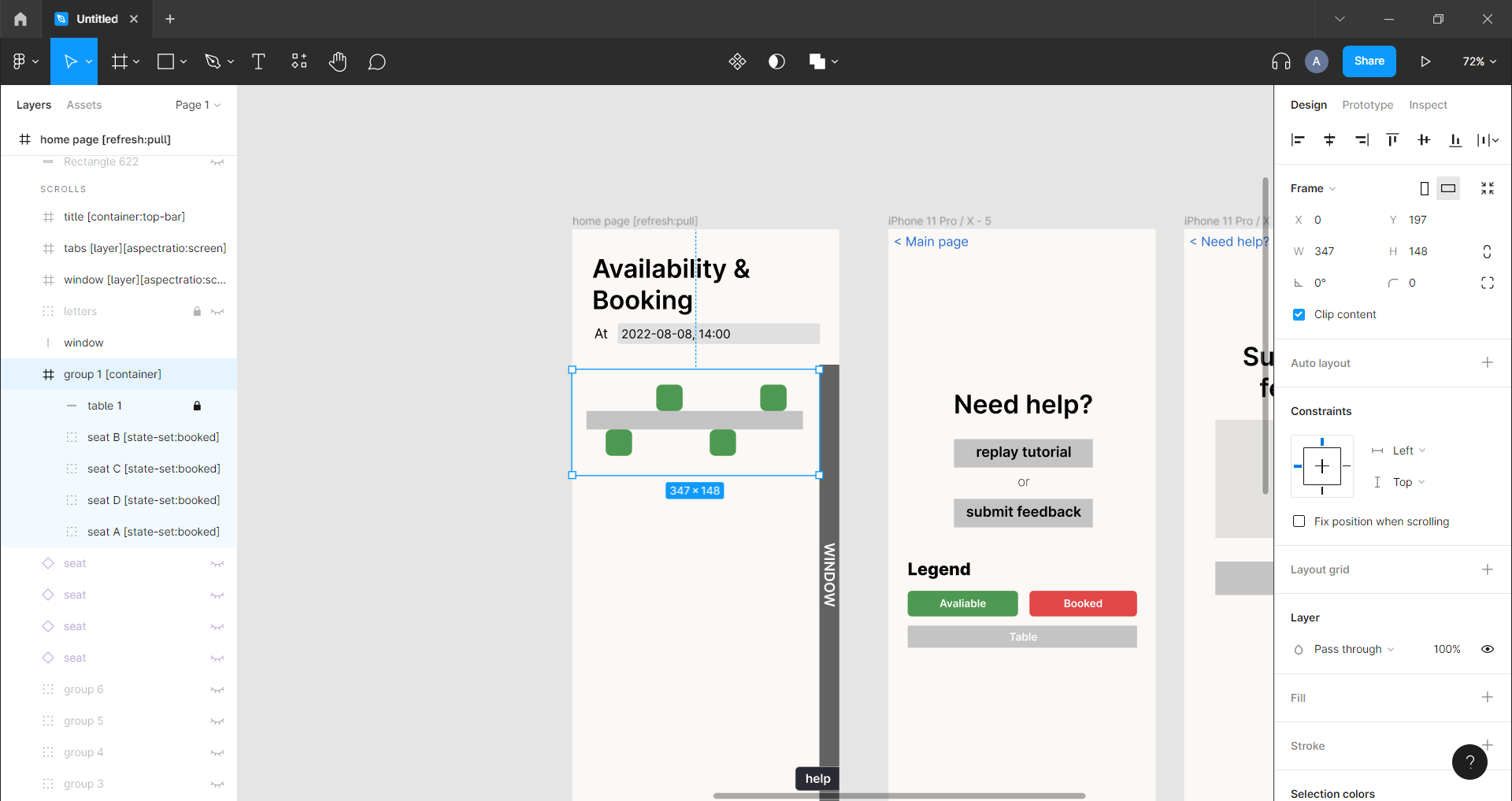
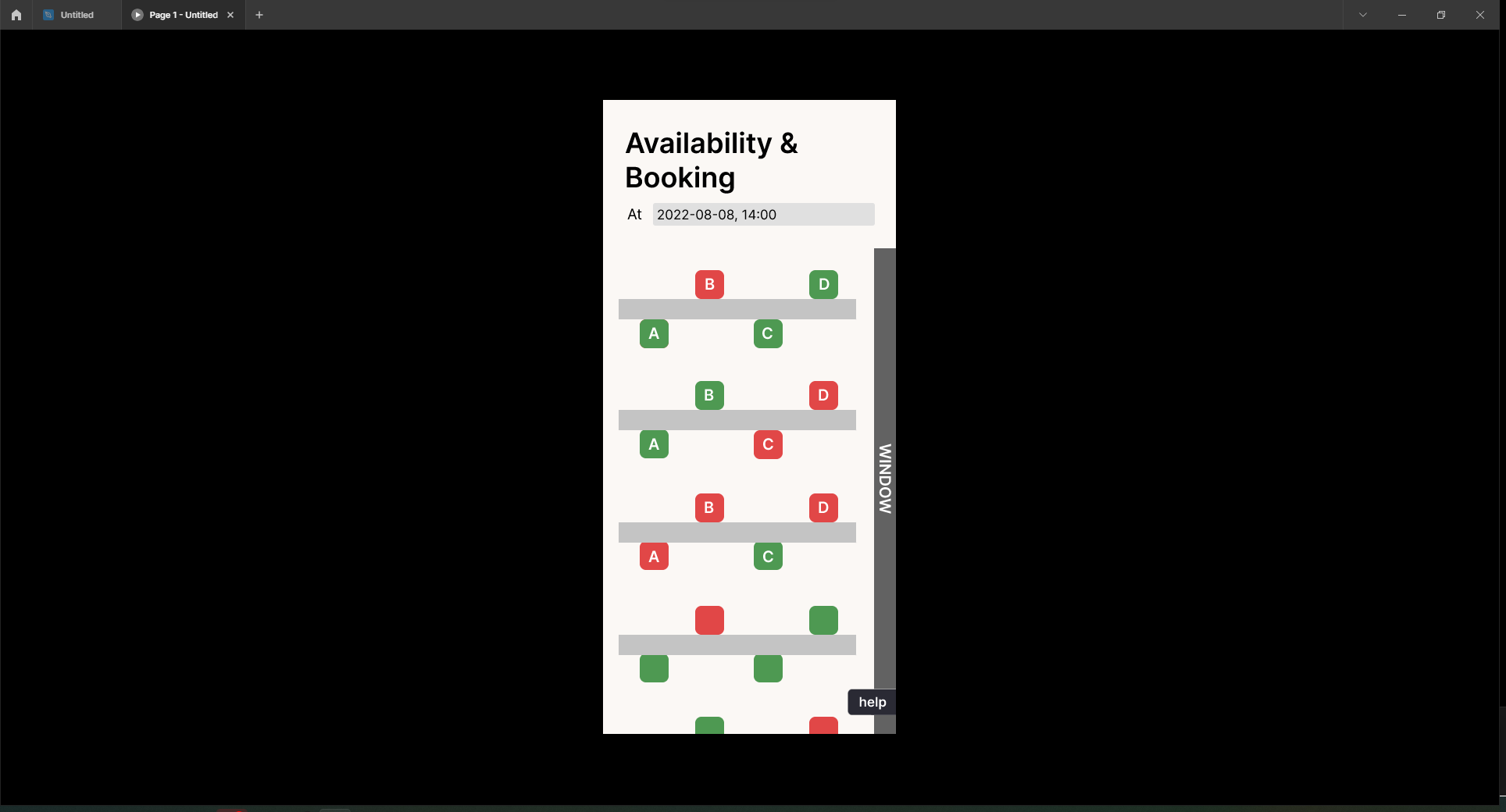
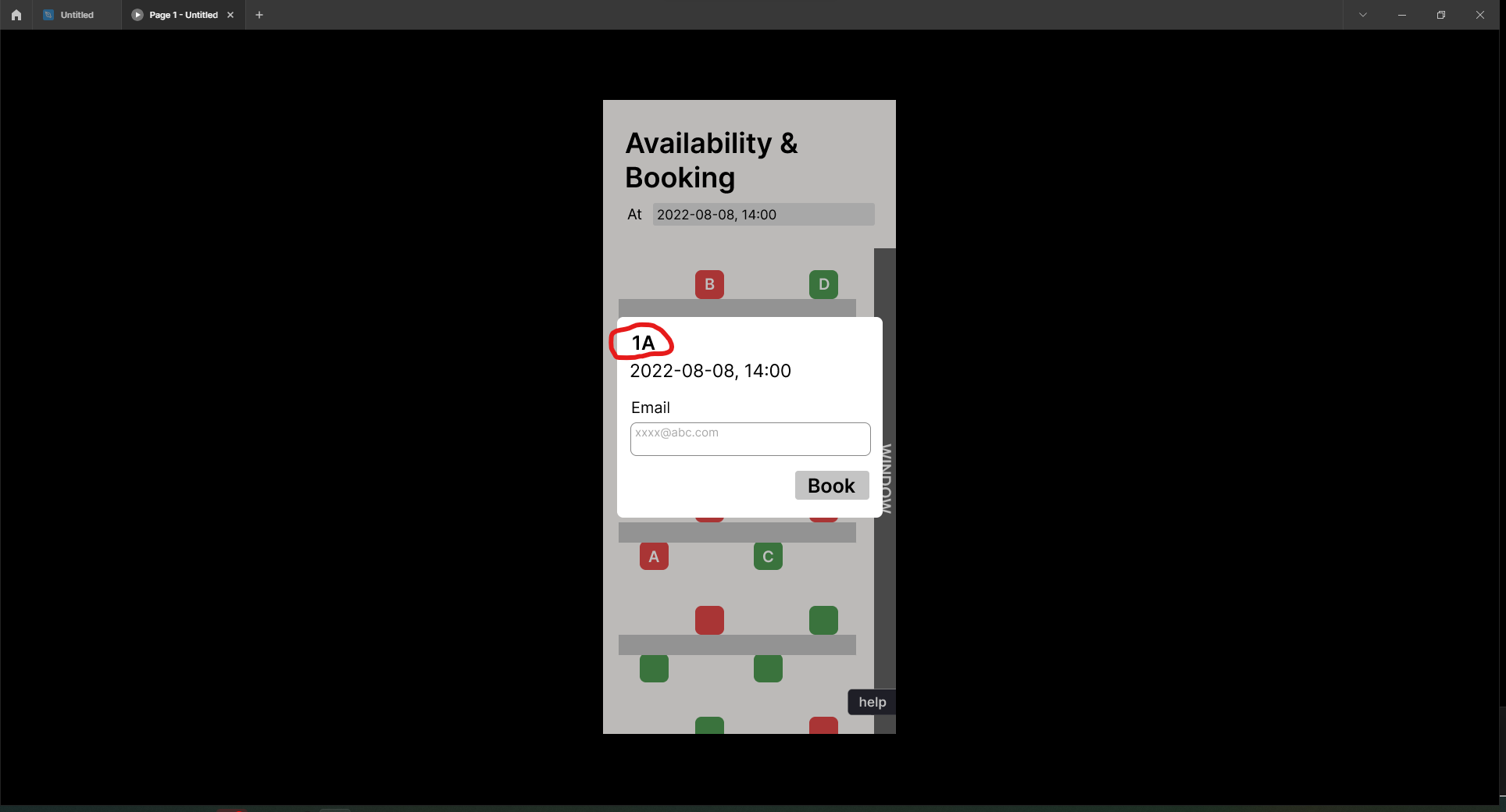
hi! i'm trying to create a booking app for tables and chairs, where each square below (green or red) represents a chair, and when you press any one, it opens a popup labeled with the seat number (circled in red). since i have many seats, i want to find a way to make the seat number on the popup change according to which chair is pressed, without having to duplicate a ton of pop-ups. please help!
Screenshot 2022-08-02 230816.png

Screenshot 2022-08-02 230936.png

4 replies

Divyansh August 2, 2022

Very interesting,
so you have to only make 4 popups for A,B,C,D which is connected from the frame/group of each ones.
Also only one design container in Figma (which will have all four with default green colour) is needed here which can be populated as a list by bravo (if you want help in that let me know, I figured how to change colours as well via tapping with this design)

So the trick is, you will have pre written on each 4 popup the respective alphabet (a/b/c/d) and the thing which you will get via bravo seats detail (${id}) is the row no. which is 1,2,3,4 ....
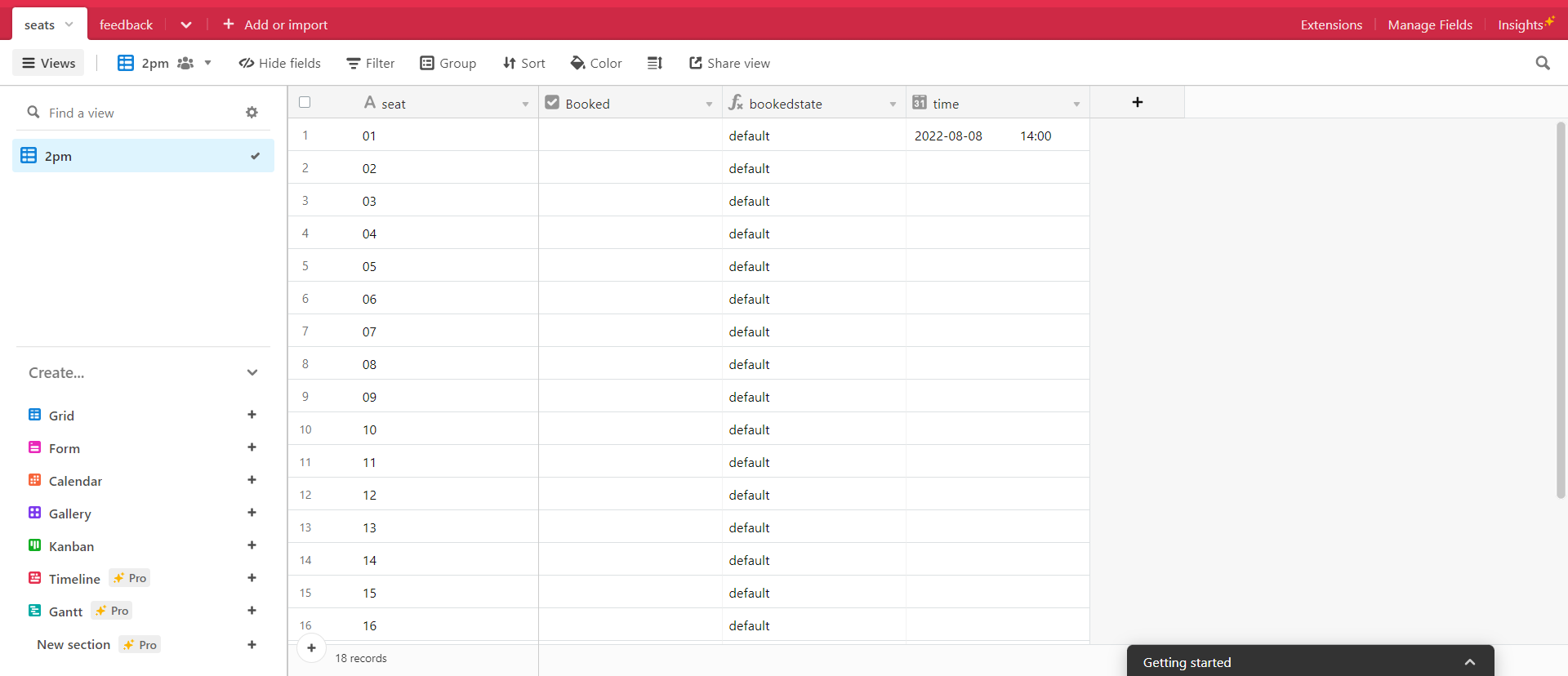
Since you only made one container in design figma, thus bravo(airtable) will give each container the unique row no.
so you can place this dynamic number in your popup with the help of bravo.

Solved 🙂

ava August 2, 2022

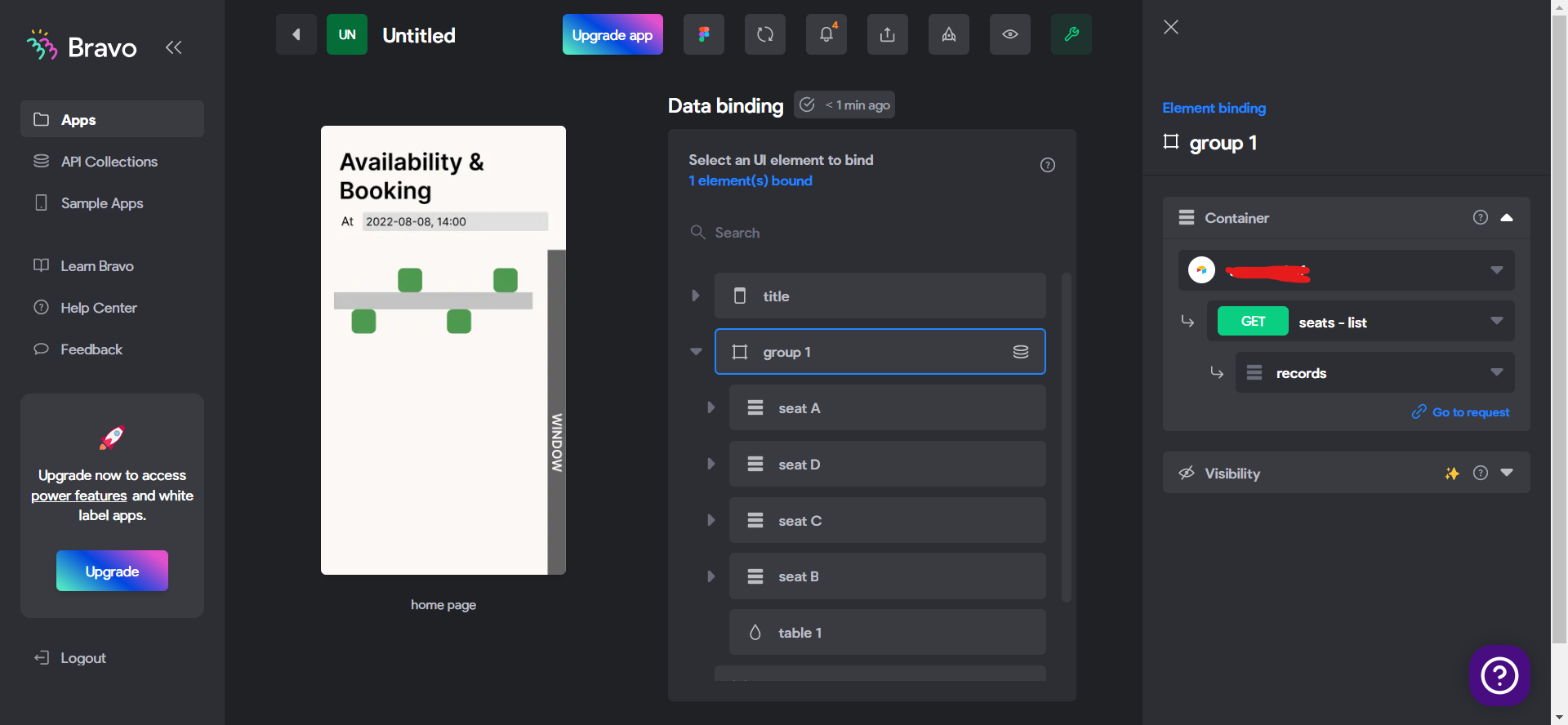
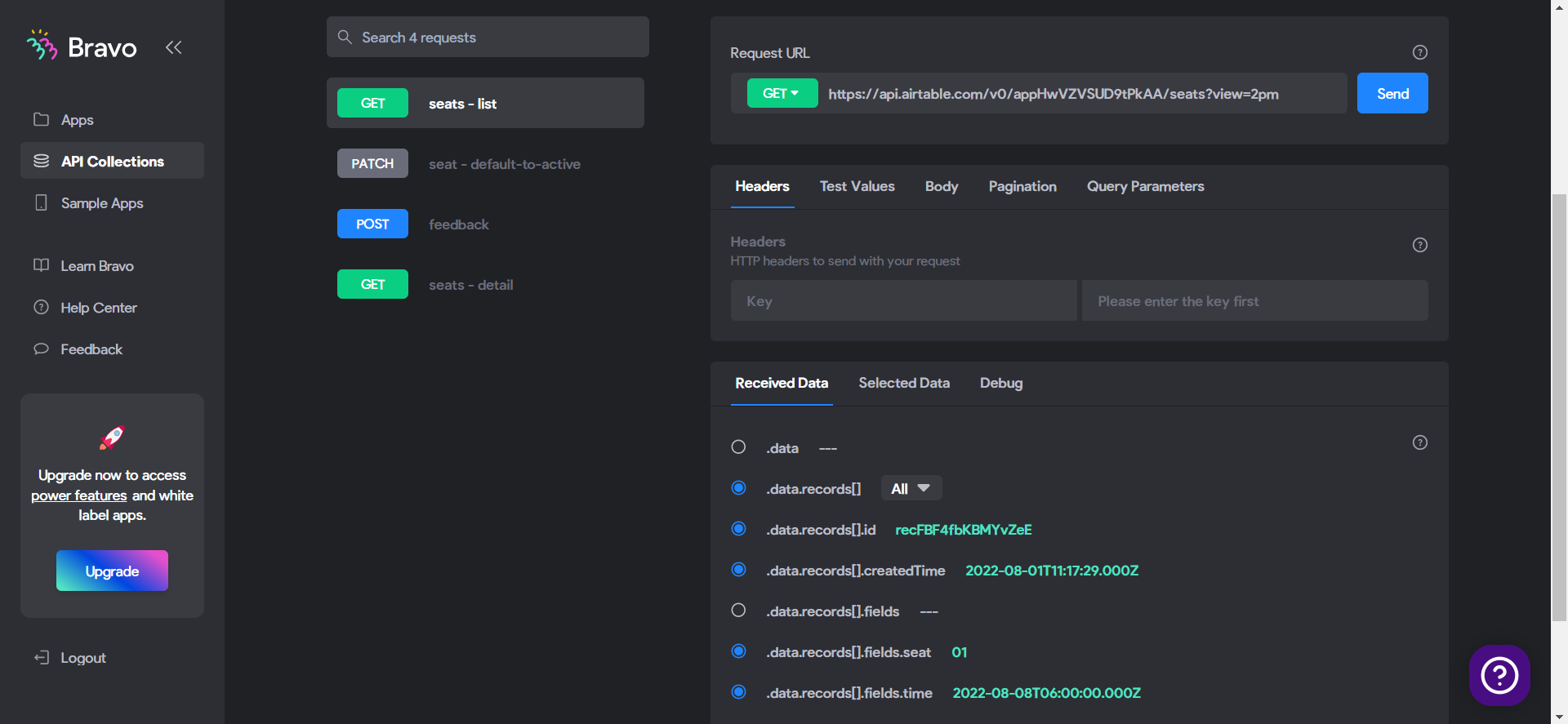
hi divyansh, thank you so much for the help! but I'm having some trouble populating my list page. I followed some tutorials on creating list pages and everything seems right, but when I preview my app in bravo vison, only the first container shows up and not the rest.

Screenshot 2022-08-03 073609.png

image.png

Screenshot 2022-08-03 073638.png

Screenshot 2022-08-03 073756.png

Divyansh August 3, 2022

Ava, you just added records in top frame, but nothing more, it does not know which row goes in which design item.
So according to your table, since you have "seat" column, add a dynamic text in that container which will get this number from airtable, this way it will populate.
You can either hide this text (from figma) if you don't want to display it or you can beautifully design something (like displaying row-no in grey bar, or just row-no at top left corner etc.) Your choice :)

ava August 3, 2022

I labeled the grey bars with the number and it worked perfectly, I also managed to get the dynamic numbers on the popup with the method you suggested. thank you so much!

Wrote something in this thread and want it removed? Request removal

Still stuck?

Ask the community on Discord

This archive is read-only. New questions, office hours and product updates now happen in the Bravo Discord.

Join the Discord