Archived from the Bravo community forum (2021–2026). Some answers may refer to older versions of Bravo.
In a restaurant menu, any item can contain variables with different options to select from.
Example:
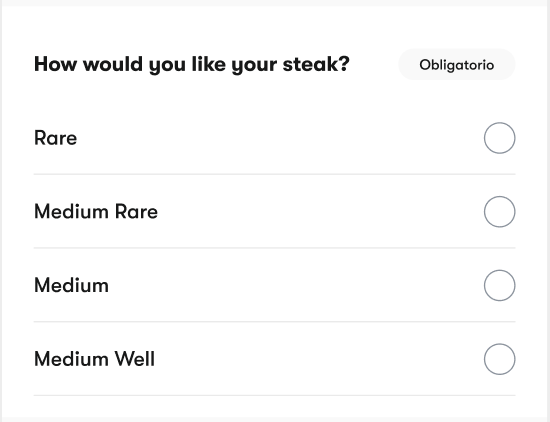
**How would you like your steak?
- Rare
- Medium Rare
- Medium
- Medium Well
**The user will be able to select one of the options from the list, but I'm having a hard time displaying the options as a list. How can I do it?
Thanks!
- First image is how I want it to look like.
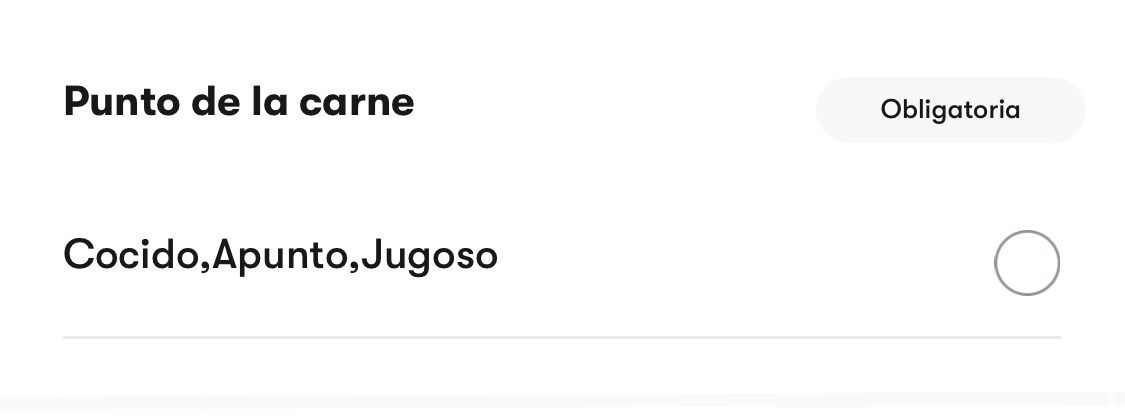
- Second image is how it looks like (I get all the options on the same row instead of a list of them).
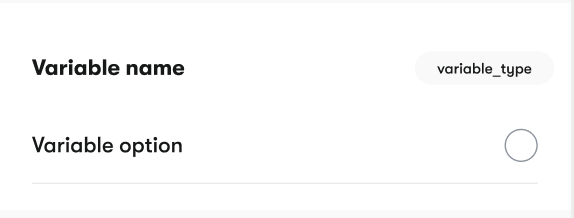
- Third image is how I have it on Figma.
5 replies
Wrote something in this thread and want it removed? Request removal
Still stuck?
Ask the community on Discord
This archive is read-only. New questions, office hours and product updates now happen in the Bravo Discord.
Join the Discord