← Design & Bravo Tags
Design & Bravo Tags April 8, 2022 · 2 replies

Is it possible to put Containers next to each other, rather than below?

Archived from the Bravo community forum (2021–2026). Some answers may refer to older versions of Bravo.

Morning everyone, I am looking for the solution for hours, but I just can't find it. Do you know if there is any way that I can have 2 containers next to each other?

Under "Your Impact" both boxes should appear next to each other.

Would appreciate any assistance, because I couldn't find something in the tutorials
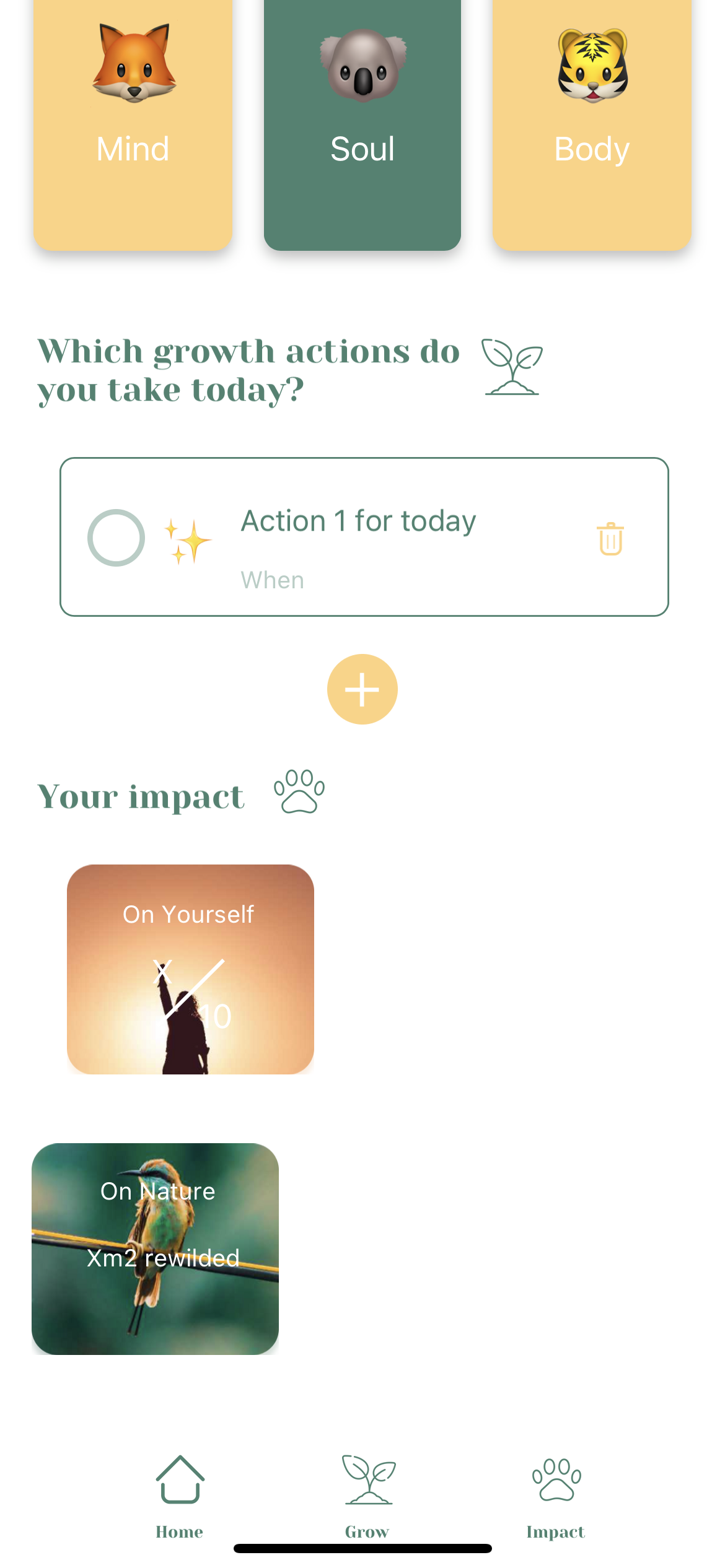
IMG_2203.PNG

IMG_2204.HEIC

2 replies

Alexandre April 8, 2022
  1. If the boxes are generated by an API call and therefore « a record » set the width of a box to 100% of the screen view of Figma then 49% or 50%-1px It should reorg itself into what you want.


https://docs.bravostudio.app/connnec-api/data-library-connecting-to-apis/data-binding-connect-api-data-to-design/data-biding-bind-data-to-ui-for-a-list-page

  1. if the boxes are static do the same 

  2. if the boxes are static but need to reorganize to the left depending on a visibility Boolean binding, you can’t.


https://community.bravostudio.app/c/bravo-tags/how-to-automatically-move-an-undetermined-number-of-images-to-the-left

Oliver April 8, 2022

Awesome Alexandre, thank you so much for the fast support. Now it works. Must have been not balanced between the two blocks. Now they are next to each other. Thank you and enjoy your weekend!

Wrote something in this thread and want it removed? Request removal

Still stuck?

Ask the community on Discord

This archive is read-only. New questions, office hours and product updates now happen in the Bravo Discord.

Join the Discord