← Design & Bravo Tags
Design & Bravo Tags February 24, 2023 · 3 replies

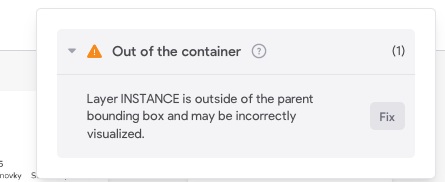
It doesn't show me a specific problem

Archived from the Bravo community forum (2021–2026). Some answers may refer to older versions of Bravo.
CleanShot 2023-02-24 at 10.45.07.png

3 replies

Bastos February 26, 2023

close all figma tabs. Click on the « fix » button on your screenshot. It will open a Figma file and auto-highlight the component causing the issue. This is a [layer] tag element that seems to be causing it. You can then fix it by making sure this element is completely in the parent element.

Andreas March 1, 2023

Okay, thank you. It was shifted by one pixel. 😃

Wrote something in this thread and want it removed? Request removal

Still stuck?

Ask the community on Discord

This archive is read-only. New questions, office hours and product updates now happen in the Bravo Discord.

Join the Discord