← Design & Bravo Tags
Design & Bravo Tags July 19, 2022 · 5 replies

Layer tag flattens my button

Archived from the Bravo community forum (2021–2026). Some answers may refer to older versions of Bravo.

I have a screen that is scrollable, but I do not want the buttons on the bottom to scroll. I put the [layer] tag on them, but when I do, everything in the [layer] frame gets vertically squashed.
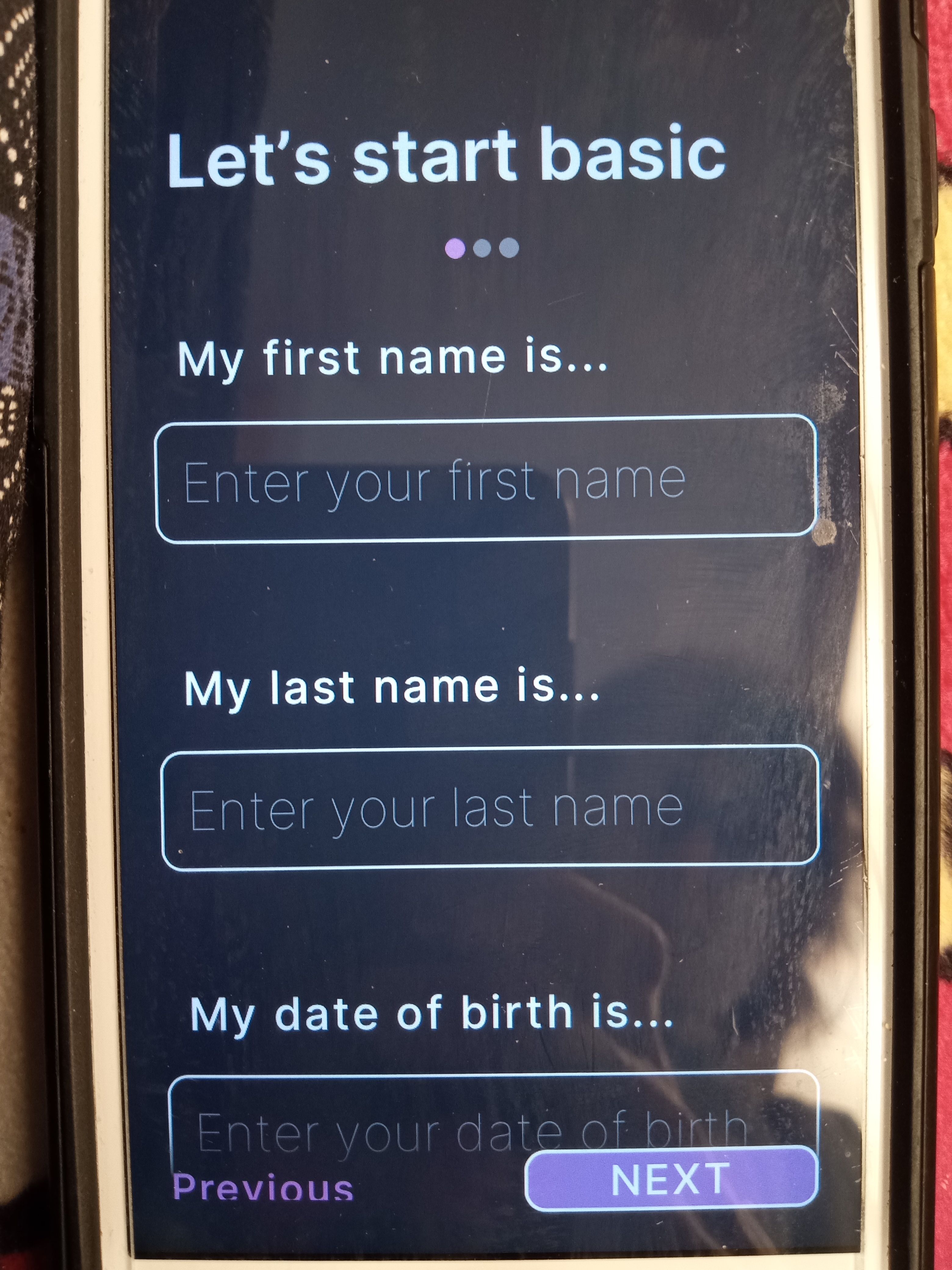
IMG_20220716_153104622.jpg

5 replies

app.monster July 19, 2022

Your frame with the layer tag is probably too small. Do you mind sharing your Figma file?

app.monster July 21, 2022

Unfortunately, the link seems to be broken

Chris August 25, 2023

I am having this same squashing/re-sizing issue with the [layer] tag too. If i put the inner contents in a group, it shrinks it down, and if i leave the contents un-grouped it crops them. Has there been any update on this? It makes the [layer] functionality completely unuseable.

Wrote something in this thread and want it removed? Request removal

Still stuck?

Ask the community on Discord

This archive is read-only. New questions, office hours and product updates now happen in the Bravo Discord.

Join the Discord