← Design & Bravo Tags
Design & Bravo Tags September 15, 2021 · 10 replies

List page display randomly

Archived from the Bravo community forum (2021–2026). Some answers may refer to older versions of Bravo.

Hello, I have a issue with this List page display, it shows randomly, anyone knows why?

Thanks  !
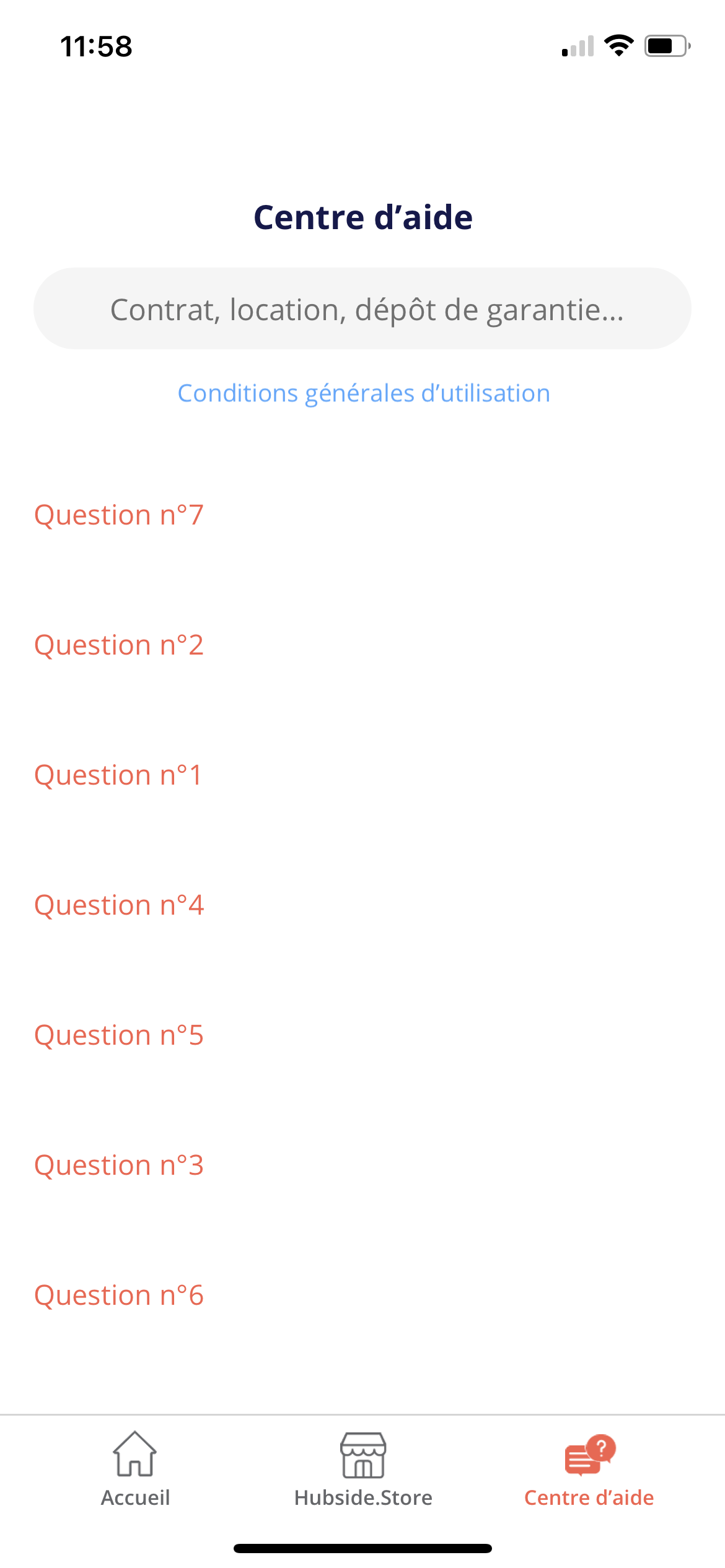
IMG_2115.PNG

10 replies

Karla September 15, 2021

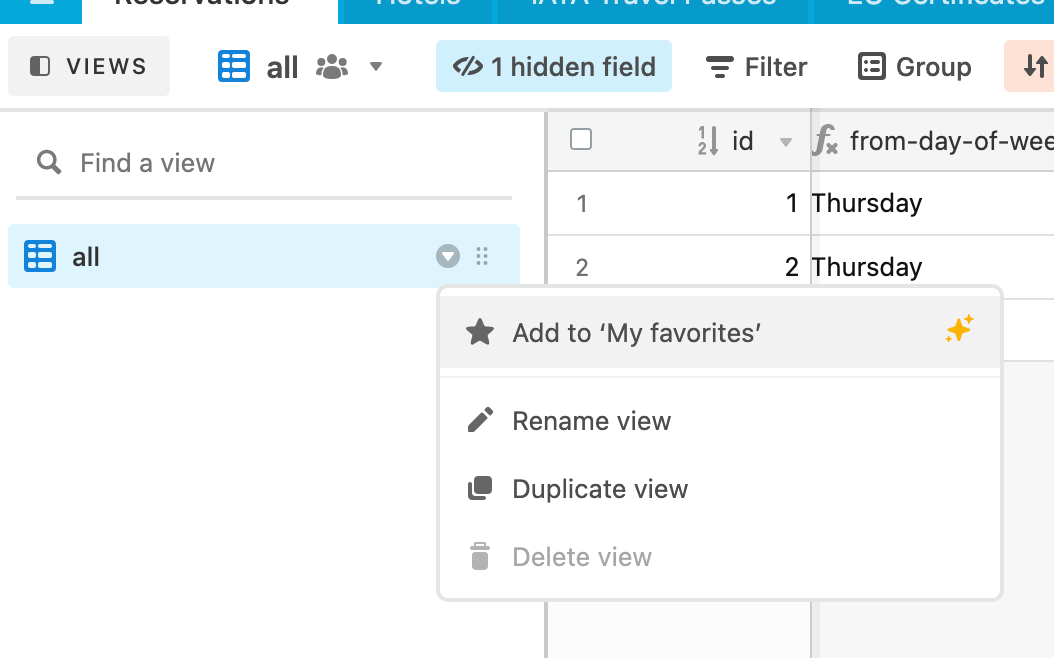
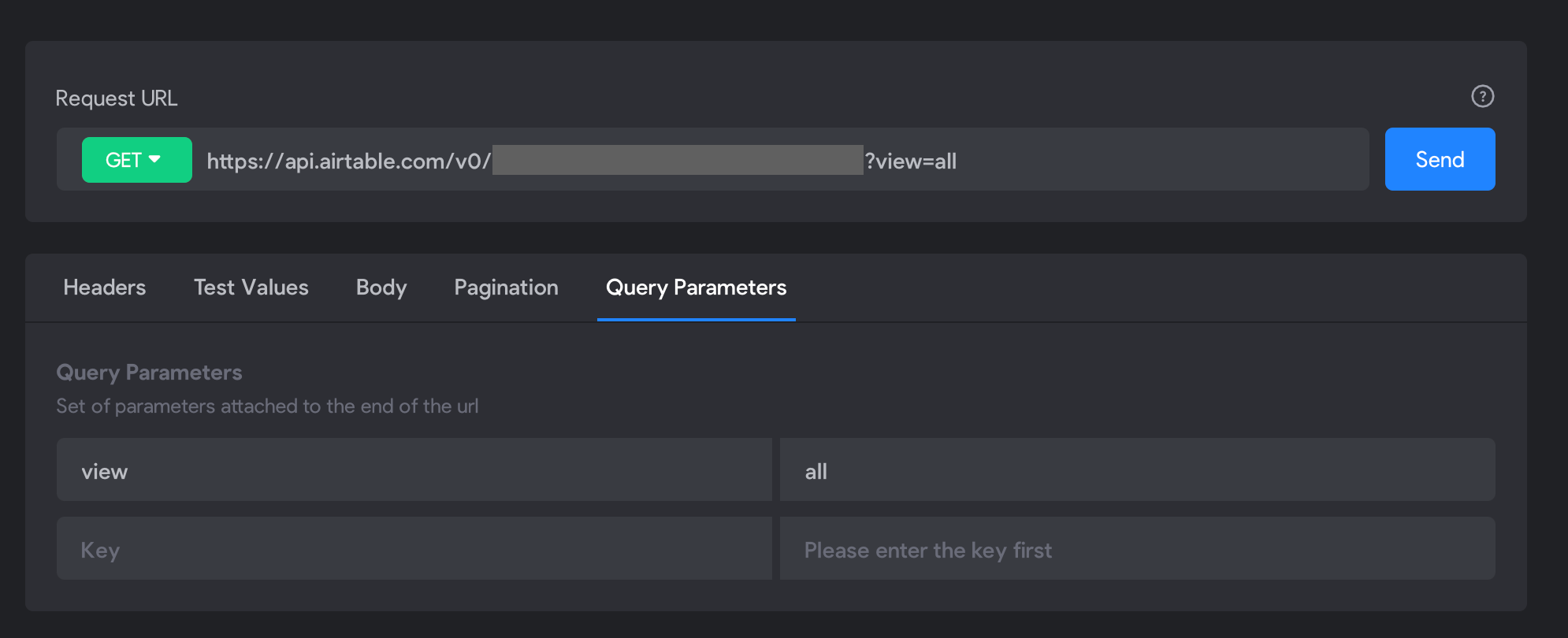
Now I got what you mean so, go to airtable, rename the grid that has your content to “all”, then on the data library on bravo add to the get request of your list ?view=all and you will see the elements on the order that you have added on Airtable. Is that what you wanted?

James September 15, 2021

Something like this

  1. In Airtable, name the view:

    rename-view-in-airtable.png

  2. In your Bravo Studio Data Collection list request add the parameter to request the view:

    add-view-parameter-to-list-api-call.png

That should work for you 🙂

LIU September 21, 2021

Thank you for showing me your example, but I found sometimes it shows randomly for the detail page, which means that question 1 in list page, and the detail page shows question 7, how can I do?

Karla September 21, 2021

Re-check it it must have something wrong on your data or on your request, there is no other way for this to happen ;-)

Wrote something in this thread and want it removed? Request removal

Still stuck?

Ask the community on Discord

This archive is read-only. New questions, office hours and product updates now happen in the Bravo Discord.

Join the Discord