← Design & Bravo Tags
Design & Bravo Tags April 18, 2022 · 4 replies

Need help for my slider's background

Archived from the Bravo community forum (2021–2026). Some answers may refer to older versions of Bravo.

Hey, I'm new to Bravo, and the no code community, and started a project.
I need to inclued a slider, but I would like to have my background (a picture) behind it (like blured)
When I bravo vision it, the slider is underneath my image, how could i make the slider on the image. Thank you for your help, (I'm French, sorry for writtings misstakes) :)
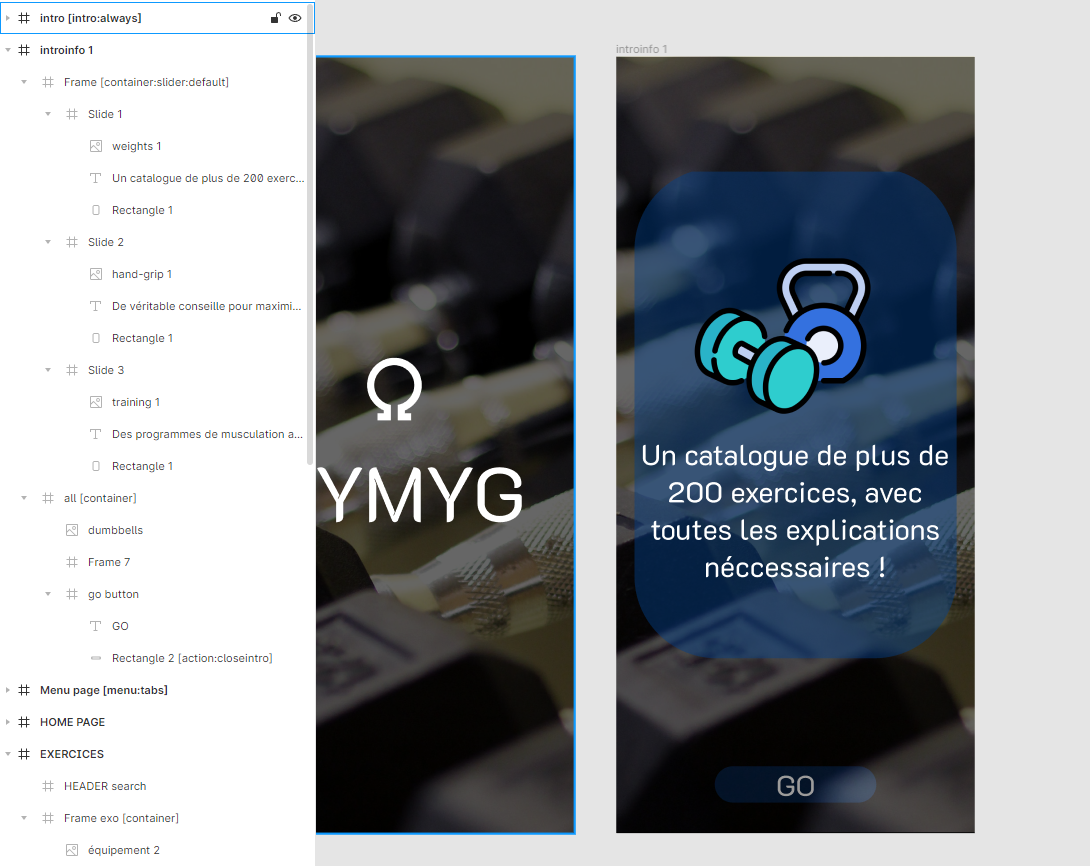
image_2022-04-18_190906864.png

4 replies

Alex April 18, 2022

Yep we've done this in our app! Its actually the pop-up component you need, and then you get the page blur option you wanted.

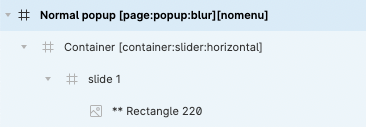
Checkout the "popup" object in the references for full instructions, but in the end your layers will look like this:

image.png

Victor April 19, 2022

Thanks for the help, but it didn't work at all :(

Alex April 19, 2022

Hmm maybe write support? I would guess your layer order is wrong? And/or your containers are blocking each other

Victor April 20, 2022

up, anyone else having the same issue ?
, could you maybe send me your files ?

Wrote something in this thread and want it removed? Request removal

Still stuck?

Ask the community on Discord

This archive is read-only. New questions, office hours and product updates now happen in the Bravo Discord.

Join the Discord