← Design & Bravo Tags
Design & Bravo Tags July 20, 2022 · 6 replies

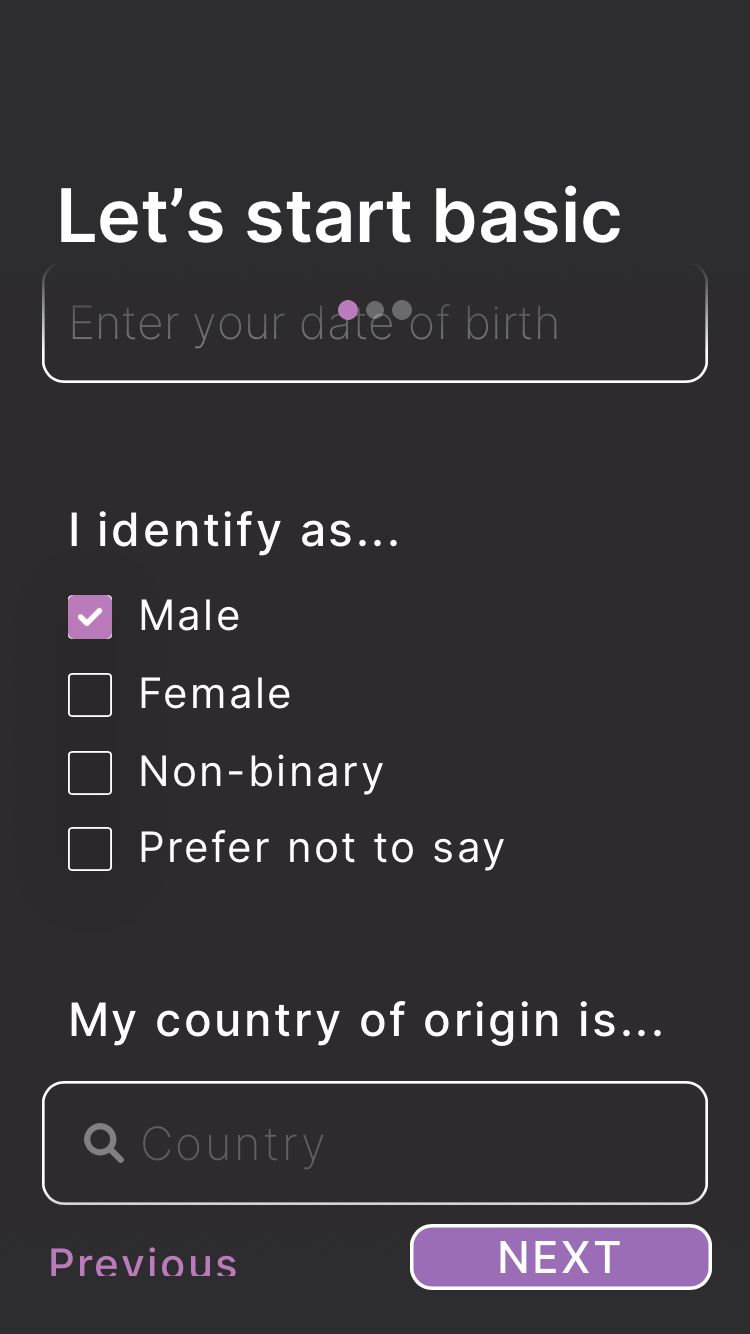
Only check one option

Archived from the Bravo community forum (2021–2026). Some answers may refer to older versions of Bravo.

6 replies

jeblister July 20, 2022

Hey, there a solution using  a select input, create a text dropdown on Figma with a text and this tag to it : [component:input-select:Male,Female,Non-binary, Prefer not to say]

The user will see a dropdown and can select one value from your list.

Michelle July 22, 2022

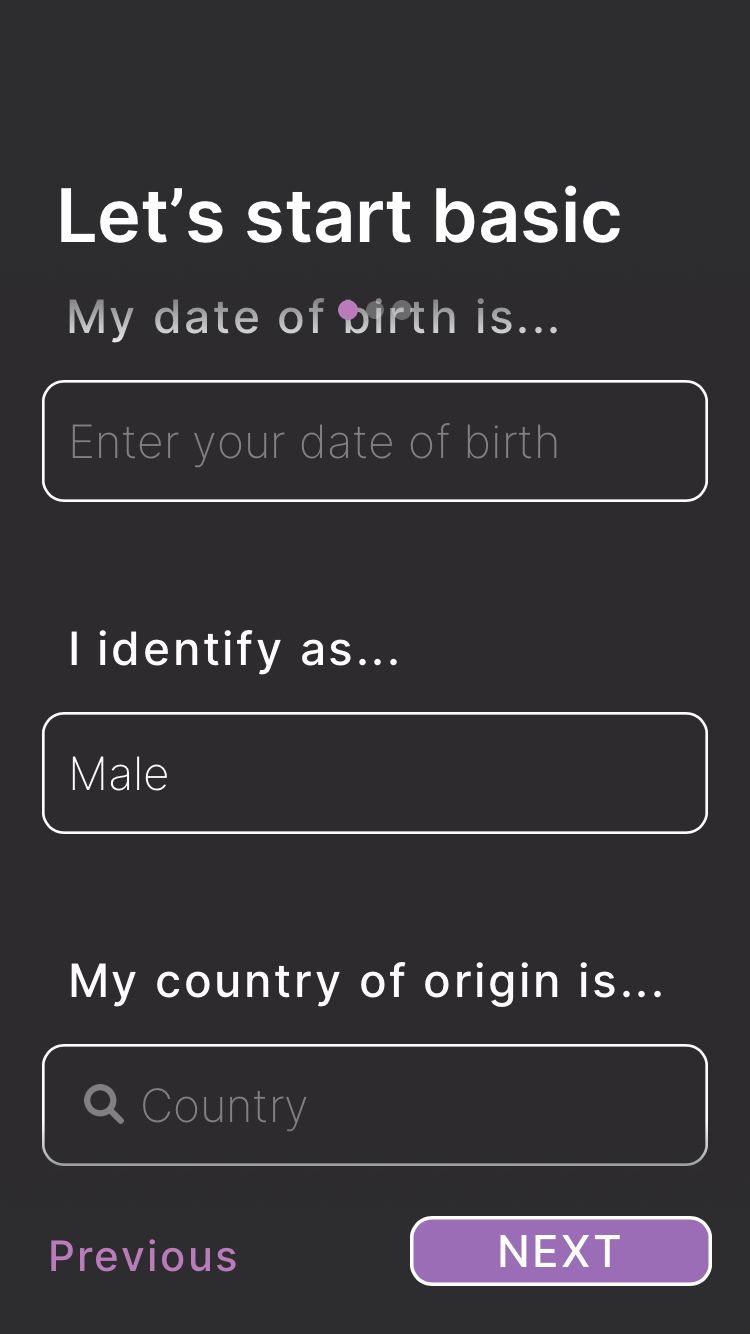
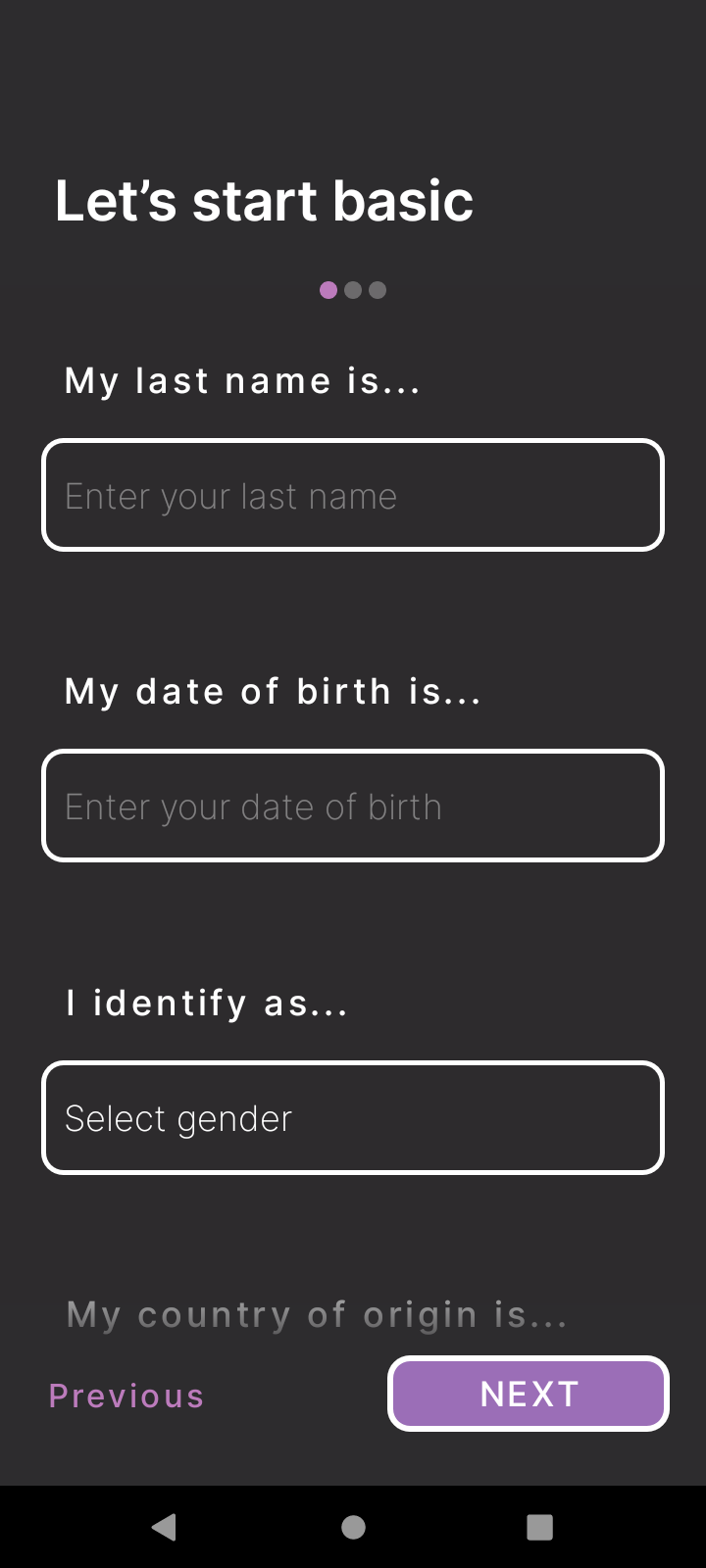
and  thank you for the suggestion. How can I get it so that "Male" is not already appearing in the text field? I want it to say, "Select gender" but instead, it just populates with the first option of the drop down, which in this case is "Male"

app.monster July 22, 2022

You can just add "Select Gender" as the first Option

Michelle July 23, 2022

well it's weird because on my Android, the default "select gender" that I have in my figma appears, but on my iPhone, "Male" appears. And I don't want "Select gender" to be one of the options a user can actually select as his/her/their gender!

IMG_0C8A41F8166E-1.jpeg

Screenshot_20220722-181815.png

app.monster July 23, 2022

I don't know about the issue on iPhones. If I were you I would count "Select gender" as "Prefer not to say".
Have you tried binding the "value" section in Bravo?

Wrote something in this thread and want it removed? Request removal

Still stuck?

Ask the community on Discord

This archive is read-only. New questions, office hours and product updates now happen in the Bravo Discord.

Join the Discord