← Design & Bravo Tags
Design & Bravo Tags October 4, 2021 · 1 reply

PDF upload option

Archived from the Bravo community forum (2021–2026). Some answers may refer to older versions of Bravo.

I am using a Typeform site with the component:web-view tag to upload files from inside Bravo Studio, but the problem is that the Bravo Studio app displays a Bravo Studio-specific file upload screen that only shows options for image/video/camera. The same Typeform site does show a general file upload screen that isn't limited to image/video/camera when accessed through the browser, whether on smartphone or desktop. Is there any workaround for this? What can be done to allow uploading of PDF files from within Bravo Studio apps?
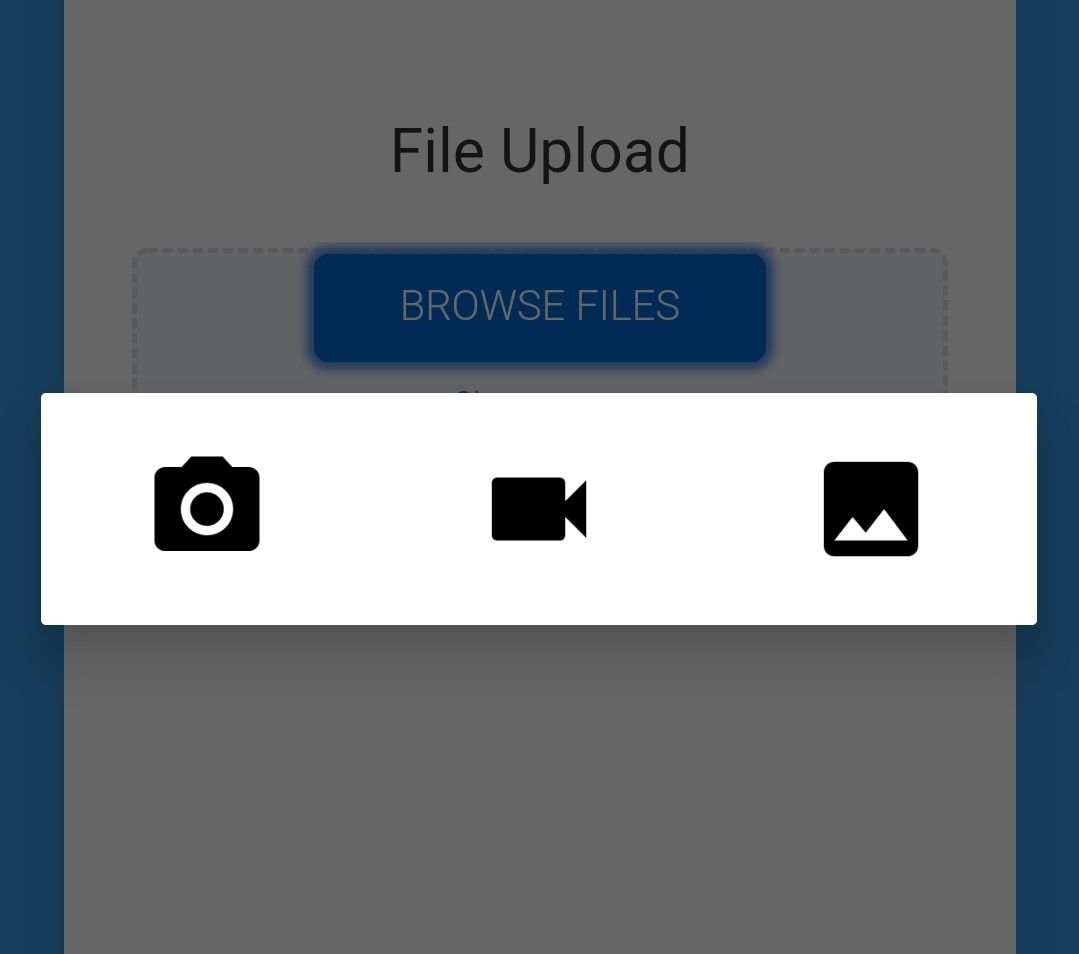
Screenshot.jpg

1 reply

SunnyDay October 5, 2021

Somehow I managed to overlook the [component:input-file] tag🤭 that can be used for uploading all types of files including PDF. However, Bravo Studio DOES automatically convert general file input of Typeform and probably other websites into a image/video/camera-only input as shown in the image above, making impossible the upload of PDF in this way. Is this a deliberate choice by the Bravo Studio team? Wouldn't it make more sense to keep it a general file input window as intended by the website?

EDIT: the [component:input-file] isn't functioning at the moment. Bravo Vision closes when the file has been chosen inside the app, even in the sample file provided by Bravo Studio:

https://www.figma.com/file/bFnd1sEh5irNDrX7dhWvXl/Bravo-sample%3A-Form-Input-Fields?node-id=1%3A2 

To replicate bug, replace [component:input-image] by [component:input-file].

Wrote something in this thread and want it removed? Request removal

Still stuck?

Ask the community on Discord

This archive is read-only. New questions, office hours and product updates now happen in the Bravo Discord.

Join the Discord