← Design & Bravo Tags
Design & Bravo Tags June 25, 2022 · 14 replies

Post a list within a detail page from airtable

Archived from the Bravo community forum (2021–2026). Some answers may refer to older versions of Bravo.

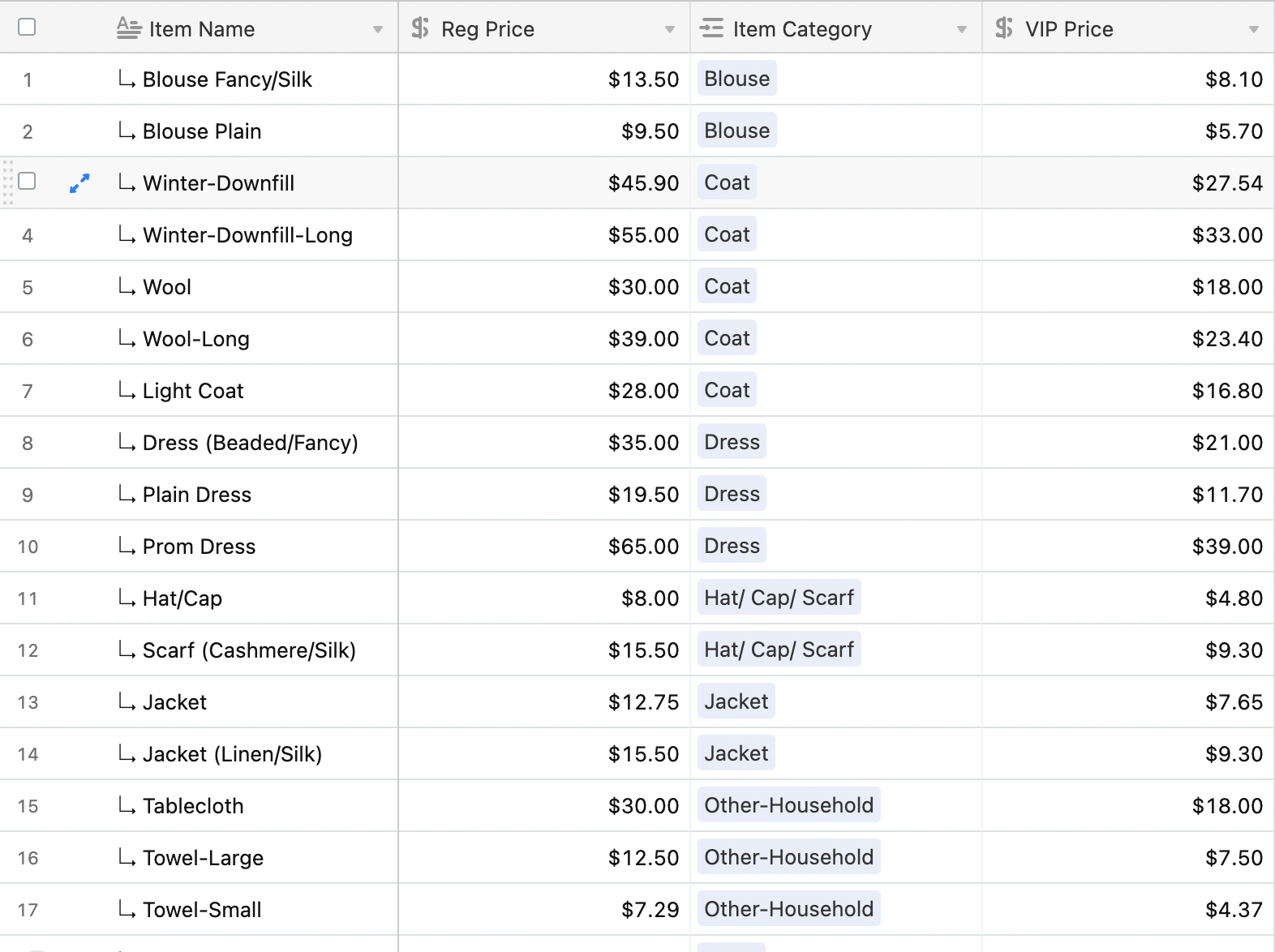
I have an Airtable sheet with links to multiple items.
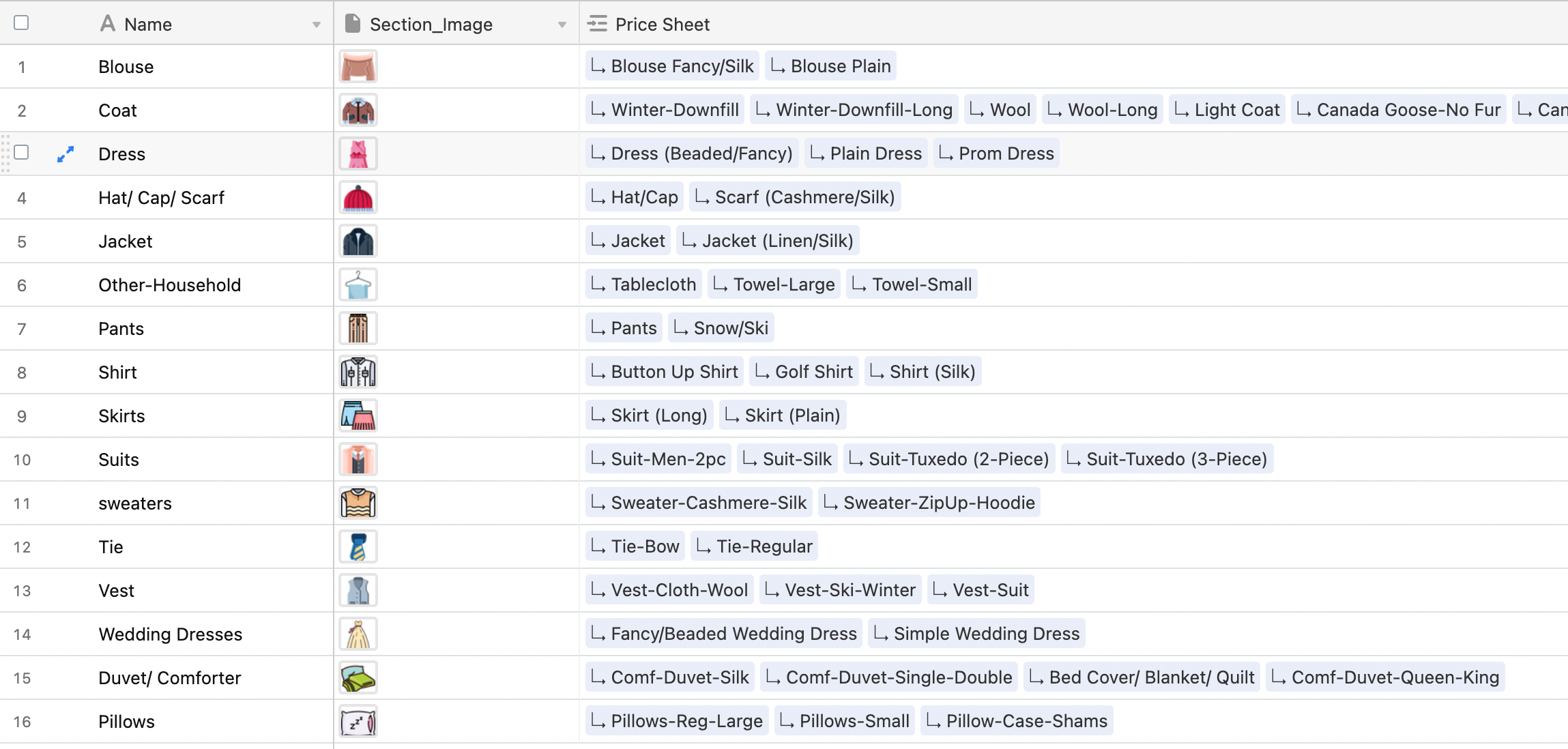
Screen Shot 2022-06-25 at 1.10.38 PM.png

Each record has its own set of data like "Name, Price". The goal is to have a detail page showcase a list of the records within it & to be able to access the data from each record to display it on the detail page.

User Experience:
1. Has a list of options
2. Clicks the "Coat" option
3. Is now in a detail page with a list of coats and their price.

P.S. I also have a sheet that's a master list of the items & their prices. Maybe there is a way to display all the items and then set a condition to only show the ones that share the category with the detail page name. Just not sure how to do that

14 replies
app.monster June 25, 2022

Have you had a look at lookup fields in Airtable?

moshi June 25, 2022

Yes,

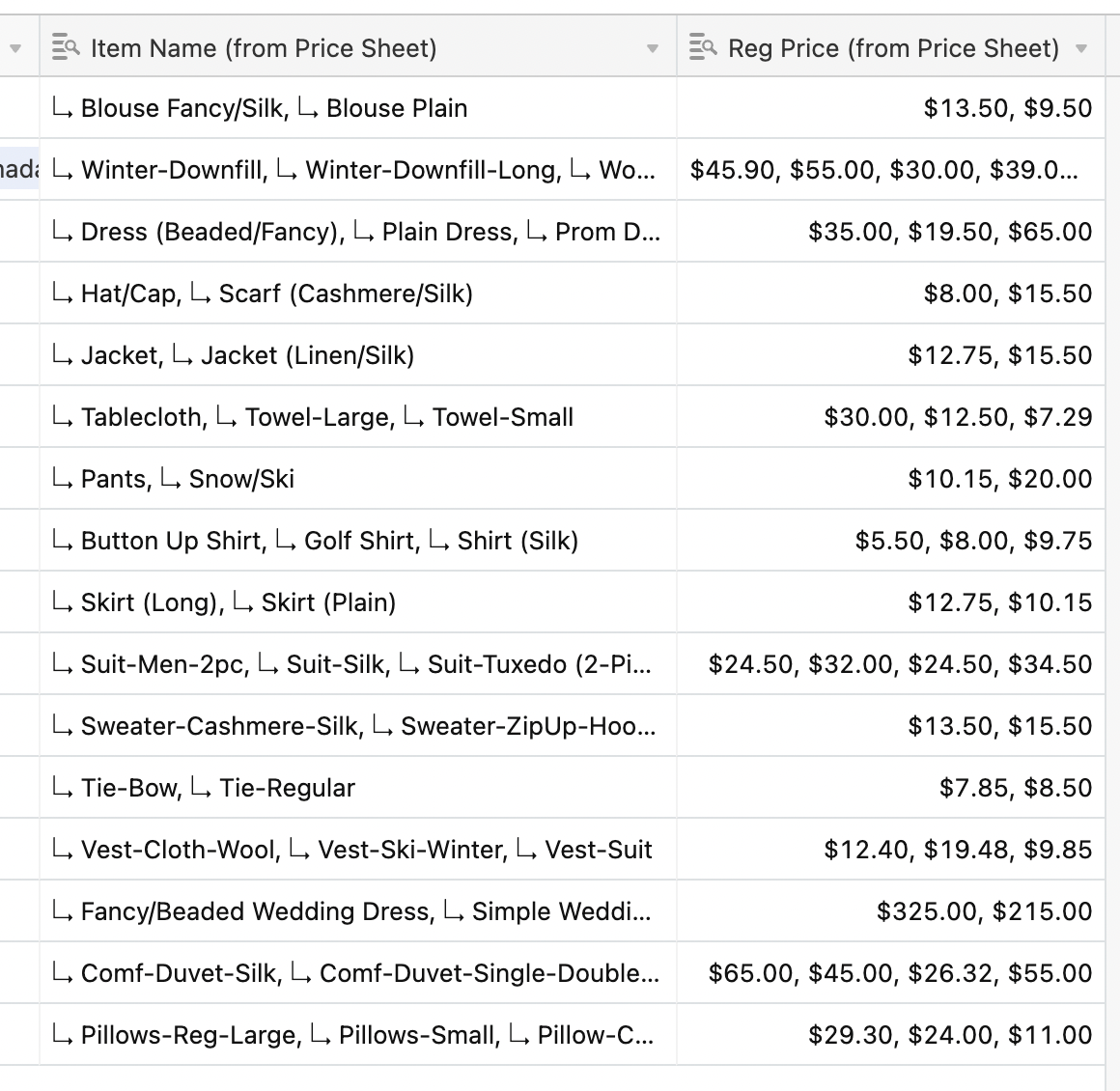
I created a lookup field that finds each item name & it's price. But how would I organize the data in a list format inside of bravo?

Screen Shot 2022-06-25 at 2.54.13 PM.png

moshi June 25, 2022

Doesn't that seem harder though? Because now we have to remove the "," then figure out a way to attach each string with it's correct price.

Wouldn't it just be easier to display the entire list of items and their prices from a master sheet like this any time a list item is clicked.

Screen Shot 2022-06-25 at 2.57.16 PM.png

Then set a visibility condition of some sort, to only show the items whose category matches the category name from the previously clicked list item? It works in my head, just not sure how to tell bravo to do that. Or maybe there is an easier way?

Elise June 26, 2022

Hello ! I have been stuck on the same issue for days. My goal is to create a list of recipes > detail of the recipe > list of ingredients from the exact recipe. 

I tried to follow this recommendation using rollup in Airtable : https://spectrum.chat/bravo-studio/help-support/how-can-we-create-and-populate-a-list-item-within-a-list-item~5bd07dd3-82b0-441c-87f5-ad05ba498761 

It worked for creating unique data for each detail page, but all the data in the rollup is displayed in a single sentence, when I wanted to create a sentence by data to make a list : 

airtable_1.PNG

unnamed (1).jpg

I also tried to use different views and filters in Airtable but with no luck as well.

Is list > detail > list possible using Bravo Studio and Airtable ? 
Thank you 🙂

app.monster June 26, 2022

I'm not familiar with your Airtable. The way it seems in the new screenshots it makes less sense to use the lookup fields. The second thing you wrote is the way to go. To filter for the category, use a filterByFormula from Airtable. I have explained that here: https://www.youtube.com/watch?v=dXSgk1cyB70

moshi June 26, 2022

It's a bitter sweet moment. Nice knowing I'm not the only one stuck with this problem, but bitter that we're here aha

moshi June 26, 2022

I'm watching the video, everything seems great - thank you for that! So when someone clicks on a list item, we want to store that data in a variable, then when the detail page opens up it'll filter based off the new variable. 

Couple of questions:
1. Is this a user-specific input? In other words, if another user logs in and changes the variable name will it effect other users?
2. Would it be possible to store a variable when you click a list option. "When user clicks list #1 then set variable equal to list #1's name" & then fliter on the next page based of that new variable set?

app.monster June 26, 2022
  1. Users never change the variable name! The variable name can only be set inside of Bravo Studio. The content of the variable will be user specific, so it can't happen that one user is searching for X so X is going to be displayed for everyone
Javier Felipe Bravo team June 27, 2022

Hi , you probably need to add some filters and lookup fields in Airtable in order to be able to return the ingredients data. Probably the easiest would be using a lookup field in the ingredients table, where you indicate the name of the recipe, and then filtering this ingredients table by the recipe name, so only the ingredients corresponding to a specific recipe are returned. 

This is the same filtering technique used in our list > list > detail tutorial, but can be applied for any use case where you're using nested lists (no matter the number of lists, or if there's a detail page in the middle). It's mostly a matter of setting up the correct filters in Airtable and setting up the API requests variables in Bravo. Each specific use case will need a different setup, but feel free to describe more in detail what you want to implement, so we can help further :)

Wrote something in this thread and want it removed? Request removal

Still stuck?

Ask the community on Discord

This archive is read-only. New questions, office hours and product updates now happen in the Bravo Discord.

Join the Discord