← Design & Bravo Tags
Design & Bravo Tags September 22, 2021 · 11 replies

Problem with Slide, list page doesn’t match with detail page

Archived from the Bravo community forum (2021–2026). Some answers may refer to older versions of Bravo.

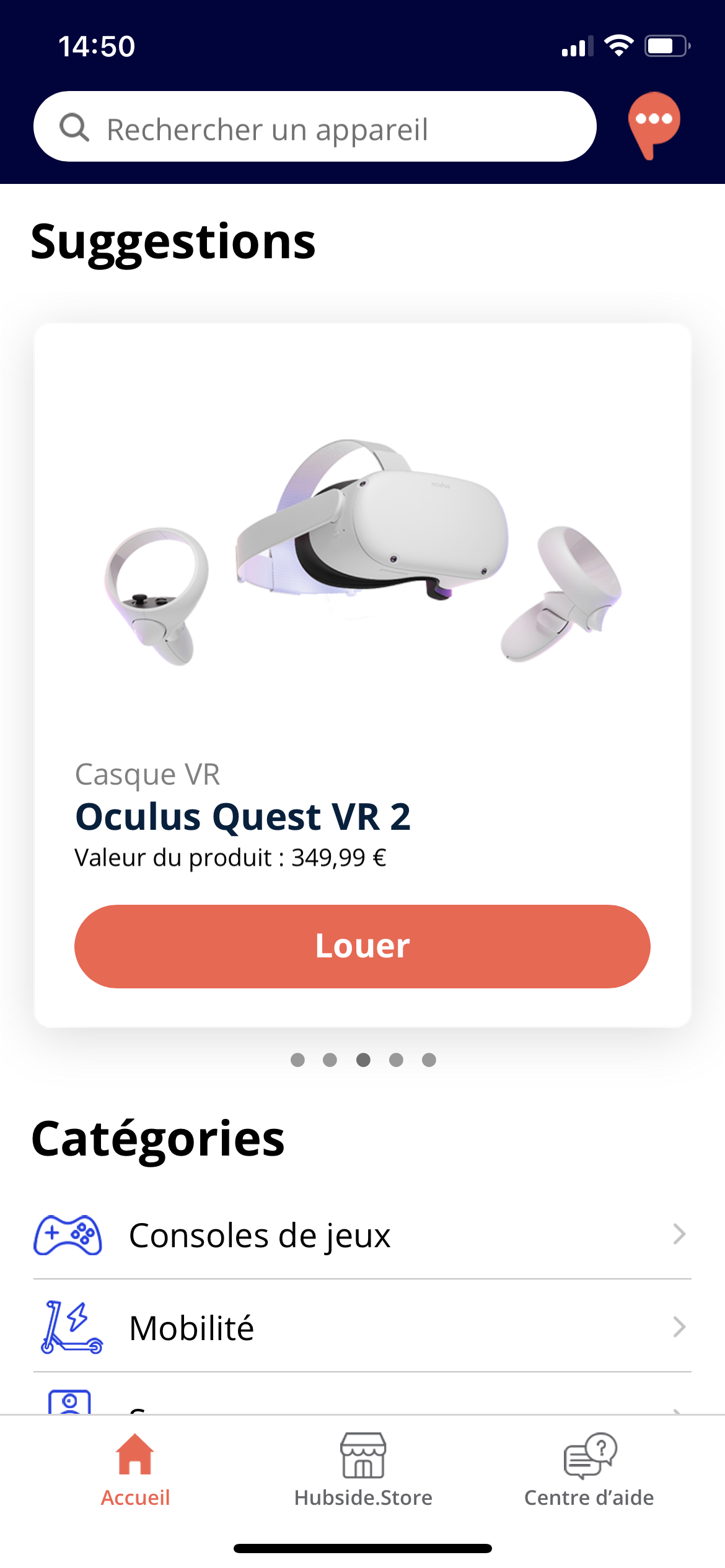
Hello every one, I had a problem with my section Slide, it shows normal in the list page, but when I click to the detail page, it doesn’t match with the correct product, Can anyone help me with this issue?
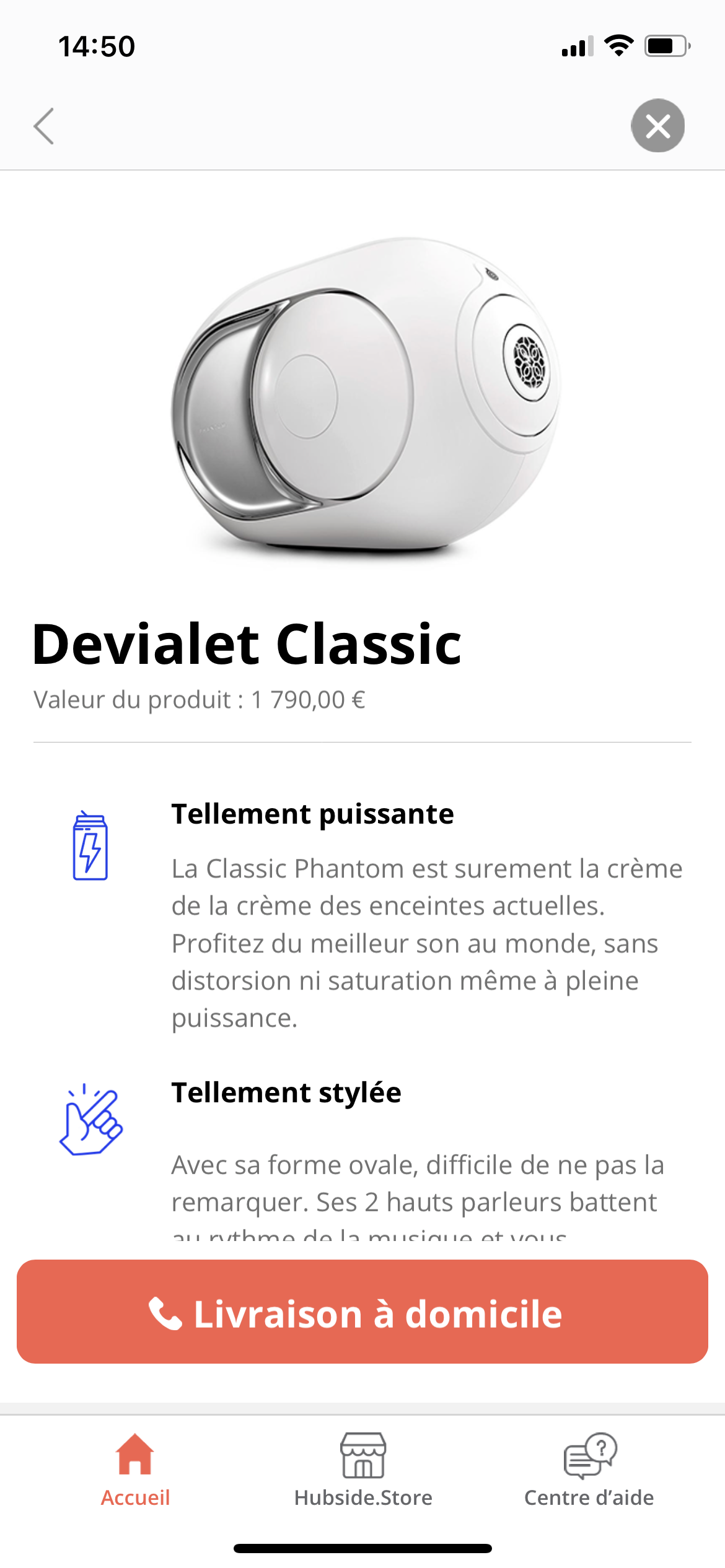
IMG_2187.PNG

11 replies

LIU September 22, 2021

Hello, I had already watched this video, but nothing connected with my problem, ☺️ Thank you

Stéphan September 22, 2021

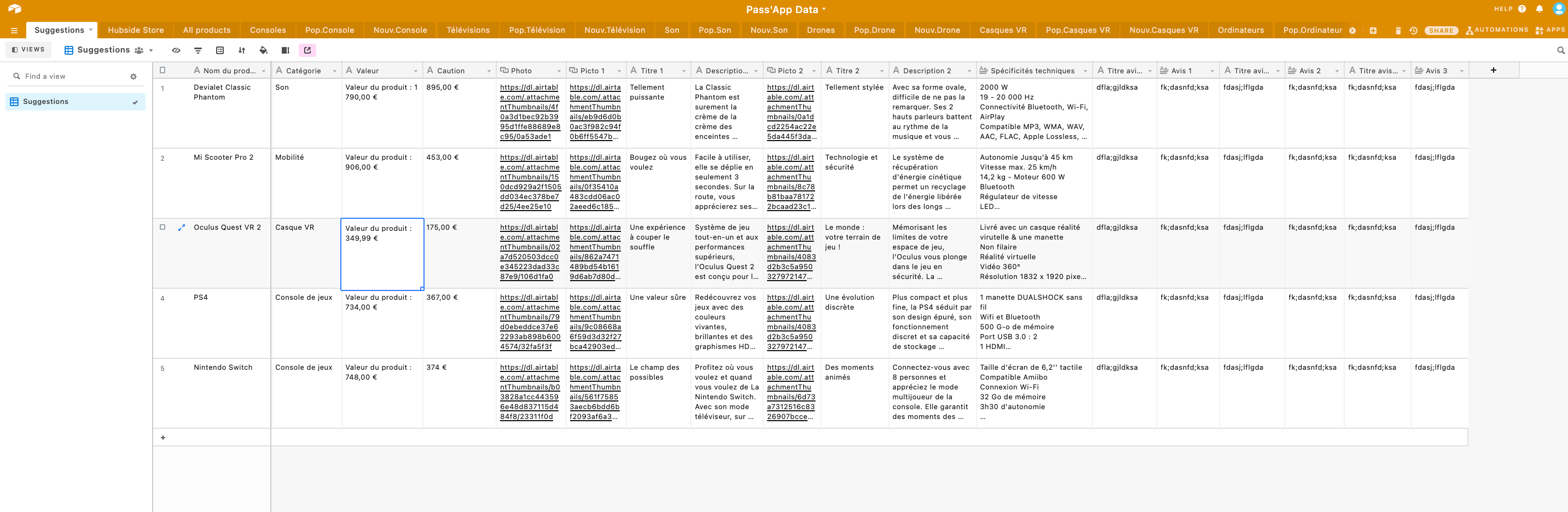
hi, it is possible to see screenshot from your airtable or other database

Stéphan September 22, 2021

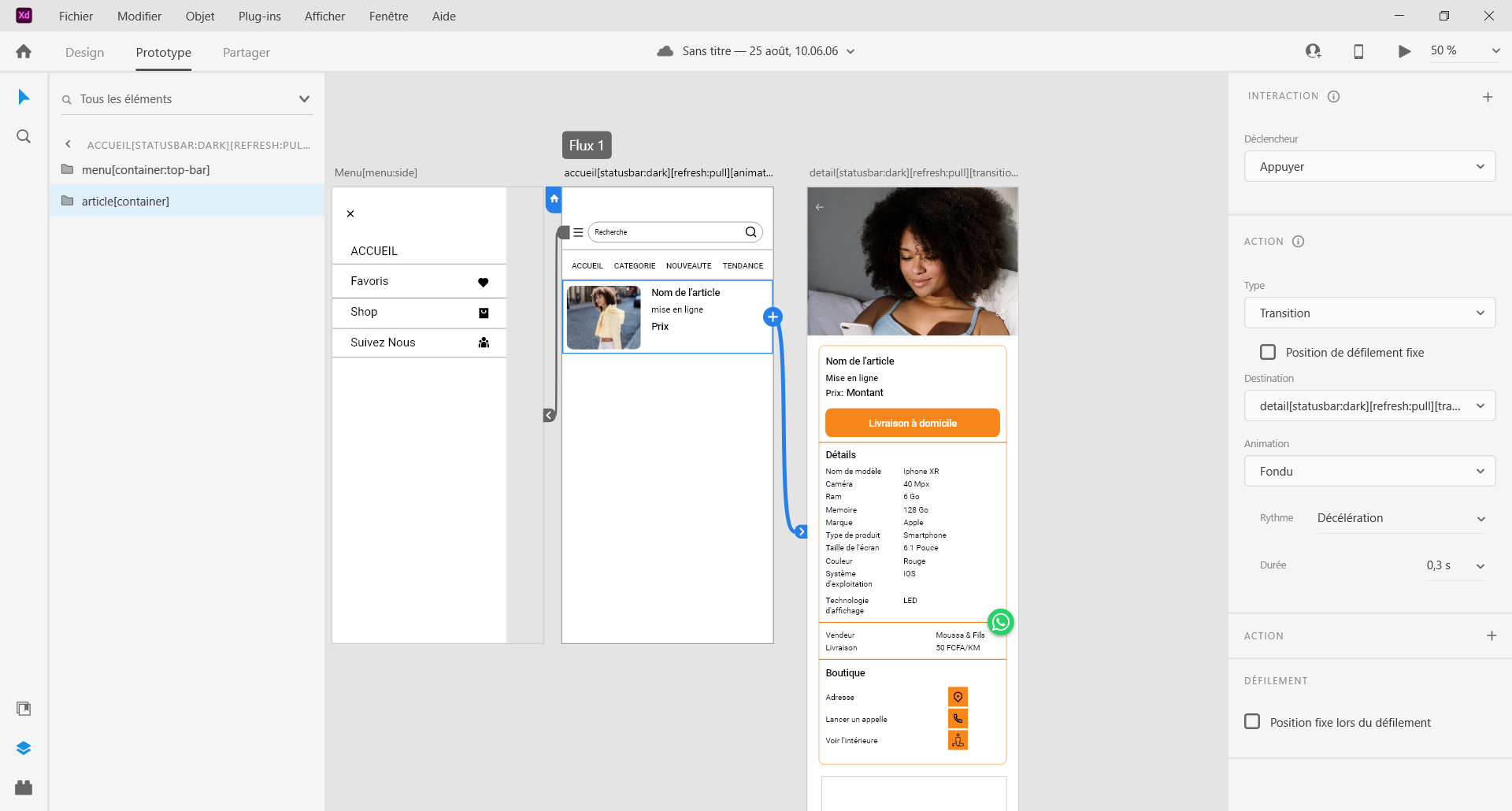
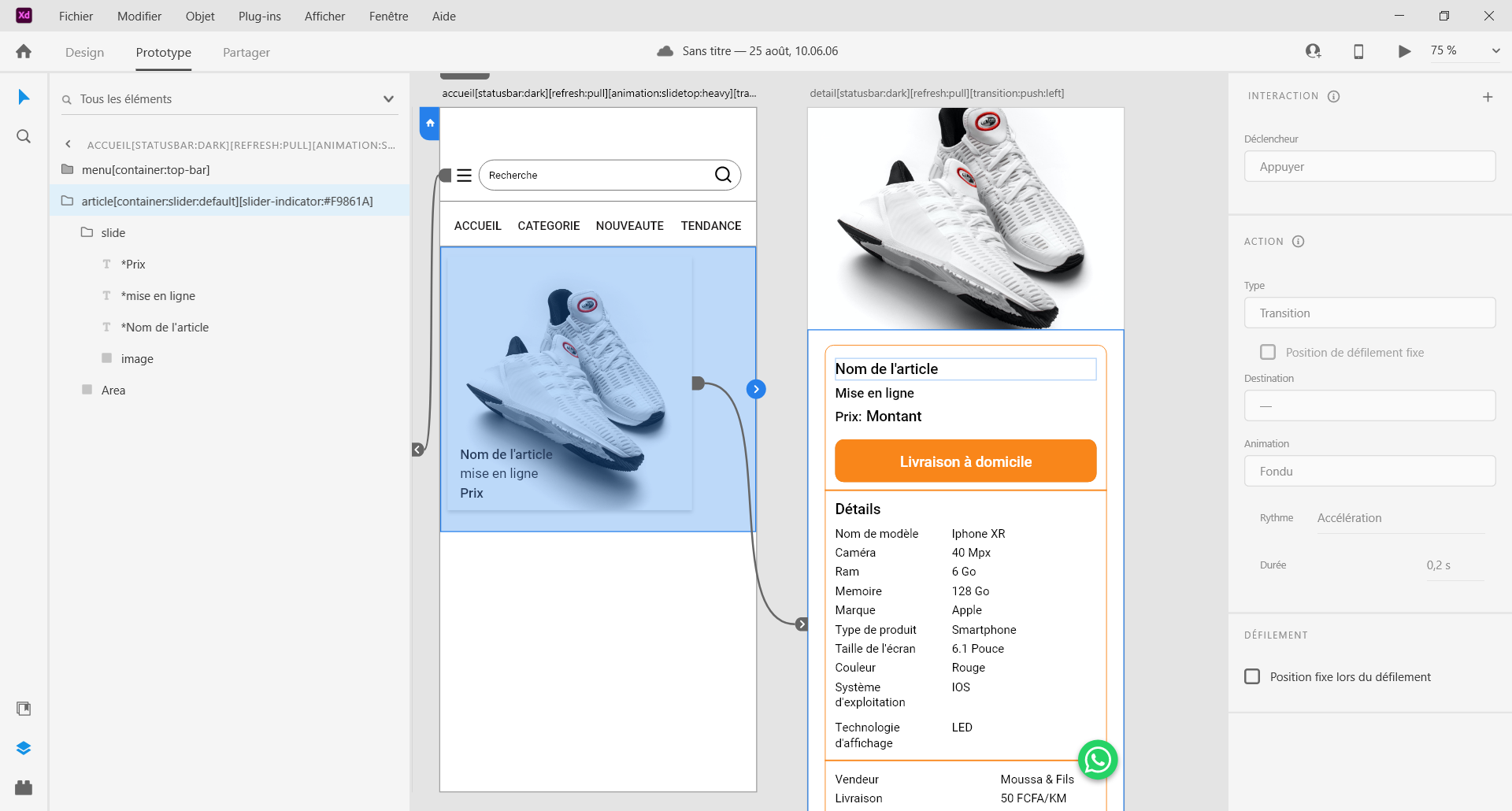
make sure to link the "list [container]" to the detail page first. in image below under the link "article [container]" towards the detail page.

Adobe XD 22_09_2021 18_38_00.png

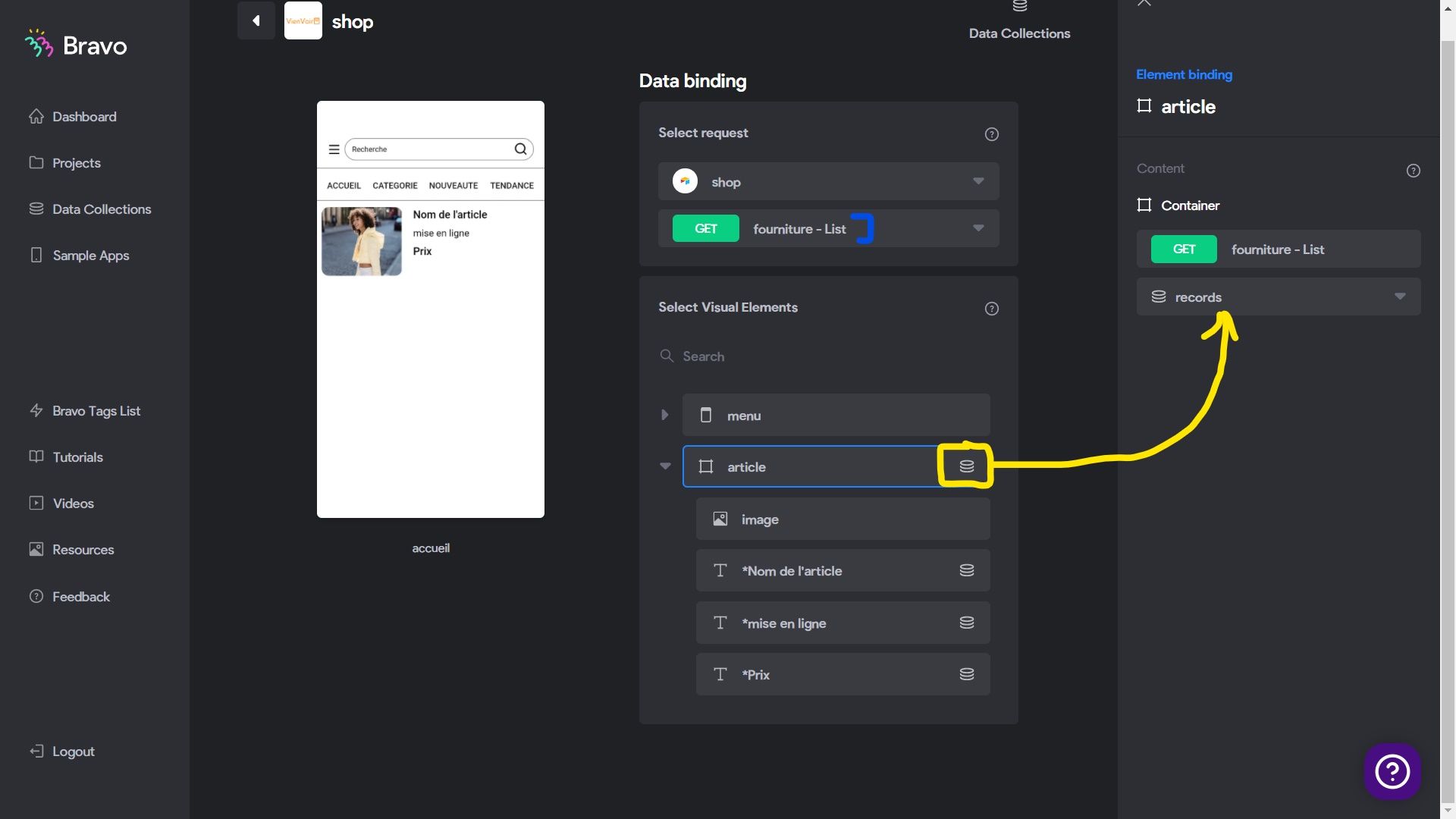
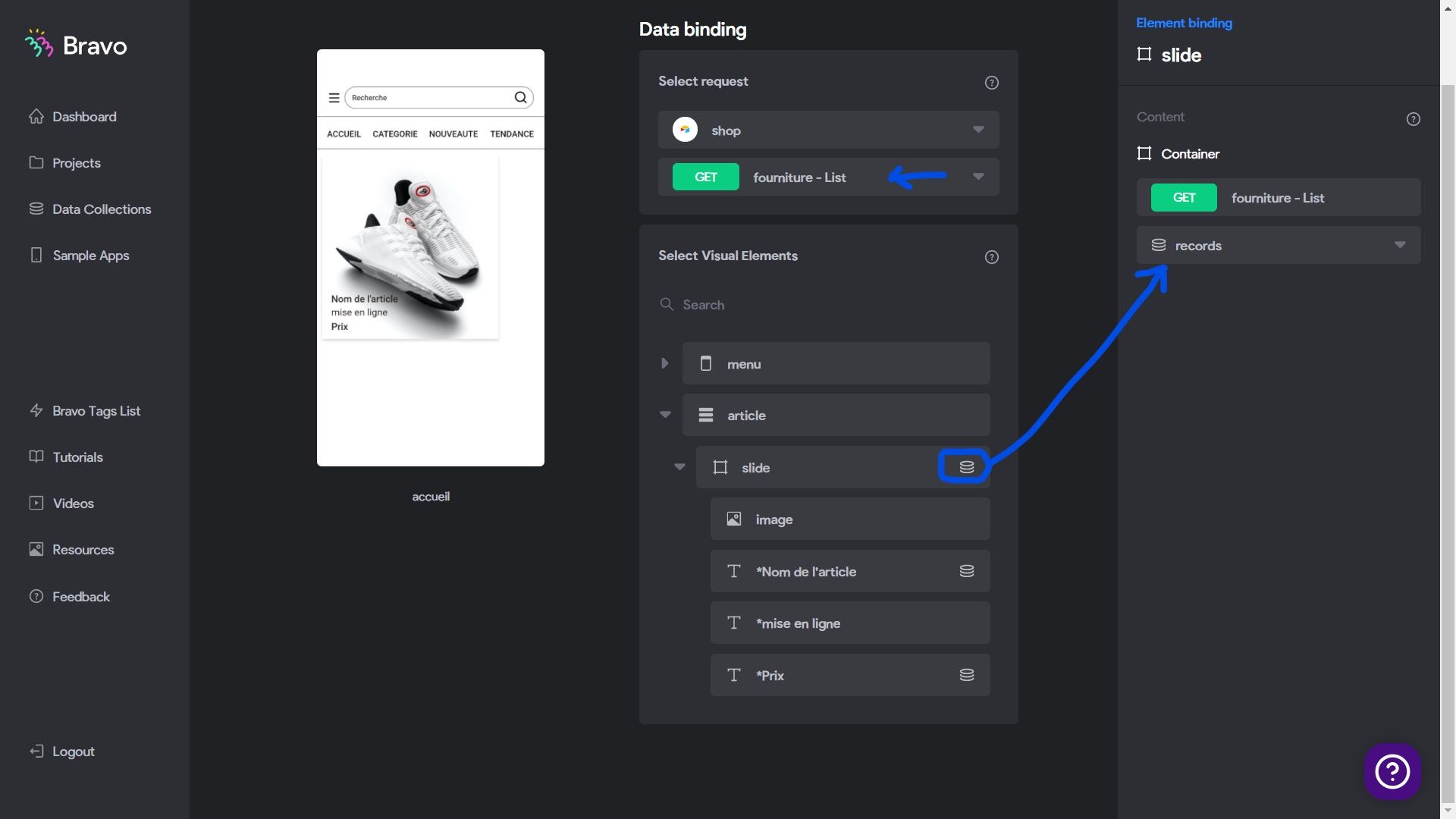
in bravo you must first link the "Suggestion-list" to the container that contains the list items. as you can see in the picture "Fourniture-list" is linked to " container Article"

Bravo Studio - Bindings - Google Chrome 22_09_2021 19_08_43_LI.jpg

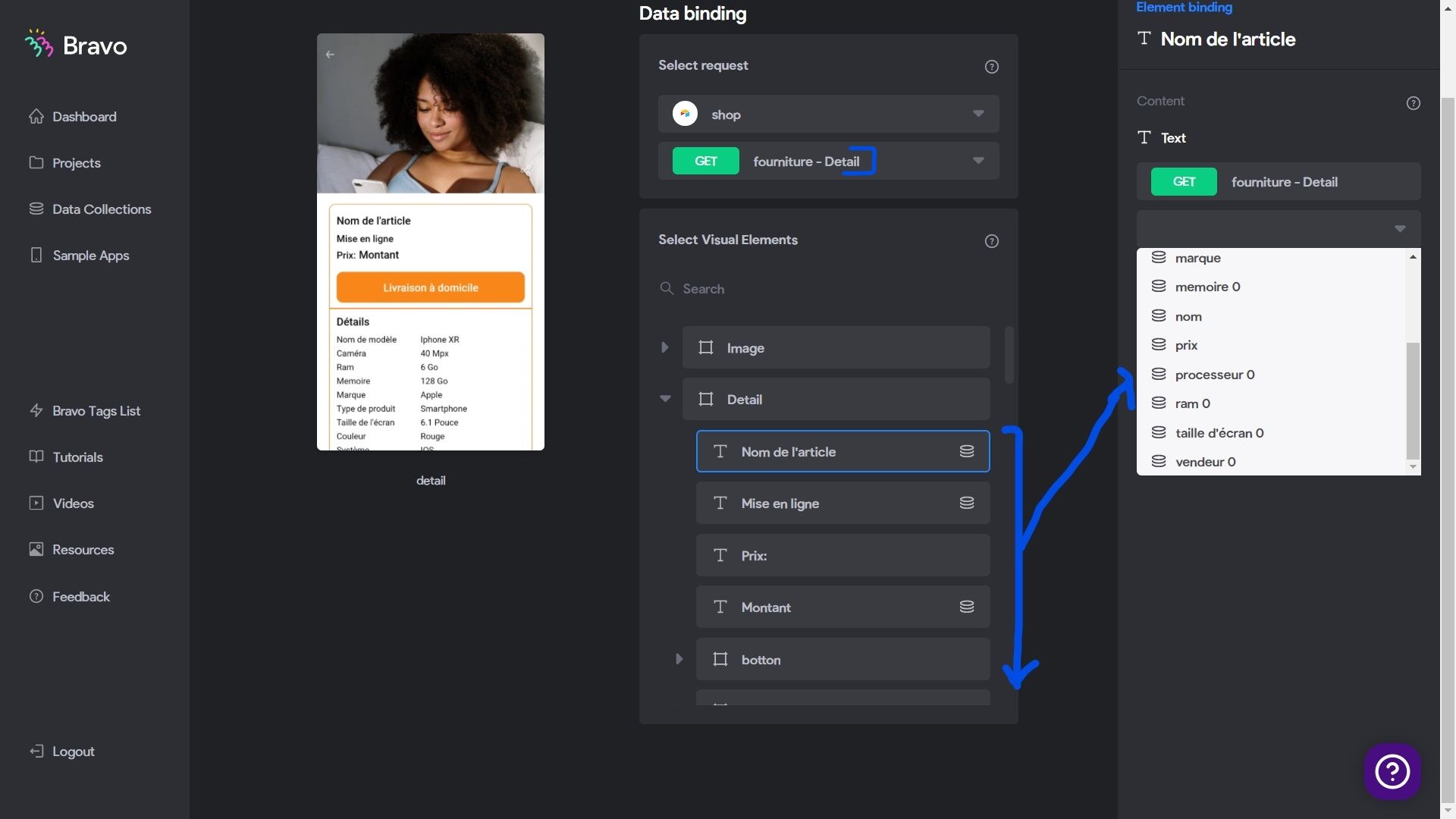
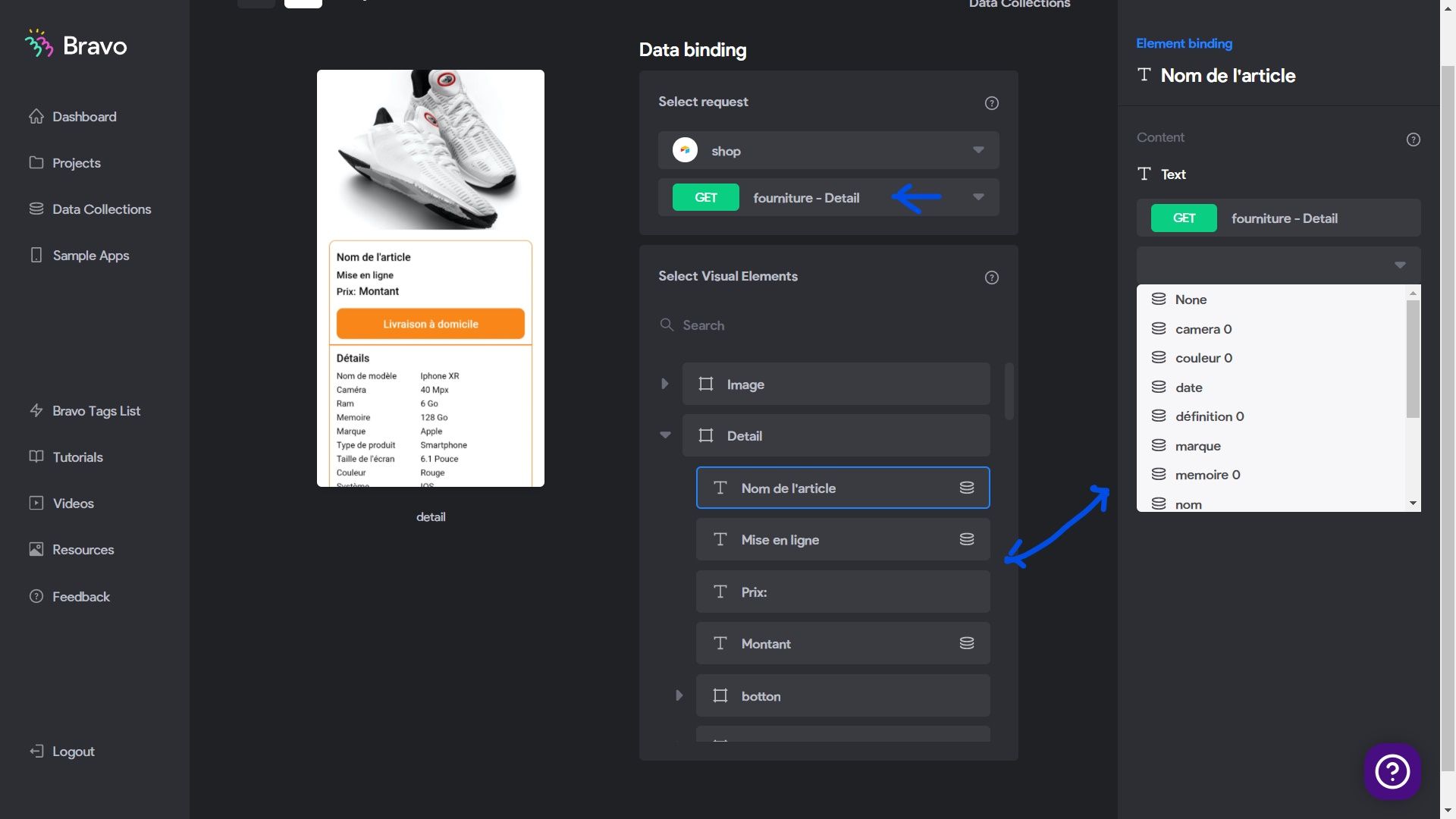
Finally and it works you link "Suggestions-Detail" to the elements of "container detail" of the detail page. in this example "Fourniture-detail" is linked to the elements of "container detail"

Bravo Studio - Bindings - Google Chrome 22_09_2021 19_31_51_LI (2).jpg

now check your result in bravo vision after updating 🙂. I speak French too

LIU September 23, 2021

Yes I followed the same thing that you share with me, but I do add slider tag in my container[container:slider:default][slider-indicator:#707070], I'm not sure if it's because of that?

Stéphan September 23, 2021

"slide" links to the detail page. look at the picture.

Adobe XD 23_09_2021 16_23_49.png

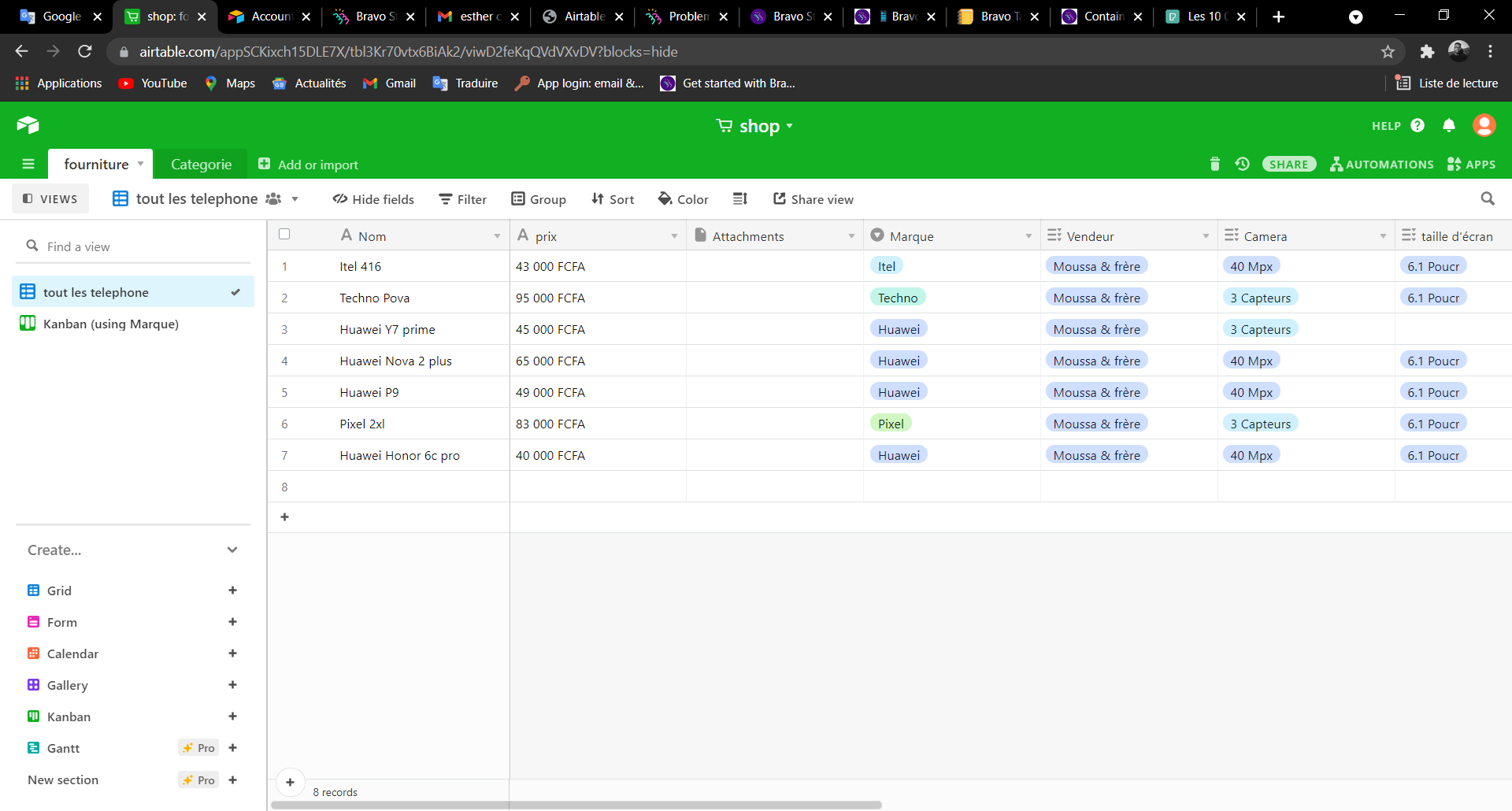
Here is my  table

Bravo Studio - Bindings - Google Chrome 23_09_2021 16_57_34.png

link slide to your "table-list". in my example "slide" is linked to "Fourniture-list".

Bravo Studio - Bindings - Google Chrome 23_09_2021 16_52_28_LI.jpg

link the elements of "container detail" to to the elements of your "table-detail". here in picture I linked the elements of "container detail" to the elements of "Fourniture-detail"

Bravo Studio - Bindings - Google Chrome 23_09_2021 17_01_50_LI.jpg

here is the result in video, look at the "name, the upload date, the price for each corresponding " slide" because these are the ones I linked

▶ Video: 20210923162519.mp4

LIU September 29, 2021

Thank you for your Help, but I followed your steps, it still doesn’t working. Maybe you should add different images in each section, you will see the bug.

Wrote something in this thread and want it removed? Request removal

Still stuck?

Ask the community on Discord

This archive is read-only. New questions, office hours and product updates now happen in the Bravo Discord.

Join the Discord