← Design & Bravo Tags
Design & Bravo Tags December 16, 2021 · 10 replies

Screen is cut / does not show completely

Archived from the Bravo community forum (2021–2026). Some answers may refer to older versions of Bravo.

After importing my figma file in Bravo the screen is not shown completely. I am new to this so probably I made a mistake somewhere but after searching for a while I cannot seem to fix this issue. Can someone please help?

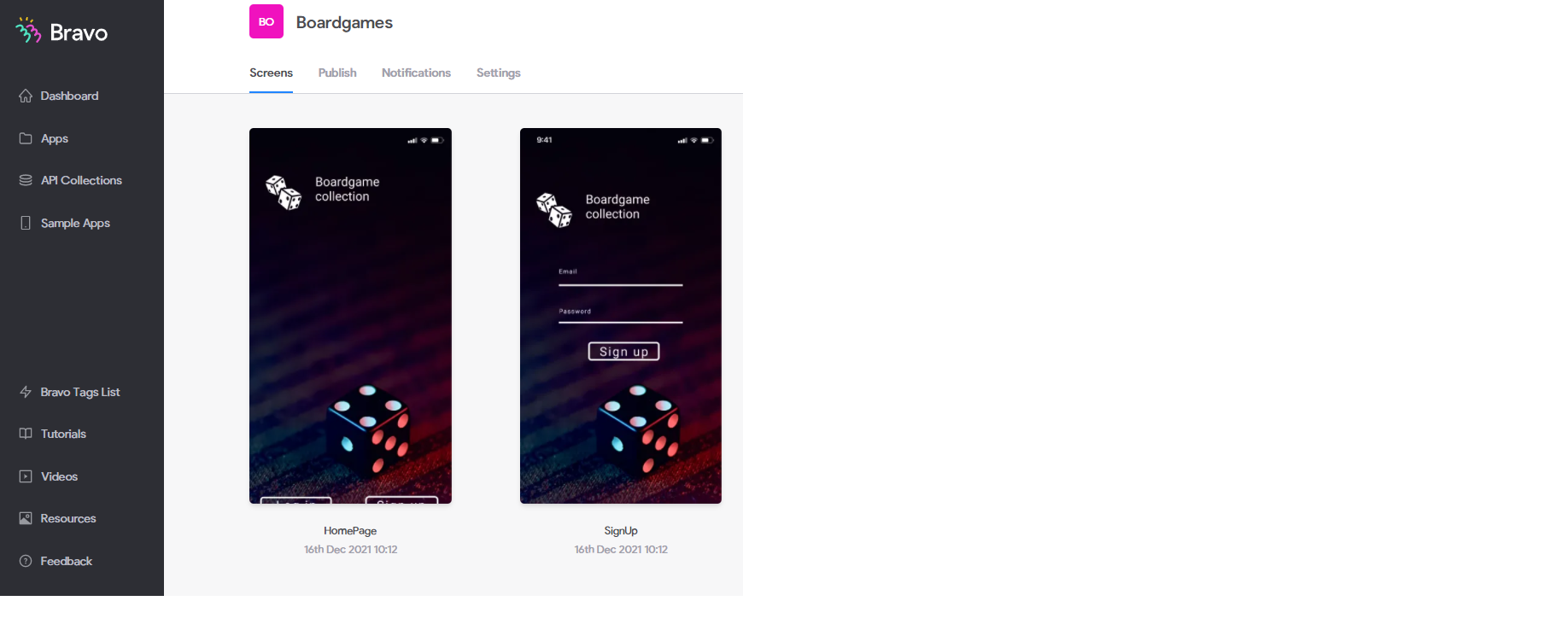
I made a screenshot from my figma file (incl. tags) and the result in Bravo
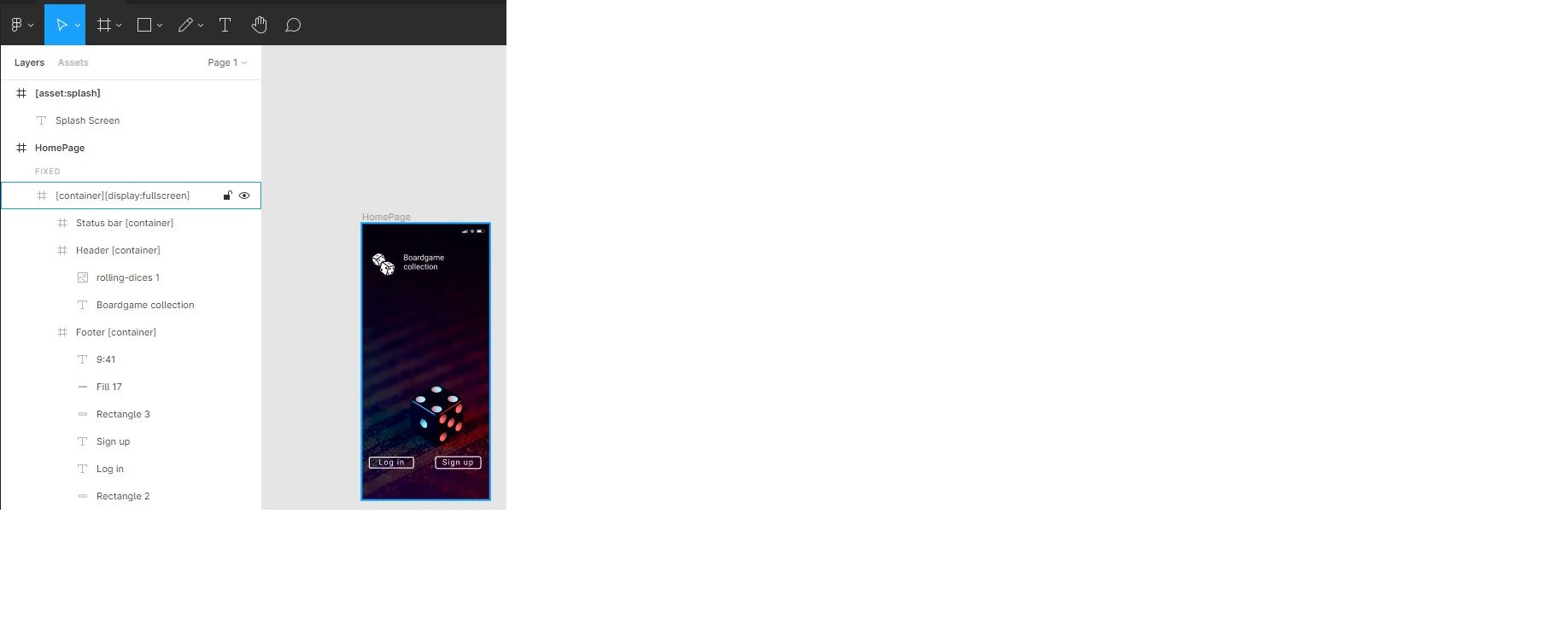
figma.jpg

bravo.png

Thanks for any help / tips you can provide me with.

10 replies
Bastos December 16, 2021

It’s « cut » in the website prevew but once you check it on bravo vision, it has to look great.
Check It out 😊

Rick December 16, 2021

I think you are right, is there a way to preview it correctly in bravo studio?

Rick December 16, 2021

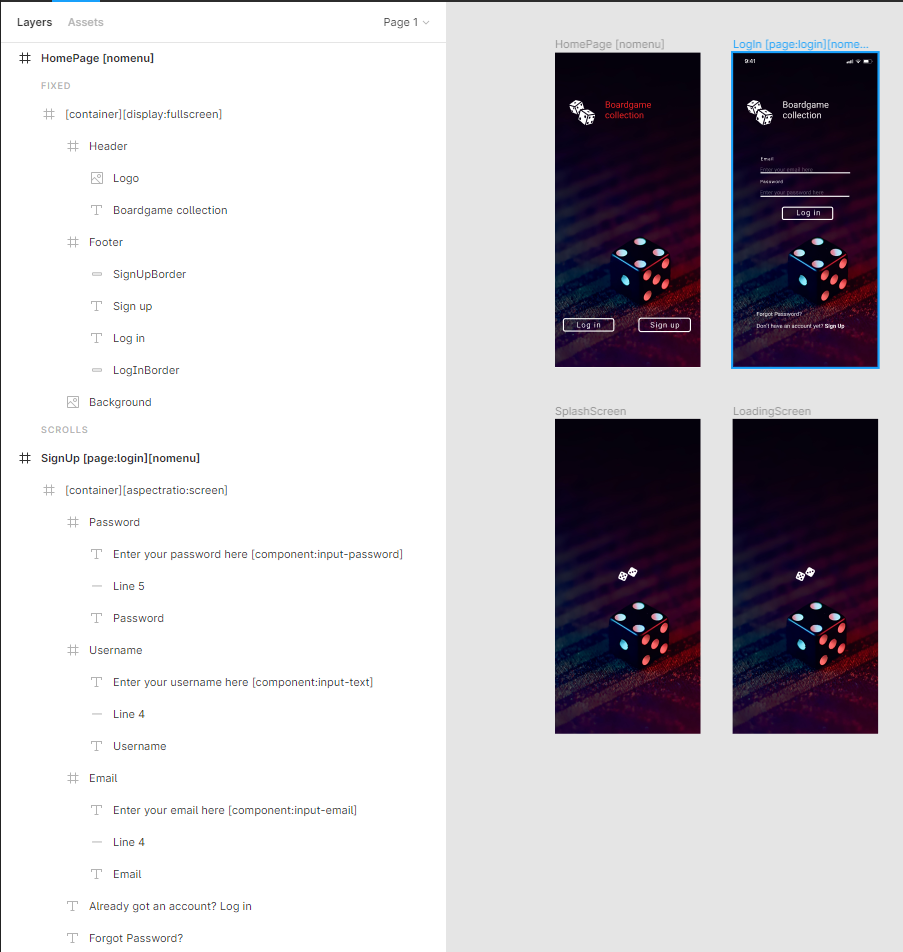
maybe you can help me again. I changed some things (added a menu and a loading screen), but now when I preview the app everything is white. I deleted the new screens but everything still stays white,

image.png

In bravo everything seems correct

Rick December 17, 2021

Thank you for your response. However with the latest version of my figma file (see latest screenshots) I get an empty / white screen when opening Bravo Vision.... Do you have any clue what I did wrong?

Rick December 17, 2021

The following answer from the team really helped me:

Hi Rick,

It seems you've created a home screen that goes before the login screen. This is not possible, in case you want to implement a screen for the user to choose between signup and login, you need to do that using the Intro tag.

The home screen needs to be the screen where the user navigates once they've logged in.

Alexandra March 6, 2023

I have the same issue with my preview screen getting cut off at the bottom, as well as other elements not showing up correctly from the Figma reference (stroke outlines look thicker, for example). is there a way to see the actual, real preview in the Bravo Preview without having to open my mobile app?

Bastos March 7, 2023

For the strokes, you can add the component svg tag on the element, they will render properly then.

Alexandra March 8, 2023

I did that, still not rendering properly in the Bravo Studio (the desktop viewer, not the app)

Bastos March 9, 2023

Why you need it to render properly in the Bravo Studio interface ? Most important is the biding elements being detected. It never render the same as in Figma

Wrote something in this thread and want it removed? Request removal

Still stuck?

Ask the community on Discord

This archive is read-only. New questions, office hours and product updates now happen in the Bravo Discord.

Join the Discord