← Design & Bravo Tags
Design & Bravo Tags Solved January 8, 2024 · 3 replies

[shape:fill] not working

Archived from the Bravo community forum (2021–2026). Some answers may refer to older versions of Bravo.

Screenshot 1: Figma setup

Screenshot 2: Bravo Vision with API binding

The tags I have in Figma are [component:svg][shape:fill] and the component has a placeholder image fill.


3 replies
Marielle Ibias Bravo team January 9, 2024

Hi @Laura Meng,

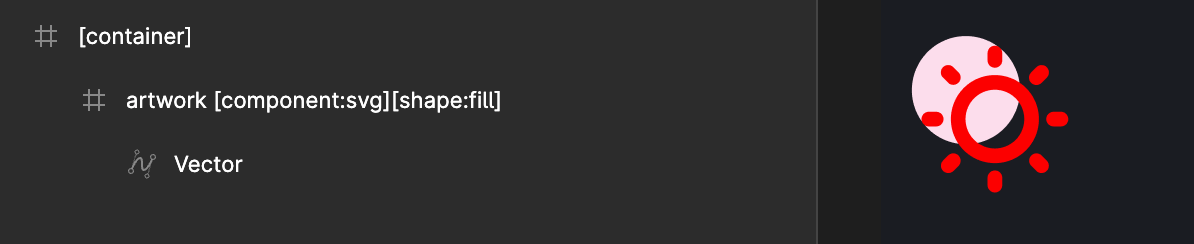
The [shape:fill] tag is typically used to fill a container or background with a vector in Bravo.

Here's a quick example to illustrate:

  • Figma Design: In Figma, the vector overflows the background shape.

  • Bravo Vision: In Bravo Vision, the vector will fill the background shape as intended.

    If you want to bind an image, consider using an image with a fill property in Figma. This ensures proper binding in Bravo afterward.

Best,
Marielle

Stéphan January 9, 2024

Hello Laura !
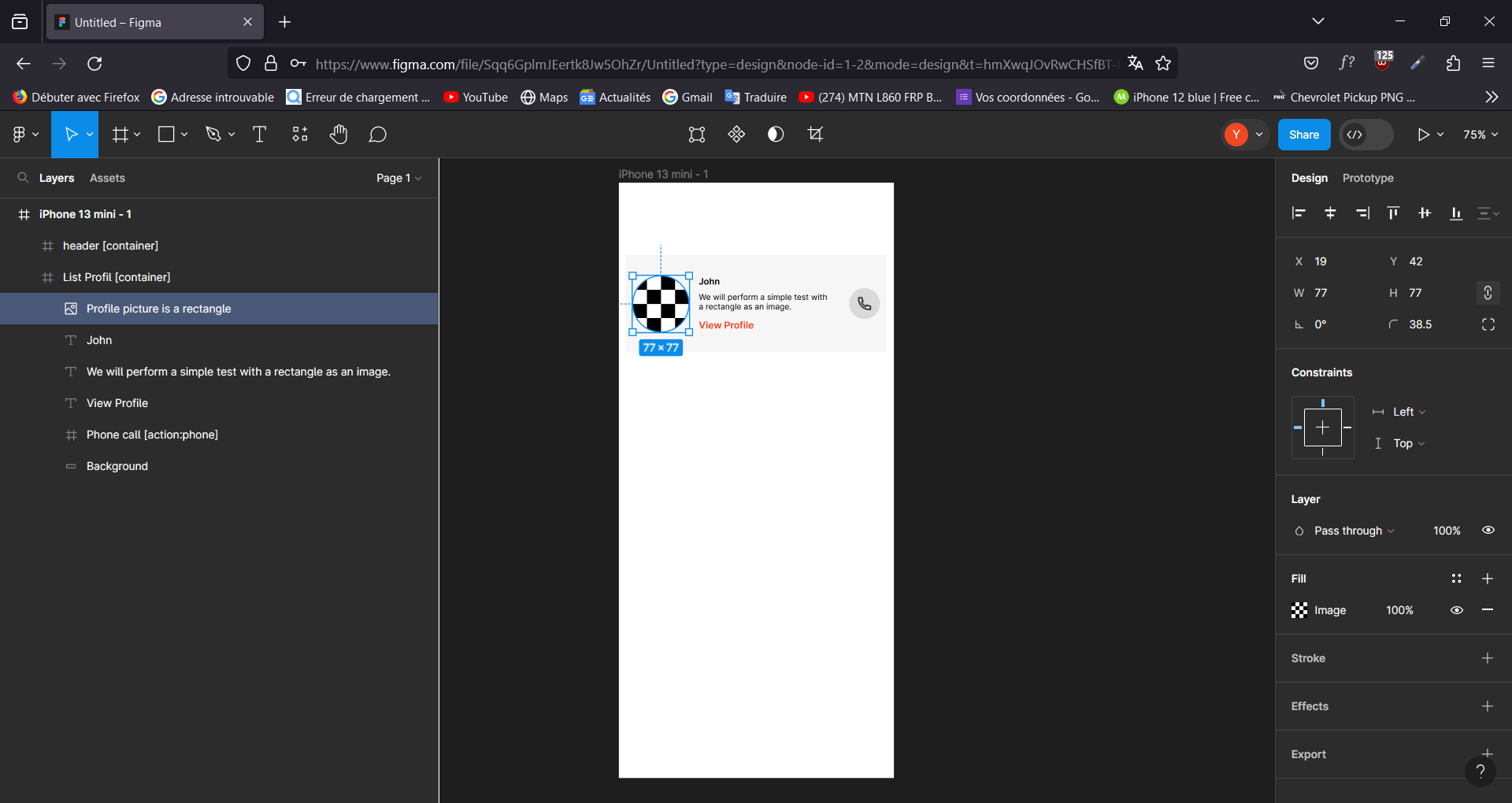
I created a simple example based on your design. I hope I understood your concern correctly. As you can see in my Figma file, the profile picture is a square rectangle with rounded corners on all four sides to form a circle. Then, I converted it into an image. In Bravo Studio, I simply performed the synchronization.

![](https://cdn.sanity.io/images/mou08vec/production/859428a74865f377a7b6bbfc78eef4e6c87a57c8-1920x1080.png)

  
3.

![](https://cdn.sanity.io/images/mou08vec/production/e3189160322614d91a7bd2a8474c1808ba61279d-1920x1080.png)

  
4.


![](https://cdn.sanity.io/images/mou08vec/production/9e0a43ebb991c9aa6cdda4bcab52b96bc30c6087-720x1600.png)
Laura January 9, 2024

Thank you both! It worked :) @Stéphan N'GUISSAN @Marielle Ibias

Wrote something in this thread and want it removed? Request removal

Still stuck?

Ask the community on Discord

This archive is read-only. New questions, office hours and product updates now happen in the Bravo Discord.

Join the Discord