← Design & Bravo Tags
Design & Bravo Tags September 1, 2021 · 3 replies

Space Issue

Archived from the Bravo community forum (2021–2026). Some answers may refer to older versions of Bravo.

Dear All.

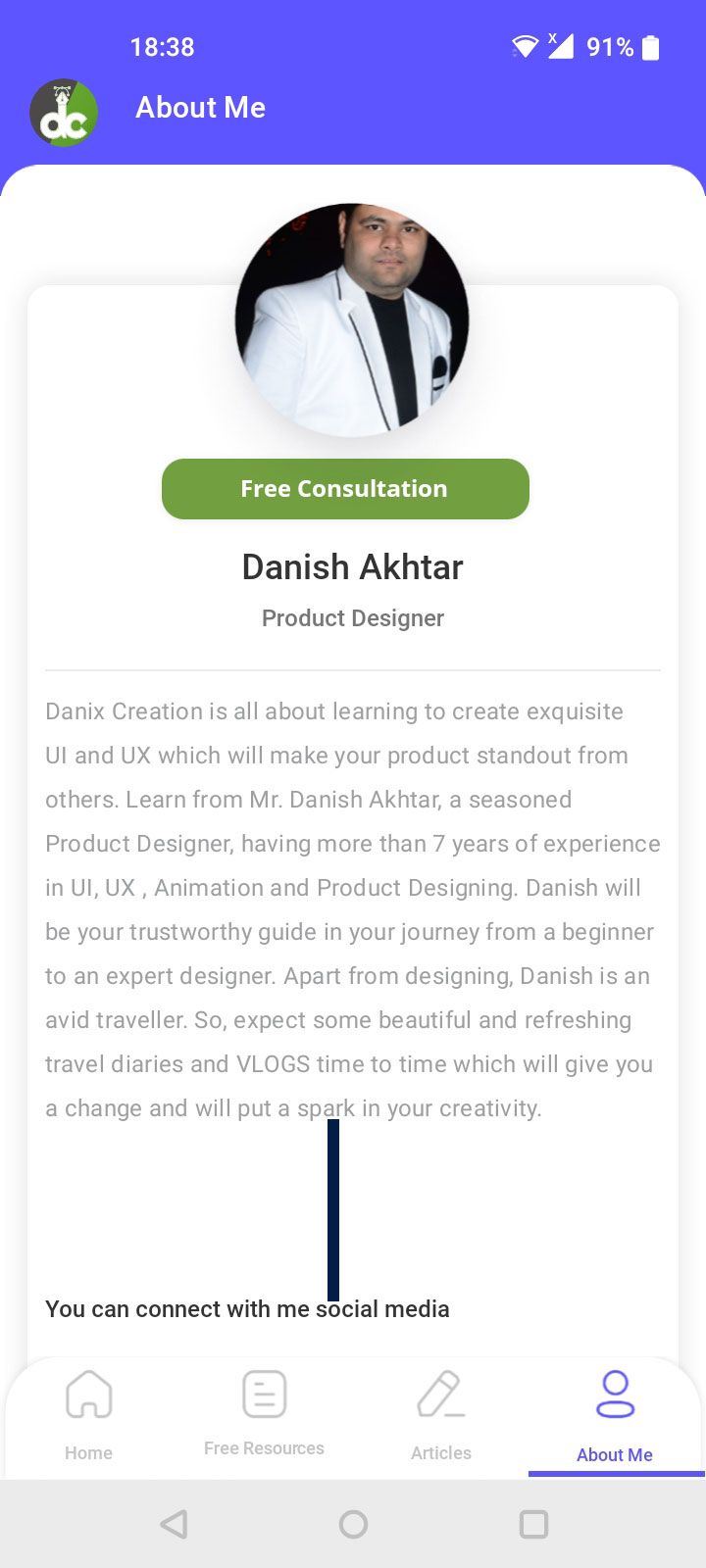
Why there is extra space is coming in real app which is not in design
   
Figma Design:

About Me [statusbar_light][transition_dissolve] [animation_slideright_heavy].png

App Screen

Screenshot_20210901-183838.jpg

3 replies

app.monster September 1, 2021

Hey Danish,
it would be helpful to see the containers you are using. My guess from your two screenshots would be that you didn't use the flexo tag for the long text. If the content is static and you want it to look identical, you can try the following:
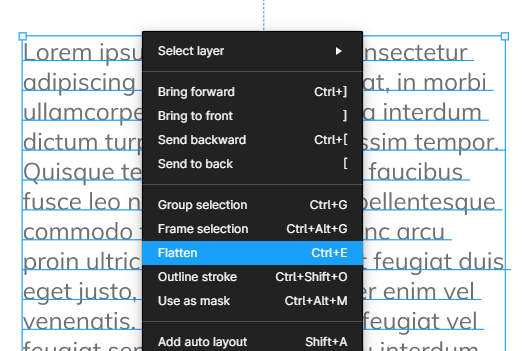
Select the text --> right click --> flatten

image.png

Be careful! This converts the text to a vector graphic. This means that you won't be able to edit it later. But since it's not a text anymore it won't resize according to the screen but will always keep its ratio.
You can also DM me your Figma file if you want me to have a closer look :)

Danish September 2, 2021

Thanks for the reply yes i tried Flex tag still same issue exist is there any other option apart from flatten the text

Marta Serrano Bravo team September 3, 2021

Hello ,
The fonts world it's very difficult to handle. Each font has their own properties and could act differently in each device screen; spacings , margins, font sizes, etc. In Bravo we try to match the UI design as much as possible per any device; however in Android, there are so many different screen sizes that make it hard. You could see that the frame you use in Figma is smaller than your mobile. Can you try playing around with margins of your text box, to make it longer? Try to fit the design as much as possible, but other devices could not have this issue (like the same device you are using for your Figma file)
Which font are you using? to check and test how we can improve it if possible.

Wrote something in this thread and want it removed? Request removal

Still stuck?

Ask the community on Discord

This archive is read-only. New questions, office hours and product updates now happen in the Bravo Discord.

Join the Discord