Archived from the Bravo community forum (2021–2026). Some answers may refer to older versions of Bravo.
Hi together,
I want to create an app with a static background. The dynamic content should scroll in a transparent container. But the thing is: if I create a background-container with an image the image appears as a scrollable element, not as "background".
I hope someone can help me.
Thanks!
This is what it should look like:
Figma Prototype - please scroll the list up and down:
This is the figma file:

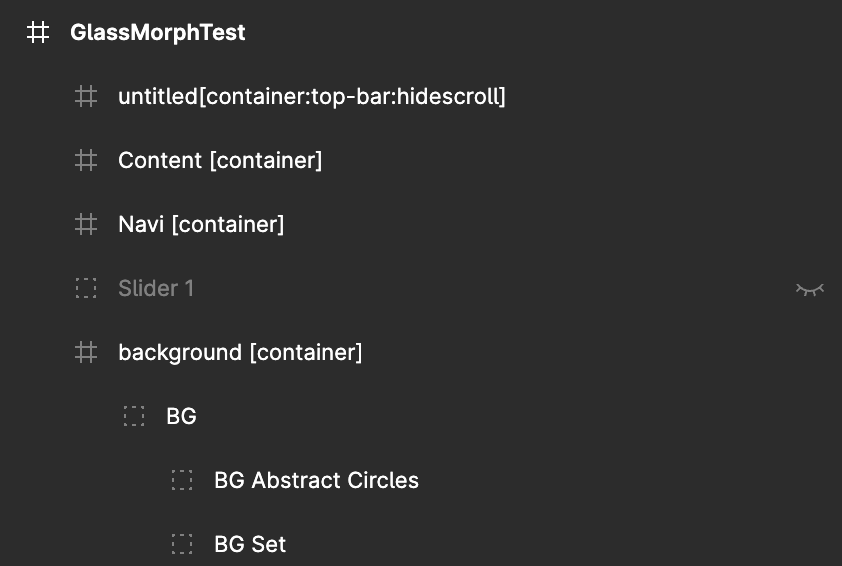
This is the figma structure:
This is what the app looks like (i think its different 🤣:)

scrolling down....

2 replies
Wrote something in this thread and want it removed? Request removal
Ask the community on Discord
This archive is read-only. New questions, office hours and product updates now happen in the Bravo Discord.
Join the Discord