Archived from the Bravo community forum (2021–2026). Some answers may refer to older versions of Bravo.
We have followed the sticky layer tag as instructed, please see Figma screenshot below:
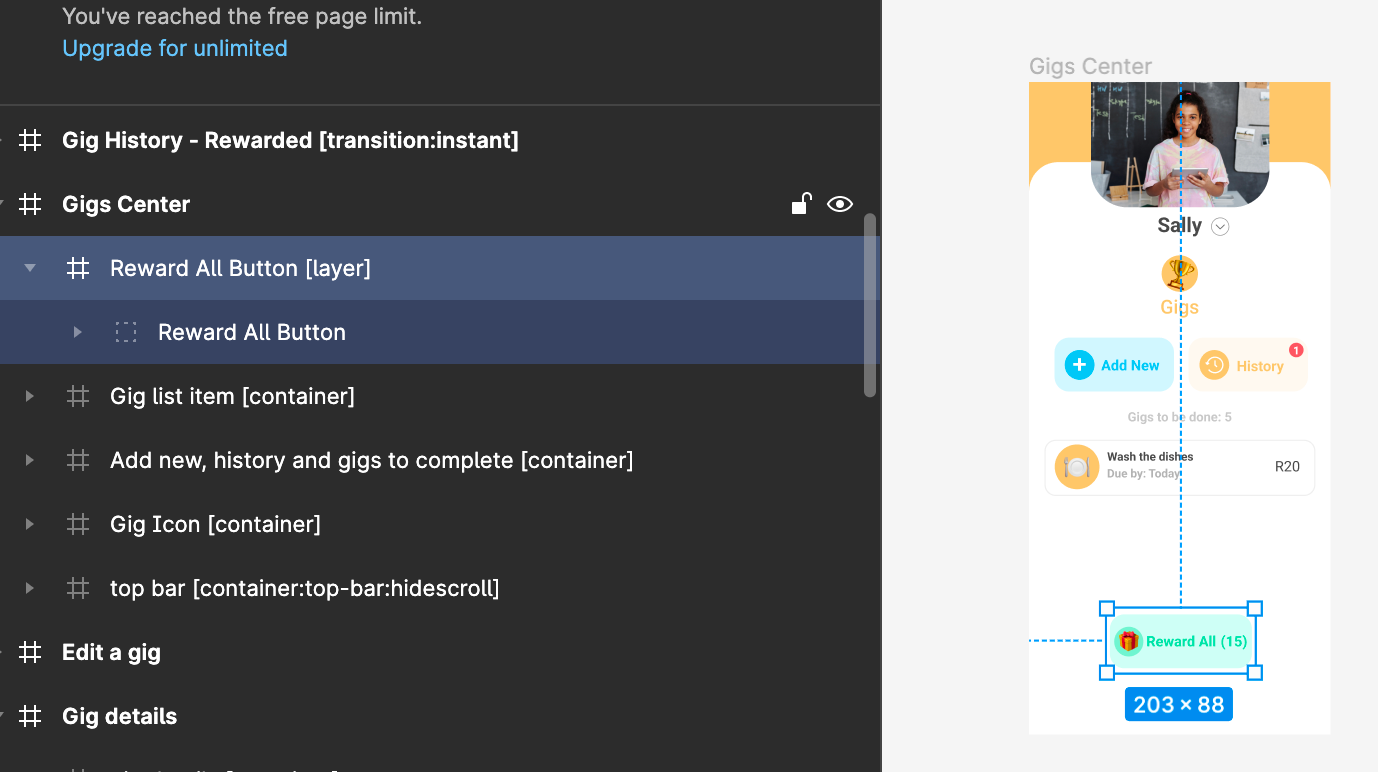
However, on Bravo Vision this is what is being displayed:

How can we make this tick to the position originally intended as seen in the Figma design screenshot?
1 reply
Wrote something in this thread and want it removed? Request removal
Still stuck?
Ask the community on Discord
This archive is read-only. New questions, office hours and product updates now happen in the Bravo Discord.
Join the Discord