Archived from the Bravo community forum (2021–2026). Some answers may refer to older versions of Bravo.
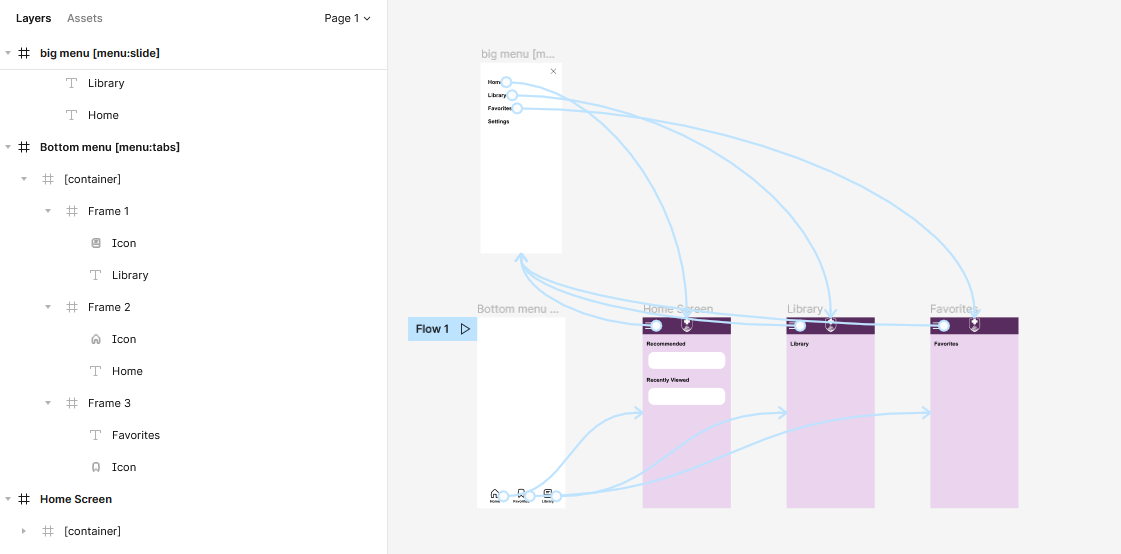
Hi, so I followed the doc exactly and made sure everything matches what's in the example figma design file, and the menu tab just won't show up.
Here is the figma design with the different frames opened. There was one answer to a question like this that said there should be no frames within the container. The design file on the Bravo tutorial has the elements in frames like this. But I did try removing all the frames so that it's just the items, and it still didn't work.
3 replies
Wrote something in this thread and want it removed? Request removal
Ask the community on Discord
This archive is read-only. New questions, office hours and product updates now happen in the Bravo Discord.
Join the Discord