← Design & Bravo Tags
Design & Bravo Tags June 25, 2022 · 9 replies

[Unsolved 😞]Text looks different in Figma vs Bravo

Archived from the Bravo community forum (2021–2026). Some answers may refer to older versions of Bravo.

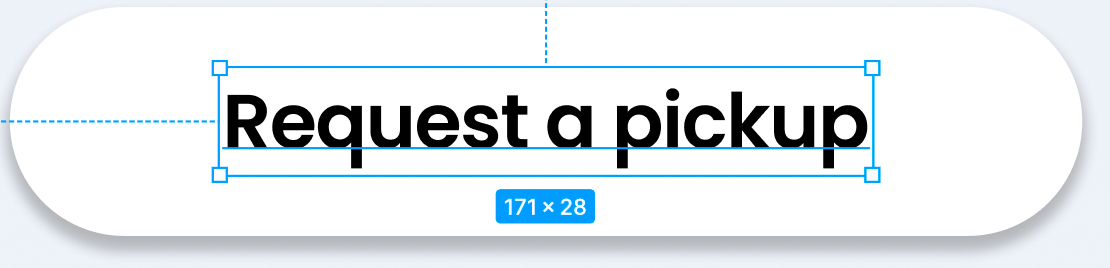
After watching the videos online I saw that it's recommended we stretch out the text container so that in case the font gets larger on a different phone or anything it won't cut out. That's exactly what I did as you can see in "Image #1". But when I do that the text seems to be shifted down on the Bravo app, it not longer is centered. 

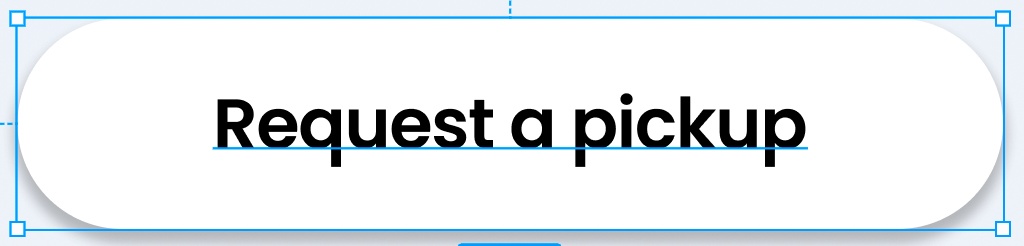
Ironically, the only way it's back to normal and appears great is when I make the text container look like Image #2", outside of the recommendation. 

I'm worried to keep the text container as Image #2 because it can lead to issues with other phone sizes.

1. Why does Bravo do that?
 2. Is this a responsive issue?
 3. What would the solution be for something like this?

Thanks, team!

IMAGE 1:
Screen Shot 2022-06-25 at 9.07.26 AM.png

IMAGE 2:

Screen Shot 2022-06-25 at 9.08.29 AM.png

9 replies

Bastos June 25, 2022

The best option I found for making a button was to use autolayout. There you don’t have this problem.. but not sure if you want to use it like that.

moshi June 25, 2022

Not sure what you mean when you say "use the autolayout".  Is that a tag? if so can you link me the documentation so I can read on it & learn how to use it. 

Also, this isn't just for a button, I have text throughout my entire app & this issue is occuring. What would the solution be?

Also what do you mean by "not sure if you want to use it like that"? Are there issues with using Autolayout. 

Sorry for all the questions, I'm new and am trying to understand what you actually mean from your answers!

Thanks for the reply btw

moshi June 25, 2022

That's actually a very good observation, thank you. I'll be sure to do that.

moshi June 25, 2022

But for this specific do you have an explanation on how to solve this? I appreciate you sending me a playlist of videos & i'll be sure to watch them. But this is a very specific question, is there a direct solution?

Bastos June 25, 2022

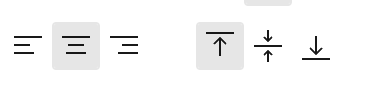
sometimes your text is vertically aligned in the middle in figma. Make sure to put it vertically aligned on top

moshi June 25, 2022

That's exactly what I did and it still doesn't work

Screen Shot 2022-06-25 at 11.00.05 AM.png

jeblister June 25, 2022

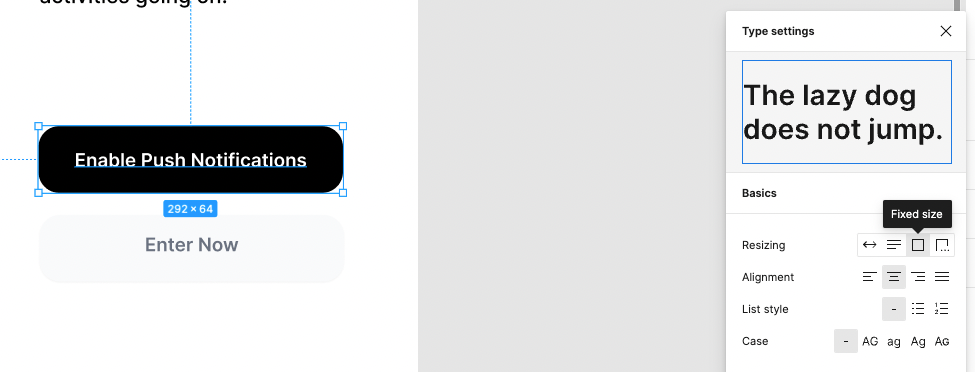
what worked for me is to always set the resizing property of the text to "fixed", like so :

image.png

Wrote something in this thread and want it removed? Request removal

Still stuck?

Ask the community on Discord

This archive is read-only. New questions, office hours and product updates now happen in the Bravo Discord.

Join the Discord