← Design & Bravo Tags
Design & Bravo Tags January 13, 2024 · 5 replies

The ":required" appendage not working

Archived from the Bravo community forum (2021–2026). Some answers may refer to older versions of Bravo.

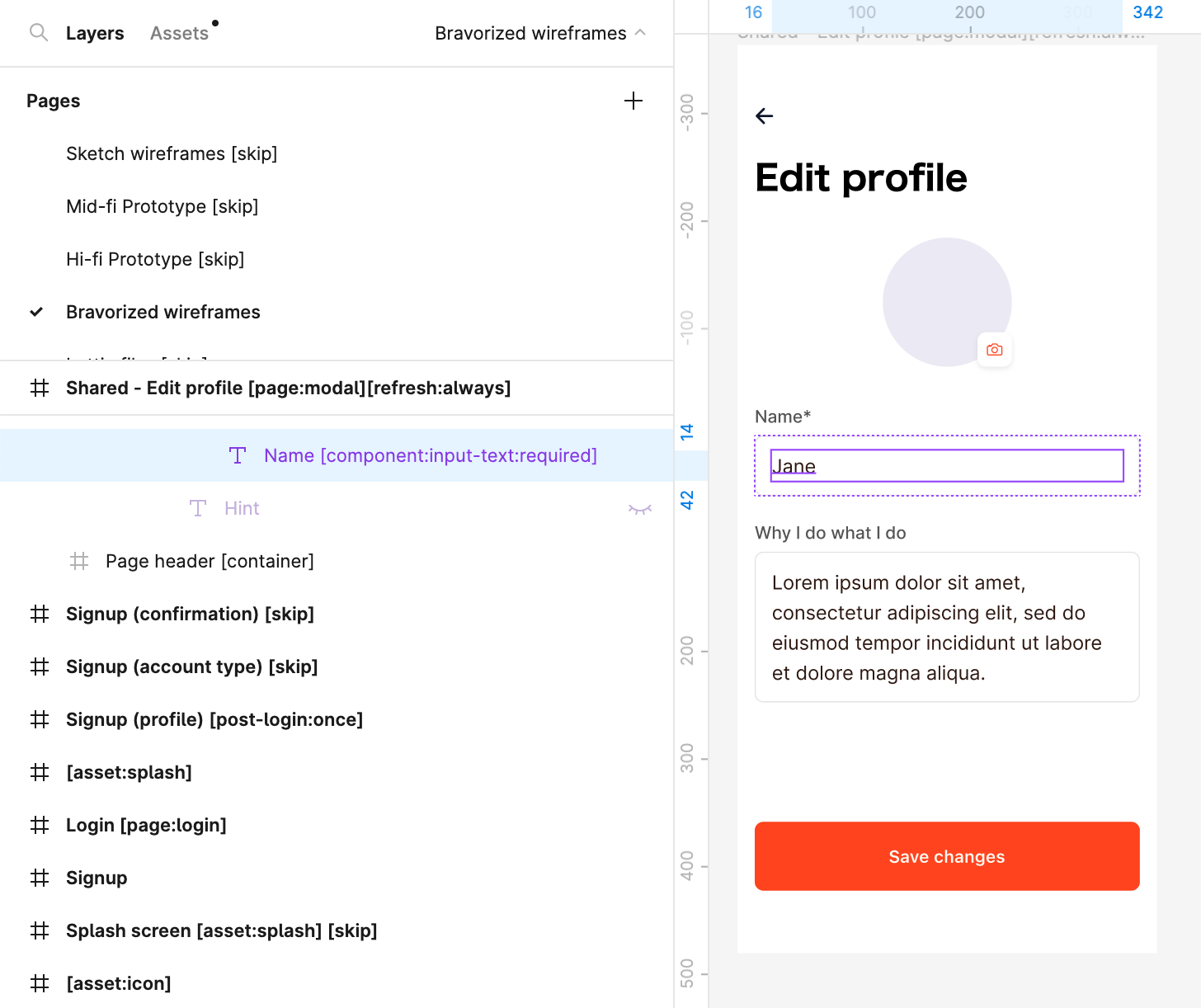
It works on the signup screen but not the “Edit profile” screen as shown below. When I leave the “Name” field blank in Bravo Vision and click on “Save changes” the form still gets submitted and the Patch API triggered in the backend.

I’m not sure if it’s because the “Edit profile” screen is a modal (i.e., [page:modal]).
5 replies

Laura January 15, 2024

I think I figured out what the issue is - when the form is filled with existing data like the “Edit profile” form, deleting what’s already in the input fields is treated like a new user-input and that’s why the [:required] tag seems to not work.

Can we please fix this because it’s crucial these fields are filled.

@Marielle Ibias tagging you to flag this issue!

Laura January 15, 2024

The same issue exists when the user types a value in a required input and then deletes it. The system treats it as a valid input and allows form submission instead of triggering the [:required] tag.

Marielle Ibias Bravo team January 16, 2024

Hi @Laura Meng ! Let me confirm this. I’ll get back to you

Marielle Ibias Bravo team January 18, 2024

Hi @Laura Meng, thanks for sharing this, the issue has been fixed! Please request a new build for the live app and for Bravo Vision, it will be available in the next update.

Wrote something in this thread and want it removed? Request removal

Still stuck?

Ask the community on Discord

This archive is read-only. New questions, office hours and product updates now happen in the Bravo Discord.

Join the Discord