← Design & Bravo Tags
Design & Bravo Tags July 7, 2021 · 6 replies

Upside down button

Archived from the Bravo community forum (2021–2026). Some answers may refer to older versions of Bravo.

This has probably been discussed, except I haven't found the thread.

I have a couple of frames where I need to flip my button upside down for them to render properly in Bravo Vision. I'm concerned that the buttons will render upside down when I publish the app.

How do I correct this?

Here's Figma...
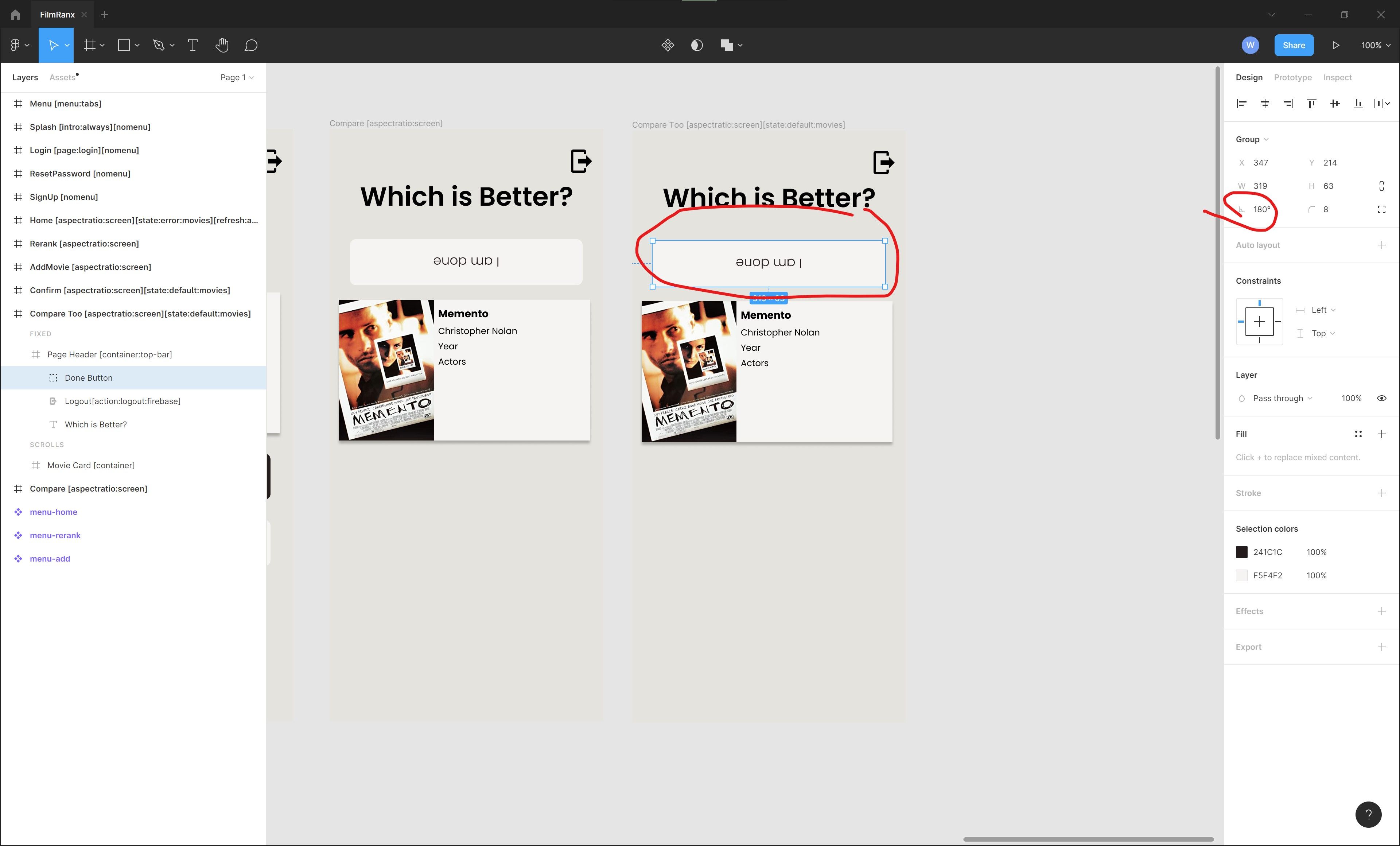
Figma Issue.jpg

And here's the app running in Bravo Vision...
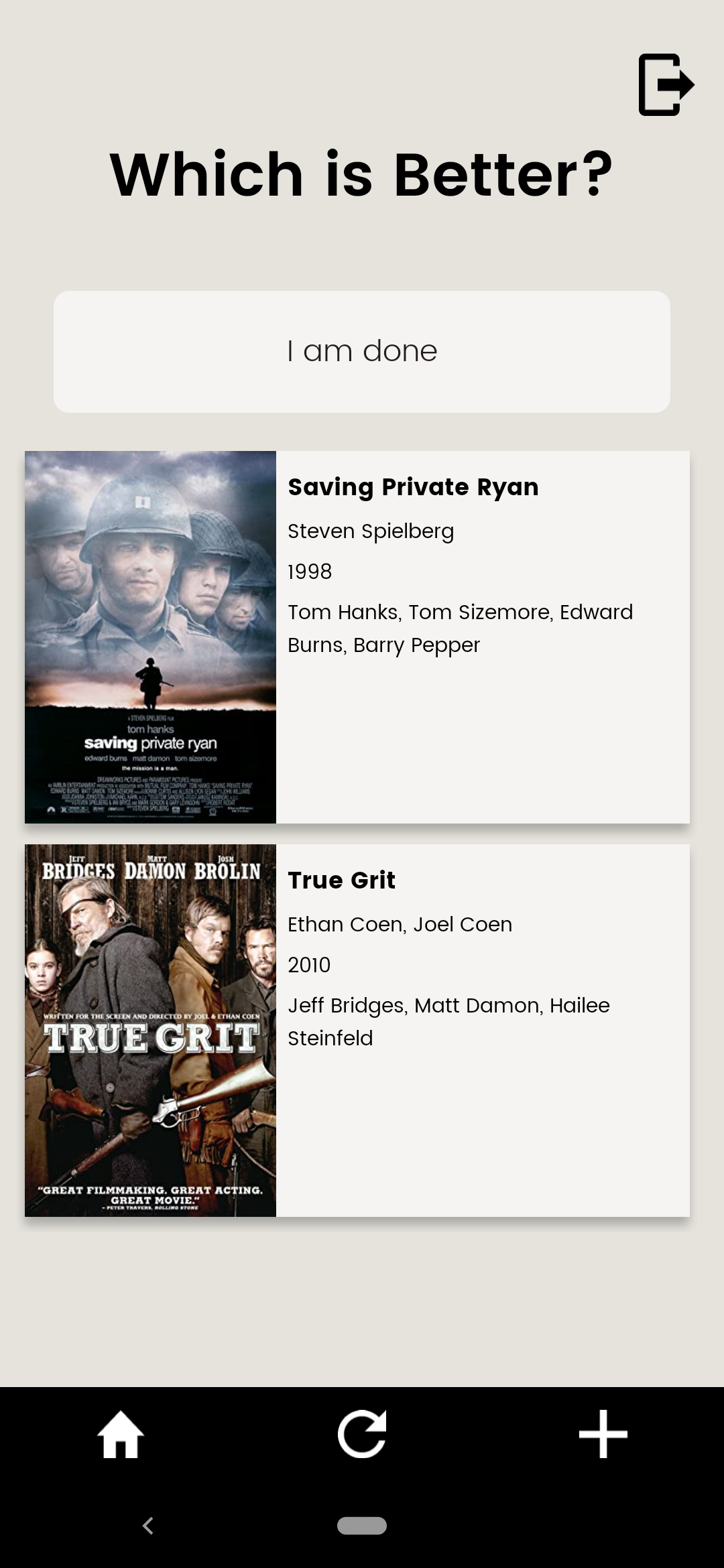
Screenshot_20210707-135237.png

6 replies

Bill July 7, 2021

, hmmm. It looked fine when I submitted the post. There's not much I can do about that.

retrogatorade July 8, 2021

the images are not loading for me too.

try uploading them again?

Karla July 9, 2021

That’s very strange. I never saw this. Try to create the button again with normal text layer and check it again. If still doesn’t work, please share with us a piece of the file that we could try to reproduce the error.

Javier Felipe Bravo team July 13, 2021

Hi ! Are you still having the button text not rendered correctly? If so, you can share with us the Figma link (support@bravostudio.app) and we can give it a look. Thank you!

Wrote something in this thread and want it removed? Request removal

Still stuck?

Ask the community on Discord

This archive is read-only. New questions, office hours and product updates now happen in the Bravo Discord.

Join the Discord